
Your headline is the first thing people read, and usually the last, if it doesn't land. Whether you're writing a blog post, a YouTube title, or a social media hook, the headline carries most of the weight when it comes to earning that click. The CoSchedule Headline Analyzer is a free tool built to score your headlines and show you exactly where they fall short. But knowing the tool exists and actually using it well are two different things.
At SocialRevver, we treat attention like an engineering problem. Our entire system, from script development to distribution, is built on data-driven patterns that determine what gets clicks and what gets ignored. Headlines and hooks sit at the top of that chain. A weak headline means your content never gets the chance to do its job, no matter how good it is. That's why tools like CoSchedule's analyzer matter: they give you a measurable starting point instead of a gut feeling.
This guide walks you through how to use the CoSchedule Headline Analyzer step by step, what each score actually means, and how to apply its feedback to write headlines that pull readers in. If your content has been underperforming and you're not sure why, your headlines are the first place to look.
What the CoSchedule Headline Analyzer does
The CoSchedule Headline Analyzer takes your headline and runs it through a scoring system based on several weighted categories. It produces a numeric score out of 100 and breaks down the result so you can see which specific elements are working and which ones are dragging your score down. The tool is free to use and requires no account for basic scoring, though some deeper features sit behind a sign-up wall. Think of it as a structured feedback loop for something most writers treat as guesswork.
How the scoring system works
When you paste a headline into the analyzer, it calculates a score based on multiple factors, including word balance, character length, reading level, and emotional impact. The score is not arbitrary. It reflects patterns from millions of headlines that have demonstrated strong click-through and engagement performance. A score in the 70s is considered good. Anything above 80 puts you in a strong position. Scores below 60 signal that the headline needs meaningful revision before it goes live.
A headline score below 60 means something structural is off, not just the wording.
Each time you make a change and re-score, the tool updates in real time. This makes it easy to run quick iterations and compare versions side by side. You are not guessing whether your edit helped. The score either moves up or it does not, and that feedback is immediate.
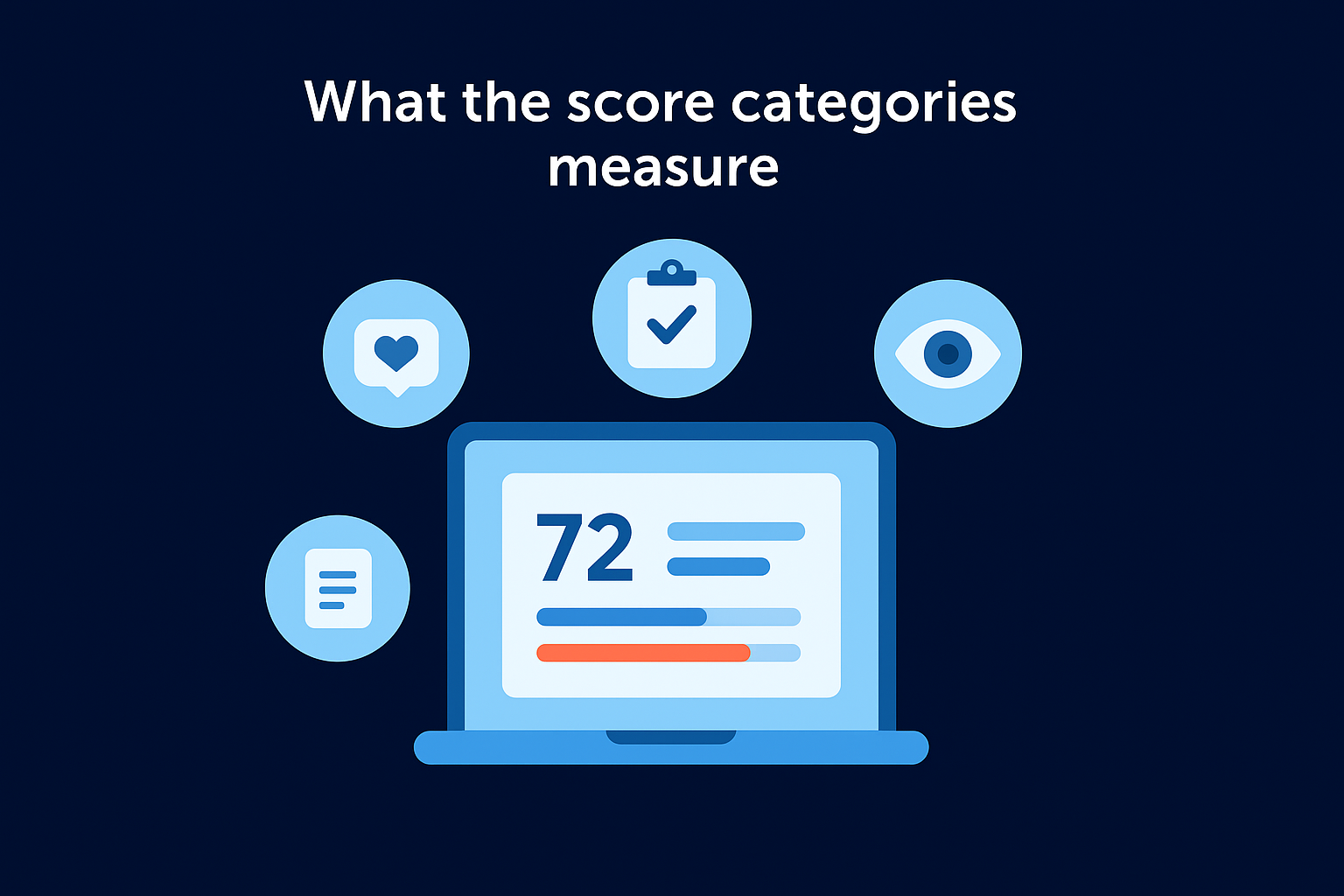
What the score categories measure
The analyzer breaks its feedback into distinct categories. Understanding what each one measures helps you act on the feedback instead of just chasing a higher number for its own sake.
| Category | What It Measures |
|---|---|
| Word Balance | The ratio of common, uncommon, emotional, and power words |
| Sentiment | Whether your headline reads as positive, negative, or neutral |
| Reading Level | The grade-level readability of your headline |
| Headline Type | Whether it's a list, how-to, question, or general format |
| Character and Word Count | Whether your headline fits SERP display limits and reader scanning habits |
Each category gets its own sub-score and a short explanation. The tool flags which categories are in the red, which are acceptable, and which are strong. You can see at a glance whether your headline is failing on emotional impact, word length, or structural format, rather than hunting through the whole thing trying to diagnose the problem yourself.
How the tool guides your rewrites
The analyzer does not just score your headline and leave you to figure out the rest. After scoring, it surfaces specific word-level suggestions, showing you which words qualify as power words, emotional triggers, or uncommon vocabulary. It also previews how your headline will appear in a Google search result, including whether it gets cut off at the character limit.
This combination of score, word-level feedback, and SERP preview gives you three different angles to work from when you revise. You are not editing blindly. The tool shows you precisely which category is pulling your score down and gives you enough context to make targeted improvements. If your headline scores low on sentiment, you know to swap in a more emotionally loaded word. If the character count runs long, you can see exactly where the truncation hits before your content ever goes live.
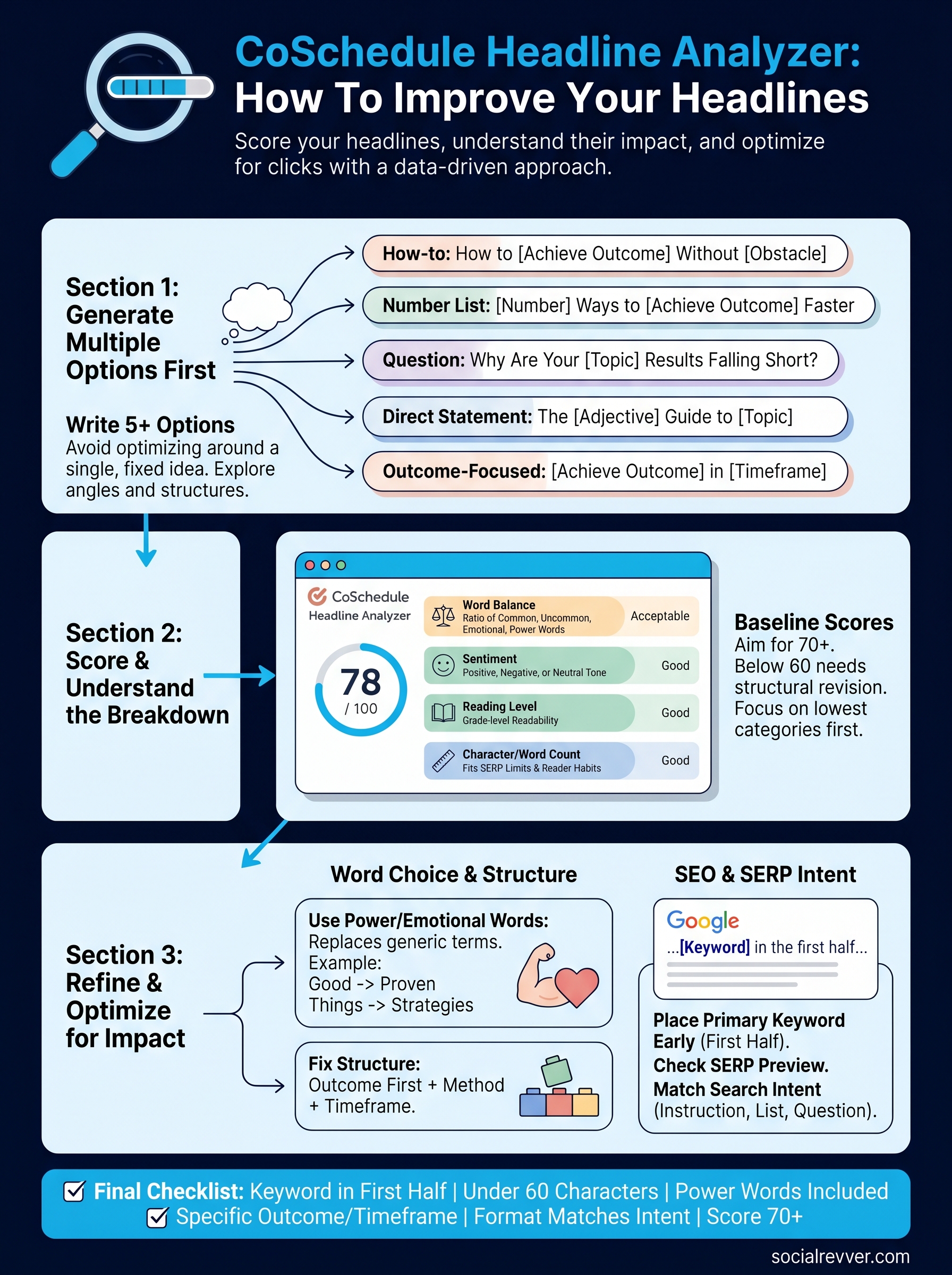
Step 1. Write several headline options first
Most writers open a scoring tool with one headline already in hand and spend their energy making that single option work. That approach creates a trap: you end up optimizing around a fixed idea instead of finding the strongest angle first. Before you run anything through the CoSchedule Headline Analyzer, write at least five headline options from scratch. Volume gives you real choices, and real choices produce better results than polishing one mediocre draft.
Why writing multiple options changes your output
When you commit to a single headline too early, you naturally filter all your thinking through it. Writing five to ten variations forces you to explore different angles, structures, and emotional tones before any of them face scrutiny. You might start with a how-to format, then try a numbered list, then a question, then a direct statement. Each format reveals something different about what your content actually offers and who it serves.
The goal at this stage is to generate options, not to judge them. Judgment comes after.
Different formats also perform differently depending on the platform and the audience. A how-to headline works well for search-intent content. A curiosity-driven question tends to pull more clicks on social. Writing several versions up front means you end up with options suited to multiple contexts, not just one.
A template for writing five fast headline variations
Use these formats as a starting point. Fill in the brackets with your specific topic and outcome.
| Format | Template Example |
|---|---|
| How-to | How to [Achieve Outcome] Without [Common Obstacle] |
| Number list | [Number] Ways to [Achieve Outcome] Faster |
| Question | Why Are Your [Topic] Results Falling Short? |
| Direct statement | The [Adjective] Guide to [Topic] |
| Outcome-focused | [Achieve Outcome] in [Timeframe]: A Step-by-Step Plan |
Run each of these five variations and notice which ones feel specific and direct versus vague or generic. Weak headlines tend to sound interchangeable, meaning you could swap out the topic word and the headline would still make sense for a dozen other articles. Strong headlines are tightly tied to a specific outcome, audience, or obstacle. Once you have five written out, you're ready to start scoring them against each other.
Step 2. Score your headline in CoSchedule
With your five headline options written, open the CoSchedule Headline Analyzer at coschedule.com/headline-analyzer. Paste your first headline option into the input field and hit analyze. The tool returns a score within seconds along with a full breakdown of every category it measured. Run each of your five options through the tool separately and record the baseline scores before you start editing anything. You want a side-by-side comparison across all five options before revision work begins.
How to read your score
The number at the top of the results screen tells you where your headline stands overall, but that single number is not the most useful part of the output. The category breakdown below the score is where the real information sits. Look at each category individually: word balance, sentiment, reading level, and character count all feed into the final score with different weight.
Focus on the two or three lowest-scoring categories first. Fixing the biggest gaps moves your score faster than polishing what already works.
Each category shows a color-coded indicator so you can immediately see which areas need attention. If your word balance shows red, your headline is likely over-weighted with common words and needs more emotionally charged or uncommon vocabulary. If sentiment scores low, the headline reads as flat or neutral when it should carry a stronger positive or negative charge to motivate a click.
What to do with the SERP preview
Below the scoring breakdown, the coschedule headline analyzer renders a preview of exactly how your headline will appear in a Google search result. This shows you two things at once: whether your headline gets truncated at the character limit, and whether it reads naturally as a result a real person would actually click.

Check that your primary keyword appears in the first half of the headline. Google frequently bolds matching search terms in results, which pulls more visual attention toward headlines where the keyword lands early. If your headline gets cut off in the SERP preview, trim the wording until the full title is visible. A truncated headline looks incomplete in search results and loses clicks regardless of how strong the underlying wording is. Use this preview as a final visibility check before you move on to rewriting.
Step 3. Improve word choice and structure
Once you have your baseline scores from all five options, pick the highest-scoring headline and focus your editing energy there. You are not trying to fix every headline. You are trying to push your best candidate into the 70-to-80-plus range by addressing the specific categories the coschedule headline analyzer flagged as weak.
Use power words and emotional triggers
The word balance category is often the easiest place to gain points quickly. Power words are terms that create a psychological response, urgency, or strong curiosity in the reader. Emotional words sit in a similar space but lean more on feeling than authority. The analyzer flags which words in your current headline qualify in these categories and which ones are just filling space.
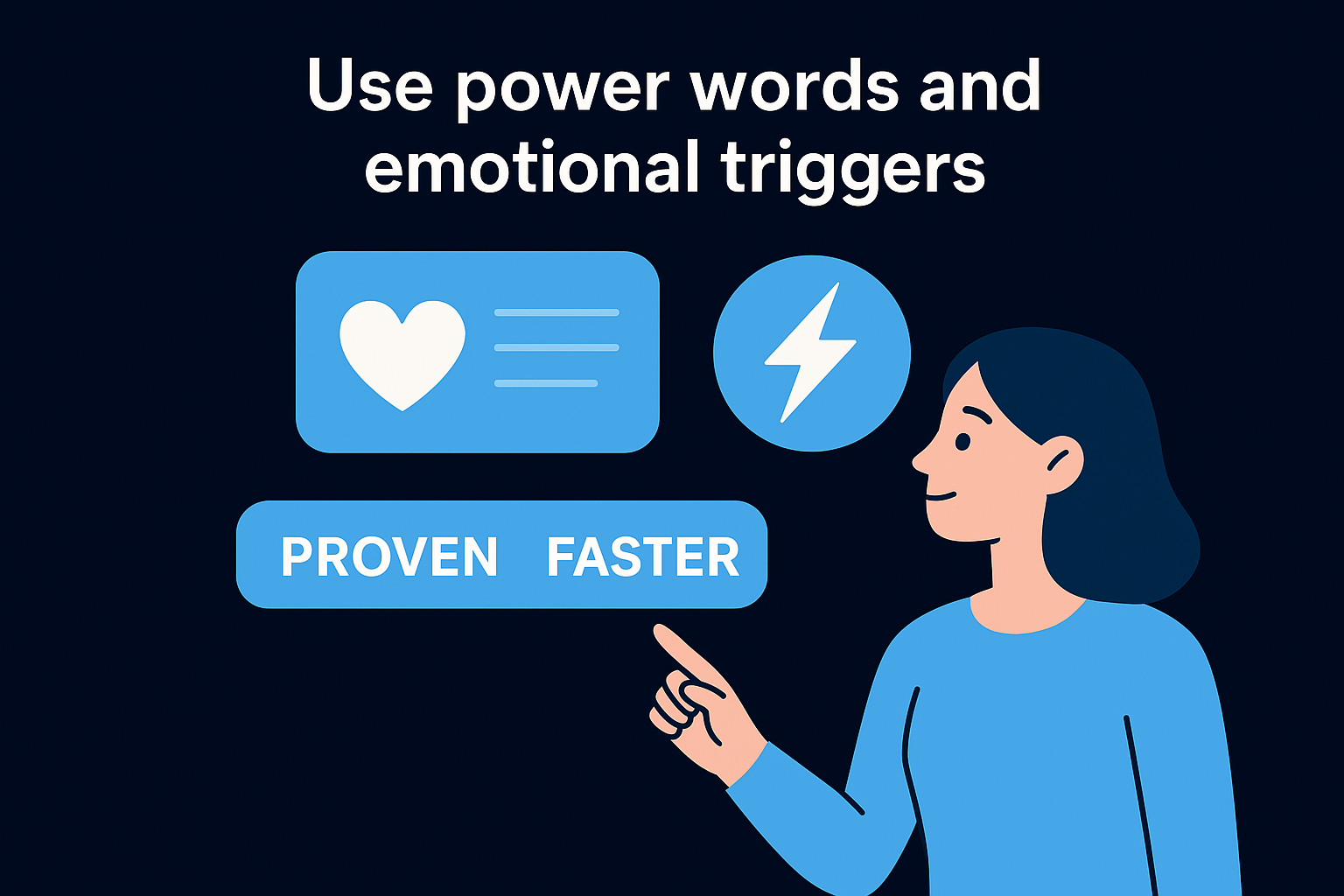
Replacing one generic word with a targeted power word often moves your score by five to ten points on its own.
Common generic words include "good," "better," "things," and "ways." Replace them with more specific alternatives that carry real weight. Here are direct swap examples:
| Generic Word | Stronger Replacement |
|---|---|
| Good | Proven |
| Better | Faster |
| Things | Strategies |
| Ways | Methods |
| Important | Critical |
Work through your headline word by word and ask whether each term earns its place or just fills space. If a word does not add specificity, emotion, or clarity, cut it or swap it for something that does.
Fix structural problems before polishing wording
Structural issues carry more weight than word-level tweaks. If your headline runs too long, opens with a weak word, or buries the benefit at the end, swapping in power words will not fully compensate. Address structure first, then layer in stronger vocabulary.
A strong headline follows a clear pattern: lead with the outcome or the audience, follow with the method or timeframe, and cut anything that does not serve either. "How to Get More Clients in 30 Days Using LinkedIn" works because it names the outcome first, adds a timeframe for urgency, and specifies the method. Compare that to "LinkedIn Strategies That Might Help You Find More Business," which is vague, passive, and buries the benefit entirely. Run both versions through the analyzer and the score gap will confirm the structural problem immediately, no guesswork needed.
Step 4. Tune for SEO, SERP display, and intent
A high score from the coschedule headline analyzer does not automatically mean your headline is optimized for search. Engagement metrics and SEO requirements overlap in some areas but diverge in others. Word balance and emotional impact drive clicks once your headline appears in front of someone, but getting it to appear in the first place requires deliberate keyword and intent alignment. This step covers both sides of that equation.
Place your keyword where it counts
Keyword placement inside a headline affects both how Google indexes your content and how much visual weight it carries in search results. Google bolds matching terms when they align with a user's search query, and those bolded terms draw the eye first. Placing your primary keyword in the first half of your headline increases the chance it appears bolded and in the visible portion of the SERP title before any truncation.
If your keyword lands after the 60-character mark, there is a real chance it gets cut off entirely in mobile search results.
Use the SERP preview inside the analyzer to confirm your keyword appears early and the full headline stays within the visible character range. Google typically displays between 50 and 60 characters before truncating, though this varies by device and title formatting. If your headline runs long, cut filler words from the middle or end, not from the front where your keyword sits.
Match the headline to search intent
Search intent is the underlying goal behind a query, and your headline needs to signal clearly that your content delivers on that goal. A reader searching "how to improve headlines" expects a practical, instructional answer. A headline that reads like a think-piece or an opinion column will earn a lower click-through rate even if the content itself is strong. Mismatch between intent and headline format kills performance before a reader ever reaches your page.
Match your headline structure to the query type. How-to queries call for instructional language. Comparison queries signal that the reader wants a side-by-side evaluation. Informational queries need clarity and specificity, not sales language. Check your headline against the actual phrasing of your target keyword and make sure the format mirrors what the searcher expects to find. If it does not, revise the structure before you finalize the wording.
Headline templates and a final checklist
By this point, you have scored, revised, and tuned your headline against multiple criteria. Before you finalize anything, it helps to have proven structural templates you can lean on and a quick checklist to confirm nothing got missed. The templates below cover the formats that consistently score well in the coschedule headline analyzer and perform across both search and social contexts.
Ready-to-use headline templates
Each template below targets a specific reader goal. Fill in the bracketed placeholders with your actual topic, outcome, or audience detail. The more specific you get with those placeholders, the stronger and more clickable your headline becomes.
| Goal | Template |
|---|---|
| Instruction | How to [Achieve Outcome] in [Timeframe] |
| Instruction + obstacle | How to [Achieve Outcome] Without [Common Problem] |
| Numbered list | [Number] [Adjective] Ways to [Achieve Outcome] |
| Audience-specific | What [Audience Type] Need to Know About [Topic] |
| Contrast | Why Most [People] Fail at [Topic] and How to Fix It |
| Urgency | [Achieve Outcome] Before [Deadline or Consequence] |
| Outcome-led | The [Adjective] Method for [Achieving Outcome] Faster |
Pick the template that matches your content's primary value, then run your filled-in version through the analyzer before committing to it.
Swap the placeholder words with concrete, specific language tied to your actual topic. A template only works when the details inside it are precise. "How to Get More Leads in 30 Days" is stronger than "How to Improve Your Results Over Time" because it names a specific outcome and a real timeframe.
A final checklist before you publish
Run through this checklist on every headline before it goes live. Each item addresses a different failure point that affects either score, search visibility, or click-through rate.
- Keyword placement: Your primary keyword appears in the first half of the headline
- Character count: The full headline stays under 60 characters to avoid SERP truncation
- Power words: At least one word carries emotional weight or urgency
- Specificity: The headline names a concrete outcome, audience, or timeframe
- Format match: The structure matches the reader's search intent (how-to, list, question)
- Score threshold: Your headline scores 70 or above in the analyzer
- Readability: Someone unfamiliar with your topic can understand it immediately
Check every box before publishing. If two or more items show a problem, revise before you finalize, because a headline that fails multiple criteria rarely recovers its click-through rate no matter how strong the content behind it is.
Next steps
You now have a complete system for writing, scoring, and refining headlines using the coschedule headline analyzer. Start with five headline variations, score each one, fix the lowest-performing categories first, and run the final version through the checklist before publishing. This process takes under 20 minutes and removes the guesswork from one of the highest-leverage decisions in your content workflow.
Strong headlines get people to your page. What happens after the click depends on whether the rest of your content is built with the same level of precision. If your organic content, short-form video, or social media presence still relies on instinct rather than data-backed structure, your results will stay inconsistent regardless of how well your headlines score. SocialRevver builds the full system behind the click, from hooks and scripts to production and distribution. If you want a content engine built for your brand, apply for your free 40-slide social media strategy.