
If you've ever searched "hire video editor near me" hoping to find a reliable professional, you already know the results can be hit or miss. Between freelancer marketplaces, local production studios, and social media posts from self-taught editors, it's hard to tell who's actually worth your money, and who's going to ghost you after the first revision.
The truth is, finding a good video editor depends on what you need. A wedding recap is a different beast than a brand campaign or a daily stream of short-form content for social media. Rates vary wildly, from $15/hour overseas to $150+/hour in major U.S. cities, and the right fit comes down to skill level, turnaround time, and how well someone understands your brand's voice.
At SocialRevver, we've built an entire content production pipeline around short-form video, strategy, scripting, editing, and distribution, all managed as one system. So we know firsthand what separates a great editor from an average one, and where the real bottlenecks show up when you're trying to scale. Whether you end up hiring a freelancer, working with an agency, or plugging into a managed system like ours, this guide will help you make a smarter decision.
Below, you'll find 11 places to hire a video editor, broken down by platform type, typical rates, and practical tips to help you vet candidates. We've also included guidance on what to look for in a portfolio, red flags to avoid, and how to structure a test project so you're not betting blind.
1. SocialRevver
SocialRevver is not a typical freelance marketplace where you browse profiles and hope for the best. It's a managed content production system built specifically for founders, business owners, and creators who need short-form video content produced at volume, with consistency, and tied to a real growth strategy.
What you hire SocialRevver for
Unlike a standard freelance arrangement, SocialRevver handles the full production stack, not just editing. When you work with the team, you get strategy, scripting, editing, and distribution baked into one system. The editing runs through an AI-supported pipeline that includes cut optimization, motion pacing, sound design, captions, and branded visuals, all designed to match your voice and convert attention into leads.
If you need a single video edited one time, SocialRevver is probably not your match. But if you need a reliable content machine that runs without you managing it daily, that's exactly what this system is built for.
How the process works
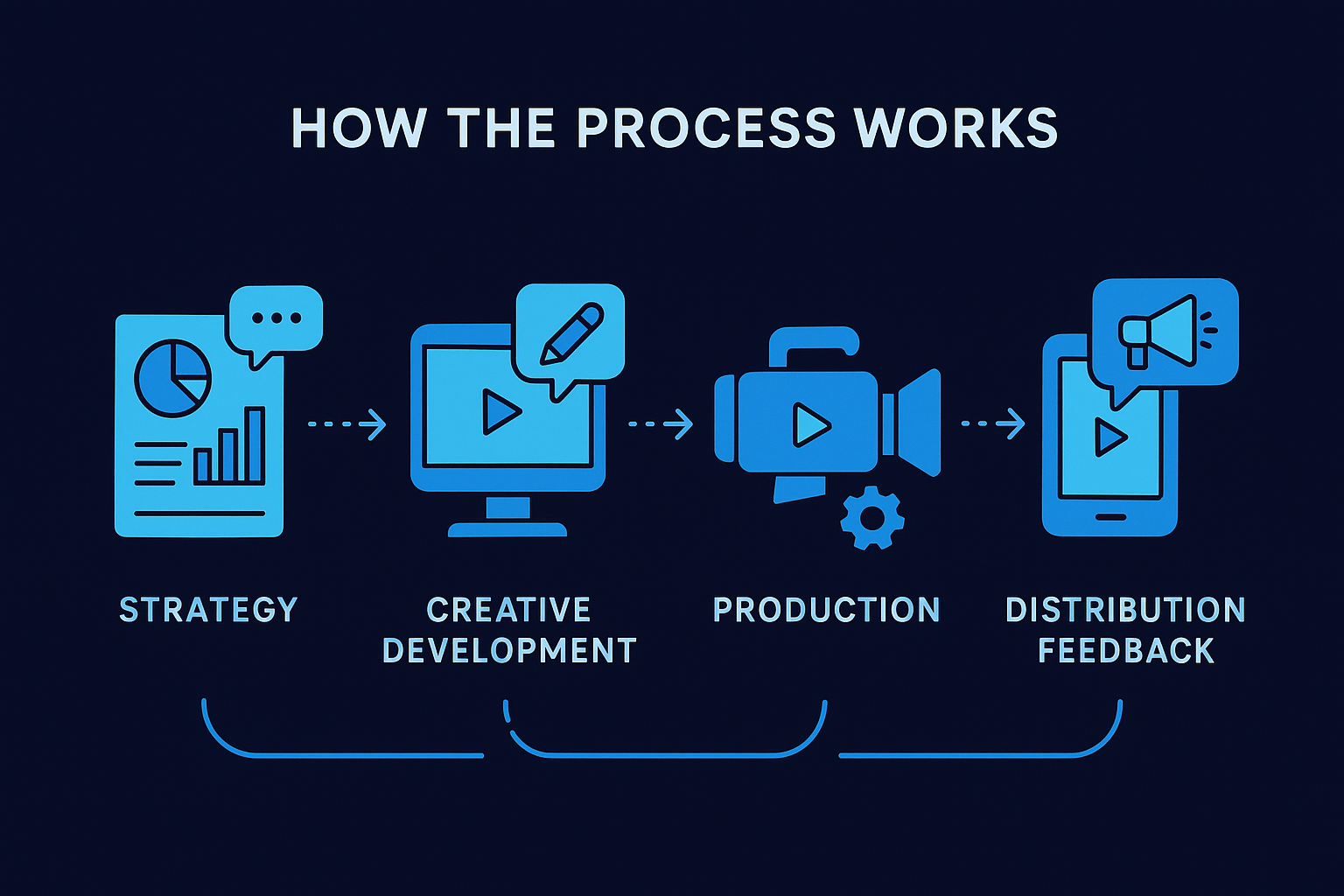
SocialRevver runs on a four-step process: strategy, creative development, production, and distribution feedback. The strategy phase draws on a database of over 750,000 videos to identify what actually performs in your niche. Scripts are generated using a proprietary scripting engine trained on your voice, audience, and goals. From there, the production team handles editing and publishing while the system monitors performance in real time and adjusts based on results.
Best fit projects and client types
This service works best for high-volume short-form content, specifically Reels, TikToks, and YouTube Shorts that need to go out consistently. The ideal client is a founder or business owner who understands that building authority through organic content takes a sustained system, not one-off freelancers. It also fits creators who want to scale output without sacrificing quality or spending hours managing production themselves.
Typical rates and pricing model
SocialRevver operates on a managed service retainer model, not per-project billing. Exact pricing depends on your content volume and specific deliverables, so you'll need to book a discovery call to get a real number. What you're paying for is not just editing time but an entire production infrastructure, covering strategy, scripting, editing, distribution, and performance monitoring under one roof.
Questions to ask before you commit
Before you sign on with any managed content service, get specific answers upfront. First, find out how many videos are included per month and what the revision policy looks like. Second, ask how the scripting process works and whether you review scripts before production starts. Third, confirm who owns the final content and what happens to your raw footage if you end the contract. Clear answers to these three questions will save you headaches down the line.
2. Upwork
Upwork is one of the largest freelance marketplaces available to you right now, with hundreds of video editors listed across every skill level and budget range. When you want to hire video editor near me but also need flexibility to work with remote talent, Upwork gives you both options since many editors list their location and are open to local collaboration.
How hiring works on Upwork
You post a job, set your budget, and editors send you proposals. You can also search directly and invite specific candidates to apply. Once you agree on terms, work runs through Upwork's platform, which tracks hours for hourly contracts or releases payment upon milestone approval for fixed-price work.
Best fit projects and client types
Upwork fits one-off projects and short-term engagements well, such as a product launch video, a YouTube series, or a batch of social clips. It works less well for ongoing, high-volume content if you want a consistent editor, since platform dynamics make long-term reliability harder to lock in.
Typical rates and platform fees
Expect to pay $25 to $100 per hour for mid-level editors based in the U.S., though offshore talent can run as low as $10 to $15 per hour. Upwork charges clients a 5% payment processing fee on top of what you agree to pay the editor.
Before you hire anyone on Upwork, check that their profile shows a verified earnings history and client feedback from projects similar to yours.
How to screen editors fast
Request a short paid test task rather than asking for spec work for free. Look at their response time, how clearly they ask questions, and whether their past work matches your style before committing to a larger contract.
Red flags to avoid
Watch out for editors with generic portfolios that don't match your industry, profiles with only one or two reviews, and anyone who asks you to move payment off-platform. Those are signs of either inexperience or fraud.
3. Fiverr Pro
Fiverr Pro is a curated tier within Fiverr that separates vetted professionals from the broader marketplace. If you're searching for a way to hire video editor near me but also want access to verified remote talent as a backup, Fiverr Pro gives you a filtered pool of editors who have passed a manual review process.
How Fiverr Pro vetting works
Fiverr manually reviews applications for Pro status, checking portfolio quality, professional background, and client communication history before granting the badge. This means you're not browsing raw submissions from anyone with an account. Editors on this tier have demonstrated a baseline of quality that the standard Fiverr marketplace does not guarantee.
Best fit projects and client types
Fiverr Pro works well for defined, deliverable-based projects such as a brand explainer, a single YouTube video, or a set of short-form clips for a product launch. It fits business owners and creators who need professional output without managing a long-term contractor relationship and want a clear scope and price upfront.
If your content needs are ongoing and high-volume, a managed service will give you more consistency than any per-project marketplace.
Typical project rates and add-ons
Pro editors on Fiverr typically charge $150 to $500 per video depending on length, complexity, and turnaround time. Add-ons such as motion graphics, color grading, and rush delivery can push the final cost higher, so read the package details before you confirm.
How to write a brief that gets better bids
A clear brief saves you revision cycles. Include your target platform, preferred style references, and exact deliverable specifications such as dimensions, length, and file format. Editors who receive complete briefs produce better first drafts.
Red flags to avoid
Avoid Pro sellers whose portfolio style does not match your niche and anyone who quotes a price without asking any clarifying questions. Both signal a lack of genuine engagement with your project.
4. Thumbtack
Thumbtack connects you with local service professionals, including video editors, by matching your project request to nearby providers. If your goal is to hire video editor near me with the option for in-person collaboration, Thumbtack is one of the few platforms built specifically around that local-first approach.
How Thumbtack local matching works
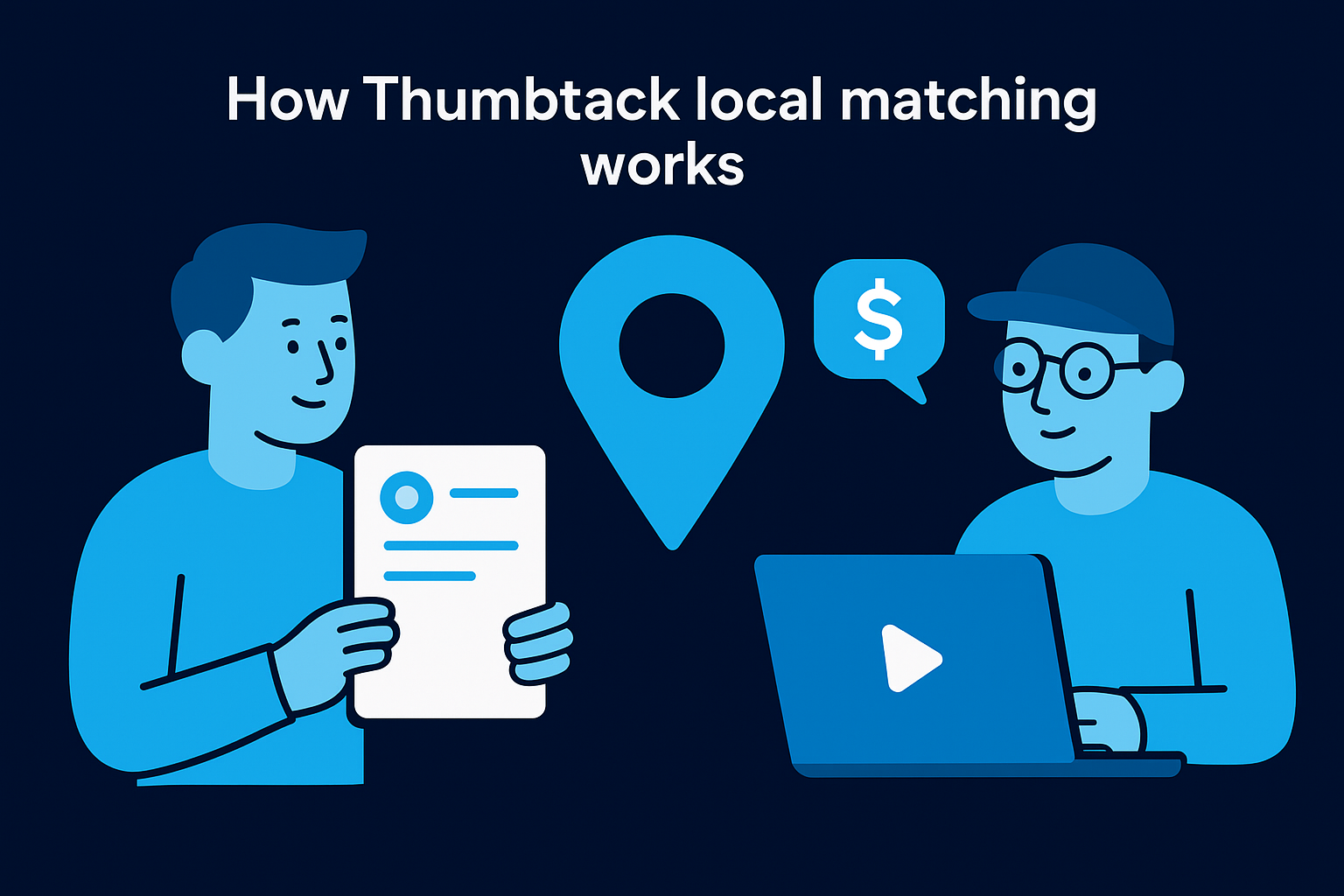
You submit a project request describing your needs, timeline, and budget, and Thumbtack sends it to local editors who fit your criteria. Those editors then send you quotes directly through the platform, which lets you compare responses, review profiles, and start a conversation before you commit to anything.
Best fit projects and client types
Thumbtack works best for event coverage, local commercials, and one-time corporate projects where in-person coordination adds real value. It suits clients who prefer to meet and talk through scope face to face rather than manage everything through a message thread.
If you need a remote editor for ongoing short-form content, a broader marketplace will give you a larger and more specialized talent pool than Thumbtack's local network.
Typical rates and how quotes get built
Local editors on Thumbtack typically charge $75 to $150 per hour, or offer flat-project pricing that folds filming and editing into one number. Quotes shift based on location, video length, and complexity, so ask for an itemized breakdown before you approve anything.
What to confirm for local and hybrid work
Before you commit, confirm whether the editor handles filming, editing, or both and clarify any travel fees upfront. Get turnaround time and revision limits confirmed in writing before a deposit changes hands, since those details are easy to assume and hard to dispute later.
Red flags to avoid
Watch out for editors who send quotes without asking a single question about your project. Generic responses usually mean the editor hasn't reviewed your request carefully, which tells you something about how they will handle the actual work.
5. Behance
Behance is Adobe's portfolio platform where creative professionals publicly showcase their work. It's not a traditional hiring marketplace, but it gives you direct access to editors' actual output without the noise of bidding systems or sponsored listings. If you want to hire video editor near me and also want to see polished, curated work upfront, Behance is worth your time.
How to find and contact editors on Behance
Search Behance using terms like "video editor" combined with your city or preferred style, then filter results by Motion Graphics or Video. When you find someone whose work fits your needs, message them directly through their profile or follow the contact link to their personal site. Behance does not facilitate contracts or payments, so all deal-making happens off-platform.
Best fit projects and client types
Behance works best for clients who prioritize creative quality over turnaround speed and want to hand-pick an editor based on aesthetic fit. It suits brand campaigns, documentary-style content, and projects where creative direction matters as much as technical execution. It's a poor fit for fast-turnaround content at high volume.
If your project requires consistent weekly output, a managed production system will serve you better than sourcing individually through a portfolio site.
Typical rates and deal structures
Editors sourced through Behance typically negotiate hourly rates between $50 and $200 depending on their experience and project complexity. Since there's no platform fee structure, you handle contracts and payments directly, which means putting agreements in writing before work begins falls entirely on you.
How to evaluate portfolios quickly
Focus on whether their projects match your target format and platform, not just whether the work looks impressive in general. Check for consistency across multiple client projects rather than a single standout piece.
Red flags to avoid
Avoid editors whose portfolios show only concept reels or student work with no real client history. Profiles with no contact information or projects dated several years back signal low availability or disengagement from active freelance work.
6. Contra
Contra is a commission-free freelance platform built for independent professionals, and it has become a solid option when you want to hire video editor near me or find remote talent without paying platform markups on every transaction. Editors on Contra set their own terms, own their client relationships, and keep 100% of what they earn, which tends to attract more serious freelancers than race-to-the-bottom bidding platforms.
How hiring works on Contra
You browse editor profiles, review their portfolios, and send a direct message or work request. Contra handles contracts and payments natively, so you don't need a separate agreement document to get started. Once you agree on scope and rate, the platform manages invoicing and payment release in one place.
Best fit projects and client types
Contra suits project-based engagements such as YouTube series, brand videos, or batches of short-form clips. It works well for clients who want a direct relationship with a single editor rather than going through a managed agency or competing inside a noisy bidding system.
If your content needs run to dozens of videos per month with consistent brand standards, a managed production system will outperform any single freelancer you source through Contra.
Typical rates and payment setup
Expect to pay $40 to $120 per hour for mid-level editors, or negotiate a flat rate per project. Because Contra charges no commission on either side, the price you agree to is the price you pay, which makes budgeting more predictable than on fee-heavy platforms.
How to scope deliverables clearly
Write out every specific deliverable before work begins, including video length, aspect ratio, number of revisions, and final file format. Vague briefs lead to scope creep, and Contra's lightweight contract tools work best when both parties confirm exact outputs in writing before production starts.
Red flags to avoid
Avoid editors whose profiles show no completed projects on the platform and no external portfolio link. Sparse profiles with generic bio copy usually signal someone who created an account but has not actively delivered client work yet.
7. Bark
Bark is a lead-generation platform that flips the standard hiring model. Instead of you browsing profiles and pitching candidates, you post your project and editors who match your criteria send you quotes directly. If you're trying to hire video editor near me without spending hours hunting through listings, Bark's inbound quote system cuts that search time down significantly.
How Bark quote requests work
You fill out a short project form covering your video type, budget range, and timeline, and Bark distributes your request to relevant professionals in your area or nationwide. Editors pay credits to contact you, which creates a small filter because only editors who consider your project a genuine fit will spend those credits to reach out.
Best fit projects and client types
Bark works well for one-time commercial projects, event videos, and corporate content where you want a few competitive quotes before committing. It suits clients who prefer a passive intake process rather than spending time actively searching through profiles.
If you need a high-volume short-form content system running month over month, a managed production service will give you far more consistency than sourcing individual editors through a quote platform.
Typical rates and pricing styles
Editors on Bark quote in a range of structures, including hourly rates from $50 to $150 and flat project fees that can run from $200 to several thousand dollars depending on scope and turnaround requirements.
How to compare quotes apples to apples
When quotes arrive, ask each editor to break down exactly what is included: number of revisions, raw footage handling, and final file formats. Comparing totals without that detail makes it easy to approve a low number that delivers a shallow result.
Red flags to avoid
Avoid editors who send quotes within minutes of your submission without asking any clarifying questions. Fast, generic responses almost always mean a templated pitch copied across dozens of projects with no real consideration of your specific needs.
8. Guru
Guru is a freelance marketplace that combines a searchable talent directory with built-in project management tools, making it one of the more structured options when you want to hire video editor near me or find reliable remote talent. Unlike platforms that focus purely on bidding, Guru lets you set up workrooms where you manage tasks, files, and payments inside one shared space rather than juggling multiple tools.
How to hire and manage work on Guru
You can post a job and wait for applications, or search directly by skill, location, and hourly rate. Once you hire, Guru's workroom feature keeps all communication, deliverables, and payment milestones in one place, which cuts down the back-and-forth that slows most remote editing projects.
Best fit projects and client types
Guru works well for ongoing editing relationships such as monthly video batches, YouTube series, or recurring social content. It suits clients who want a single consistent editor rather than re-sourcing talent every time a new project starts.
If your content output runs to dozens of short-form videos per month, a managed production system will give you more structural support than any single freelancer you source through Guru.
Typical rates and payment options
Mid-level editors on Guru charge $30 to $90 per hour, with flat project rates available for defined deliverables. Guru runs a membership-based fee structure rather than a flat percentage on every transaction, so your total cost depends on which plan tier you choose.
How to test quality with a small first task
Before committing to a long-term agreement, assign a short, paid test edit using one actual piece of your content. Review how closely the editor follows your brief, how quickly they deliver, and whether their output matches your brand's visual standards before scaling the engagement.
Red flags to avoid
Watch out for editors with no verified work history on the platform and anyone who avoids discussing revision limits before work starts. Editors who resist scoping conversations typically create disputes later when deliverables do not match what you both assumed going in.
9. Creativepool
Creativepool is a UK-based creative industry platform that functions as both a portfolio network and a project marketplace. It gives you access to professional video editors who use the site to build their reputation within the creative industry, making it a practical option when you want to hire video editor near me or source specialized talent with a strong design and production background.
How to find editors on Creativepool
Browse Creativepool by filtering the member directory for video editors, and narrow results by location, skill type, and industry experience. Contact editors directly through their profile page, since the platform does not run a bidding or proposal system. Useful search filters include:
- Location for local or time-zone-compatible talent
- Skill tags such as motion graphics or color grading
- Industry category to match your content vertical
Best fit projects and client types
Creativepool suits brand-driven and agency-style video projects where creative pedigree matters, such as commercials, branded content, and campaign videos. It works best for clients with a defined creative brief and enough budget to attract senior-level talent.
If you need dozens of short-form videos produced on a repeatable schedule, a managed content system will serve you better than sourcing individual editors through a portfolio network.
Typical rates and engagement types
Editors on Creativepool typically charge $60 to $180 per hour or negotiate flat project fees for defined deliverables. Engagement structures range from short contract work to longer project arrangements depending on scope and editor availability.
How to assess creative fit beyond the reel
Look past the showreel and review individual project case studies when the editor includes them. Pay attention to whether their work reflects clear client objectives rather than just visual flair.
Red flags to avoid
Avoid profiles that show only agency work with no direct client credits, since it can be hard to assess what role the editor actually played. Also skip anyone whose portfolio has not been updated in over two years.
10. LinkedIn Services Marketplace
LinkedIn's Services Marketplace lets you search for video editors who have listed themselves as independent service providers on the platform. If you want to hire video editor near me and also want to see a professional's full work history before reaching out, LinkedIn gives you more verified background context than most freelance platforms can offer.
How to find local editors on LinkedIn
Search for "video editor" in the Services Marketplace filter and narrow results by your city or region. LinkedIn surfaces editors who have activated the service provider feature on their profiles, so you can review their endorsements, recommendations, and employment history in the same place you evaluate their listed services.
Best fit projects and client types
LinkedIn works best when you're hiring for corporate video, thought leadership content, or executive brand projects where a professional reputation matters as much as editing skill. It suits founders and business owners who want to verify someone's industry credibility before starting a conversation, not just browse a portfolio reel.
If you need consistent short-form content produced at volume month after month, a managed production system will give you more operational structure than any individual editor you source through a professional network.
Typical rates and negotiation norms
Editors on LinkedIn typically charge $60 to $150 per hour, though many prefer to quote flat project fees once scope is clear. Negotiation happens directly through LinkedIn Messaging or a follow-up call, since the platform does not manage contracts or payments natively.
How to verify experience and availability
Check for written recommendations from past clients, not just skill endorsements. Then confirm availability directly in your first message, since many LinkedIn service providers juggle full-time roles alongside freelance work, which affects turnaround time more than their listed rate suggests.
Red flags to avoid
Skip editors whose service listing has no client recommendations and whose profiles show no recent activity. Low engagement on a professional network typically signals someone who set up the listing once and has not actively pursued freelance work since.
11. Google Maps and local directories
Google Maps and local business directories are often overlooked when searching for professional video editors, but they remain one of the most direct ways to find someone working in your area. When you type "hire video editor near me" into Google Search, the map results that surface often include production studios, boutique agencies, and independent editors who have invested in a local business presence.
How to search for video editors near you
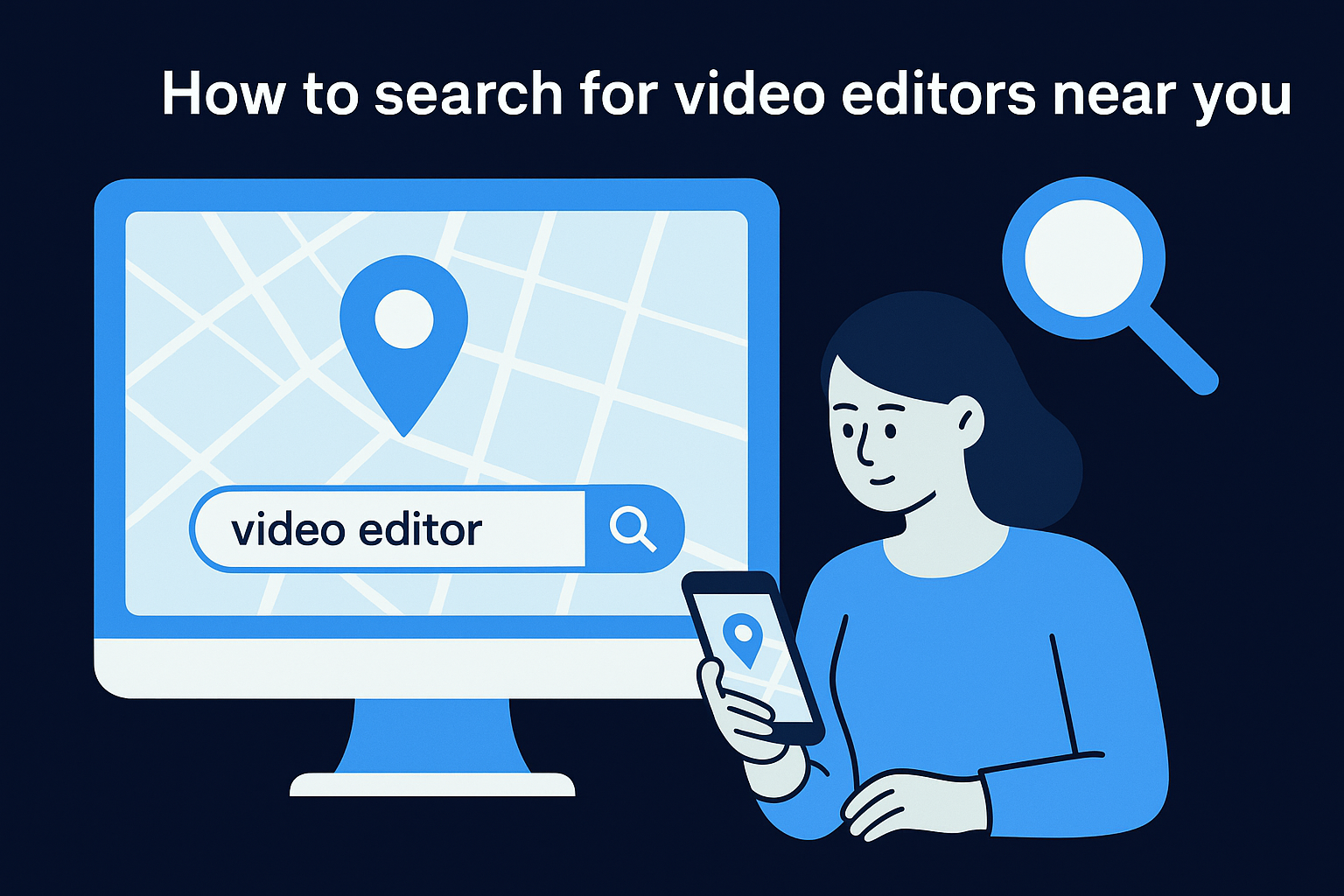
Search Google Maps using terms like "video editor" or "video production" combined with your city or neighborhood. Filter results by rating and check the business hours and review count before you reach out, since both signal whether the business is actively taking on clients.
Best fit projects and client types
Local directories suit event videography, corporate presentations, and real estate video where in-person coordination makes a genuine difference. They work well for clients who want a verifiable physical business address before handing over raw footage or a deposit.
If you need short-form social content produced at consistent volume, a managed production system will give you more reliability than a local studio sourced through a map search.
Typical local pricing and minimums
Local editors and studios typically charge $75 to $200 per hour or quote flat project fees starting around $500 for basic commercial work. Many have minimum project commitments, so confirm those upfront before scheduling a consultation.
What to confirm before you pay a deposit
Before you hand over any money, confirm ownership of the final files and get the revision policy in writing. Ask whether the quoted price covers color grading, audio mixing, and export formats, since those are commonly billed as extras by local shops.
Red flags to avoid
Skip any business that lacks verified Google reviews from real clients or refuses to show past work samples before a signed contract. Businesses with no online presence beyond a bare listing carry meaningful risk when you are trusting them with your content.
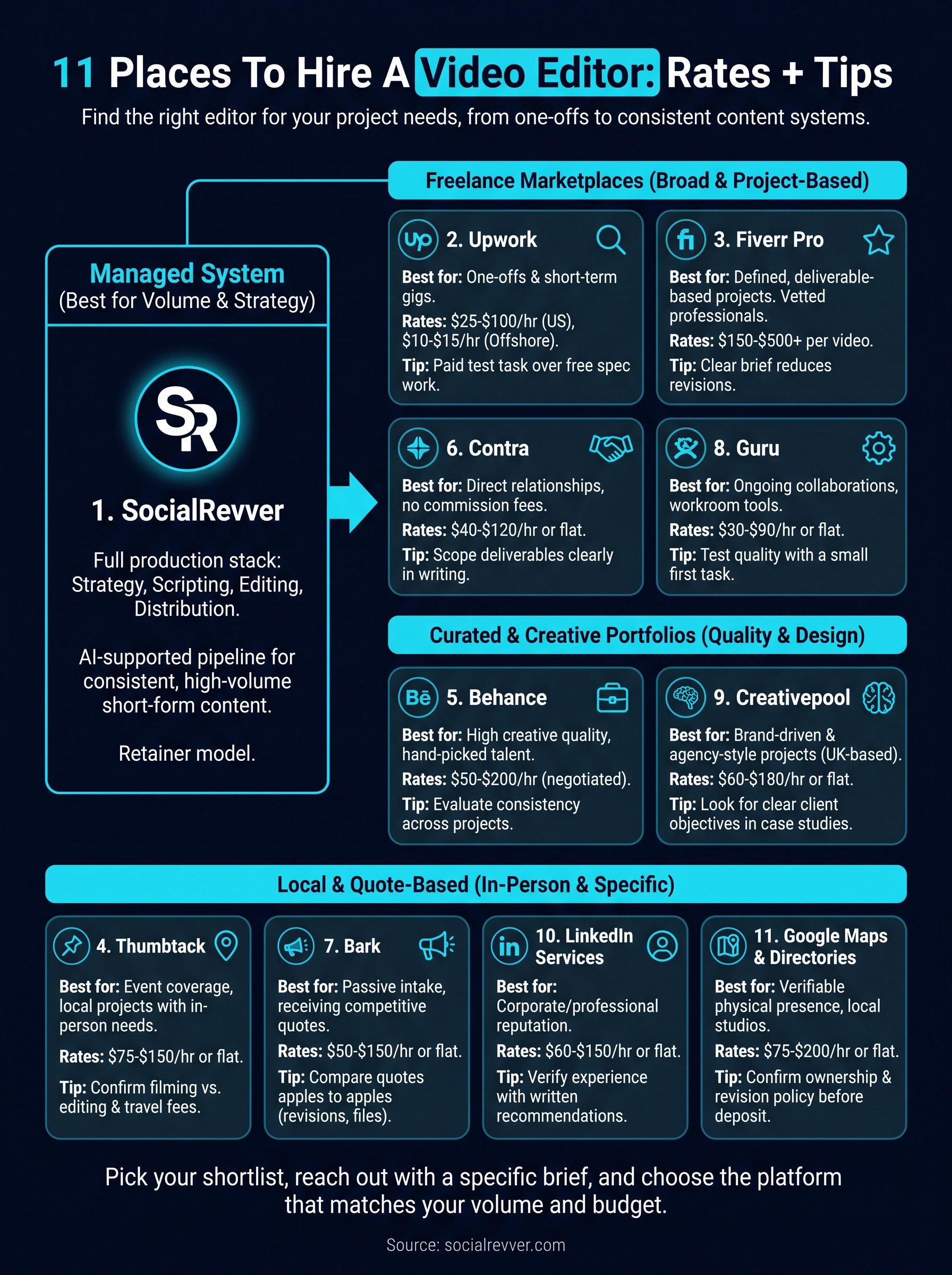
Pick your shortlist and start outreach
Every time you search "hire video editor near me", you get options that range from solo freelancers to full production teams. The real question is which one fits your actual volume, budget, and timeline. Pick two or three platforms from this list and reach out with a specific project brief rather than a vague inquiry. That one step alone will filter out editors who are not serious.
For one-off projects, Upwork, Fiverr Pro, and Contra give you strong starting points with built-in payment protection. For local and event work, Thumbtack and Google Maps will connect you with nearby professionals faster than any national marketplace. And if your goal is consistent short-form content that runs on a real growth strategy, a managed system will outperform any single freelancer you hire. Apply to work with SocialRevver and get a free 40+ slide social media strategy built for your brand.