Scheduling tools have become essential infrastructure for anyone serious about growing on social media. Later social media scheduler is one of the most recognized platforms in this space, offering visual planning, auto-publishing, and analytics across multiple channels. But whether it's the right fit depends entirely on what you're actually trying to accomplish with your content.
If you're a founder, business owner, or creator evaluating Later, you're probably weighing it against the time you spend manually posting content, and the inconsistent results that come with it. The platform promises to streamline that workflow, but there's a real difference between scheduling content on autopilot and building a system that turns attention into revenue. That distinction matters, and it's exactly what we help clients solve at SocialRevver through our managed content engine that handles strategy, production, and distribution as one integrated pipeline.
This article breaks down Later's core features, pricing tiers, strengths, and limitations so you can make an informed decision. We'll cover what Later does well, where it falls short, and how it compares to alternative approaches, including fully managed content systems. By the end, you'll have a clear picture of whether Later fits your workflow or whether you need something more hands-off to actually move the needle on growth.
Why use a social media scheduler like Later
Posting manually every day sounds simple until you're actually doing it across three or four platforms while running a business. Manual posting eats time, and more importantly, it creates inconsistency, which is one of the fastest ways to stall organic growth. A tool like the later social media scheduler solves this at a basic level by letting you batch your content creation, line up posts in advance, and walk away knowing your accounts stay active even when you're focused elsewhere. The benefits go deeper than convenience, though. Using a scheduler changes how you think about content entirely, moving you from reactive to intentional.
Consistency is what the algorithm rewards
Every major social platform, including Instagram, TikTok, and LinkedIn, uses engagement signals and posting frequency as part of how it decides who to show your content to. When you post consistently, the algorithm treats your account as active and worth distributing. When you miss days or post sporadically, reach drops, and getting it back takes longer than most people expect.
Posting consistently over 90 days will do more for your organic reach than any single viral post.
Schedulers solve this by separating content creation from content distribution. You create in batches, then the tool handles the timing. That shift alone changes how you approach your entire content workflow and removes the pressure of having to show up manually every single day.
Batch creation saves more time than you think
Most people underestimate how much mental energy they lose by switching between creating content and running their business. Context switching is expensive, and doing it daily for social media compounds fast across a week, a month, a quarter. When you batch your content once or twice a week and load it into a scheduler, you free up focus that goes back into higher-priority work.
Batching also lets you plan content strategically rather than reactively. Instead of posting whatever comes to mind in the moment, you can map out a week or a month of content that supports a specific launch, campaign, or narrative arc. That shift from reactive to proactive is often where founders and business owners notice the first real improvement in their results. Your content starts to feel intentional rather than scattered.
Analytics and timing data remove the guesswork
Posting at the right time matters more than most people realize. Peak engagement windows vary by platform, audience location, and content type, and guessing those windows costs you real reach. A scheduler gives you access to timing recommendations and historical performance data so you stop estimating and start making calls based on actual behavior.
Your audience activity data tells you when people are most likely to engage, and a good scheduler surfaces that without requiring you to dig through native platform analytics manually. Over time, even small timing improvements compound into meaningfully better distribution on the same content.
The gap between scheduling and a full content system
Scheduling is a workflow tool, not a growth strategy. Getting organized is a real step forward, but it does not solve the harder problems: what to post, how to script it for maximum retention, and how to convert that attention into business outcomes.
This is where many founders plateau. They schedule content consistently, but the content itself is not built on behavioral data or tested frameworks, so it fills a calendar without moving the needle. The real leverage sits upstream of scheduling, in the strategy, scripting, and production layers that determine whether your content actually performs or simply exists.
What Later does and who it fits best
Later is a visual content calendar and scheduling platform built primarily around Instagram, though it has expanded to support other channels. The tool lets you drag and drop posts onto a calendar, preview how your grid will look before publishing, and automate distribution at scheduled times. Its core value is reducing the friction between creating content and getting it live across your channels without needing to be manually present at each posting time.
What Later actually does
At its core, the later social media scheduler operates as a centralized media library combined with a visual publishing calendar. You upload your content once, tag it with metadata, and pull from that library when building out your posting schedule. The platform handles auto-publishing to supported platforms, sends push notifications for content types it cannot publish automatically, and tracks basic performance data after posts go live.
Later also includes a link-in-bio tool called Linkin.bio, which turns your Instagram profile link into a clickable landing page tied to your posts. That feature makes it easier to drive traffic from Instagram to specific destinations without constantly swapping out a single link. The platform's visual calendar view is one of its strongest elements because it lets you see your content layout before anything goes public.
If your content strategy depends heavily on how your Instagram grid looks, Later's drag-and-drop visual planner gives you a level of control that most schedulers skip entirely.
Who gets the most out of Later
Later fits a specific type of user well: individual creators, small brand teams, or social media managers who run visually driven accounts and want a straightforward way to stay consistent. If your content revolves around Instagram or Pinterest and you need a clean interface without a steep learning curve, Later delivers solid core functionality at a reasonable price point.
The platform is less suited for founders or business owners who need their content to generate measurable outcomes beyond staying on schedule. If your goal is to turn short-form content into inbound leads, build authority in a competitive market, or connect your social output to real revenue, scheduling alone will not close that gap. Later manages your calendar well, but it does not help you determine what to post, how to structure scripts for retention, or how to build the feedback loop that converts views into business results.
Later features that matter day to day
The later social media scheduler packs a specific set of tools that are genuinely useful once you're in the habit of batching content. Not every feature will matter to every user, but a handful of them show up in your workflow almost every single time you log in. Understanding what those features actually do helps you decide whether the platform is worth building your process around.
Visual content calendar and media library
Later's drag-and-drop calendar is the feature most users interact with first, and it stays useful long after the initial setup. You upload content to a central media library, then pull clips and images directly onto calendar slots without re-uploading each time. That library approach saves real time when you're repurposing content or planning variations of the same post across multiple platforms.
The Instagram grid preview sits alongside the calendar and lets you see exactly how your feed will look before any post goes live. For visually driven brands, that preview removes the guesswork of whether your layout holds together as a cohesive whole.
If your brand relies on a consistent visual aesthetic, being able to see the full grid before publishing is one of the most practical quality-control tools you'll find in any scheduling platform.
Auto-publishing and notification reminders
Later handles automatic publishing for most content types on supported platforms, which means posts go live at your scheduled time without you needing to be present. For standard image posts and carousels on Instagram, Facebook, Twitter, Pinterest, and LinkedIn, the process is fully automated. You set the time, and the platform handles the rest.
For content types that do not support direct publishing, such as certain Instagram Stories or TikTok posts depending on your plan, Later sends a push notification to your phone at the scheduled time with your caption pre-loaded. That workaround is functional, but it reintroduces manual steps that automated publishing eliminates. Knowing which content types trigger notifications versus publishing automatically helps you plan your workflow accordingly.
Analytics and best time to post
Later's analytics dashboard gives you post-level performance data including likes, comments, reach, and saves, depending on the platform. The built-in best-time-to-post feature analyzes your audience's historical activity and surfaces recommended posting windows based on when your followers are most engaged. That removes the guesswork from timing decisions and gives you a data point to test against rather than relying on generic industry advice.
Supported platforms and publishing options
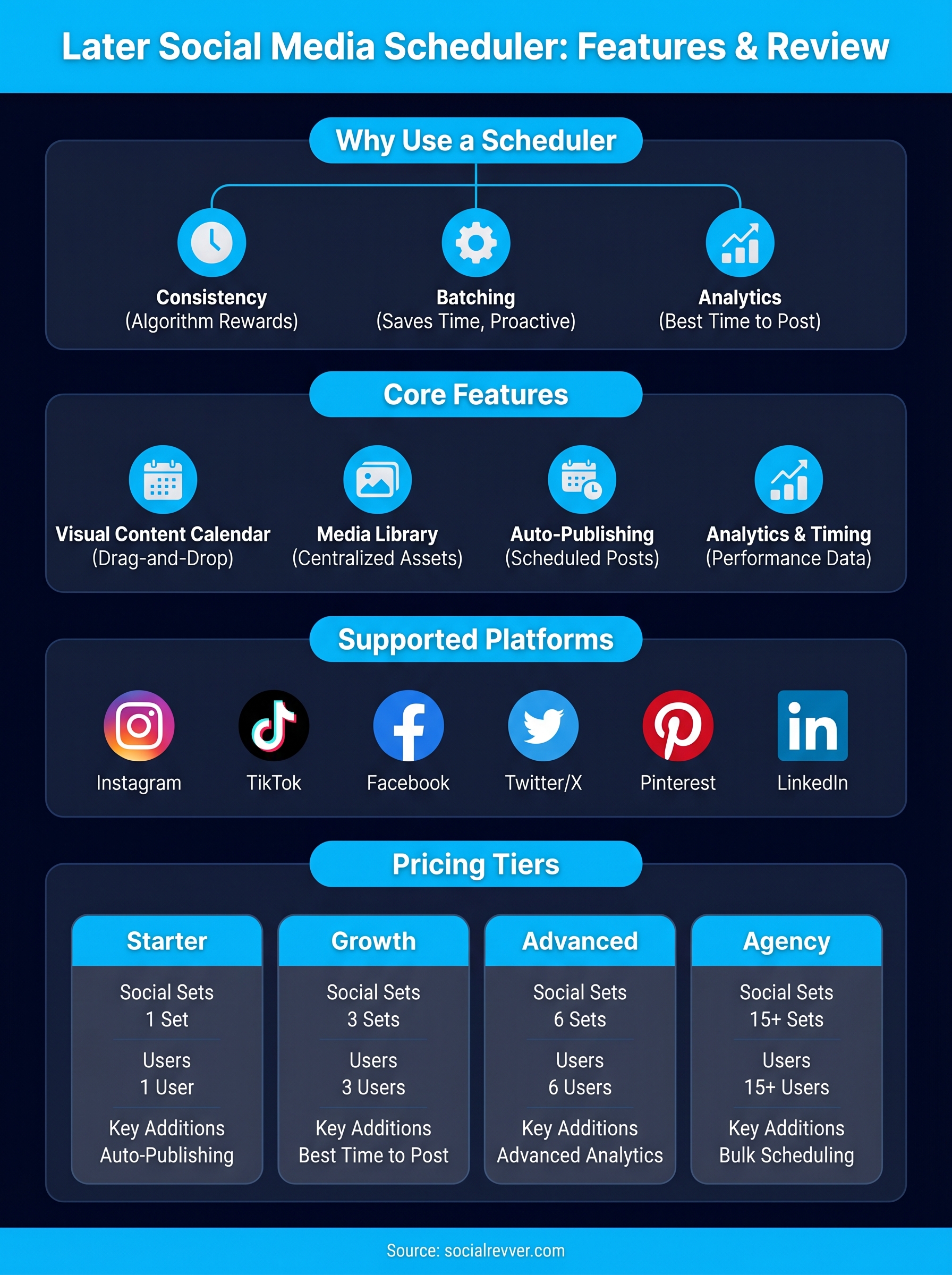
The later social media scheduler connects to six core platforms: Instagram, TikTok, Facebook, Twitter/X, Pinterest, and LinkedIn. That range covers most of what founders and business owners need for short-form content distribution, but the publishing experience varies significantly depending on which platform you're posting to and what content type you're working with. Knowing those differences before you build your workflow around Later saves you from hitting unexpected friction mid-schedule.
Instagram and TikTok publishing
Instagram gets the most developed feature set in Later. Auto-publishing works for feed posts, Reels, and carousels, which means those content types go live at your scheduled time without any manual action on your part. Stories and certain interactive post types still require a push notification reminder to your phone, where Later pre-loads your caption and you complete the post manually. That notification-based approach works, but it reintroduces the kind of manual step that auto-publishing is supposed to eliminate.
TikTok support has improved over time, and Later now handles direct publishing for standard TikTok videos on paid plans. If TikTok is a primary channel for your content, confirm that your plan tier includes full auto-publishing rather than notification-only, since that distinction affects how hands-off your workflow actually becomes.
Auto-publishing removes you from the distribution process entirely. Notification-based publishing does not.
Facebook, LinkedIn, and Pinterest
Facebook and LinkedIn both support auto-publishing for standard posts and images. LinkedIn publishing works well for founders who post thought leadership content regularly, and the scheduling process is straightforward once your account is connected. Facebook supports Pages but not personal profiles, which matters if your brand presence lives on a Page rather than a personal account.
Pinterest has strong native support within Later, which makes sense given that Later built its early product around visual content. You can schedule Pins directly to boards, pull from your media library, and manage multiple Pinterest accounts depending on your plan. That makes Later a practical choice if Pinterest is a meaningful traffic channel for your business.
What does not auto-publish
Not every content type across every platform publishes automatically, and knowing those gaps helps you plan realistically. Instagram Stories with interactive elements, certain LinkedIn document posts, and some video formats on Facebook may trigger notification reminders rather than direct publishing. Check the current platform integration page within Later's settings when you connect each account, since publishing capabilities update as platform APIs change, and what worked six months ago may work differently now.
Later pricing, plans, and what you actually get
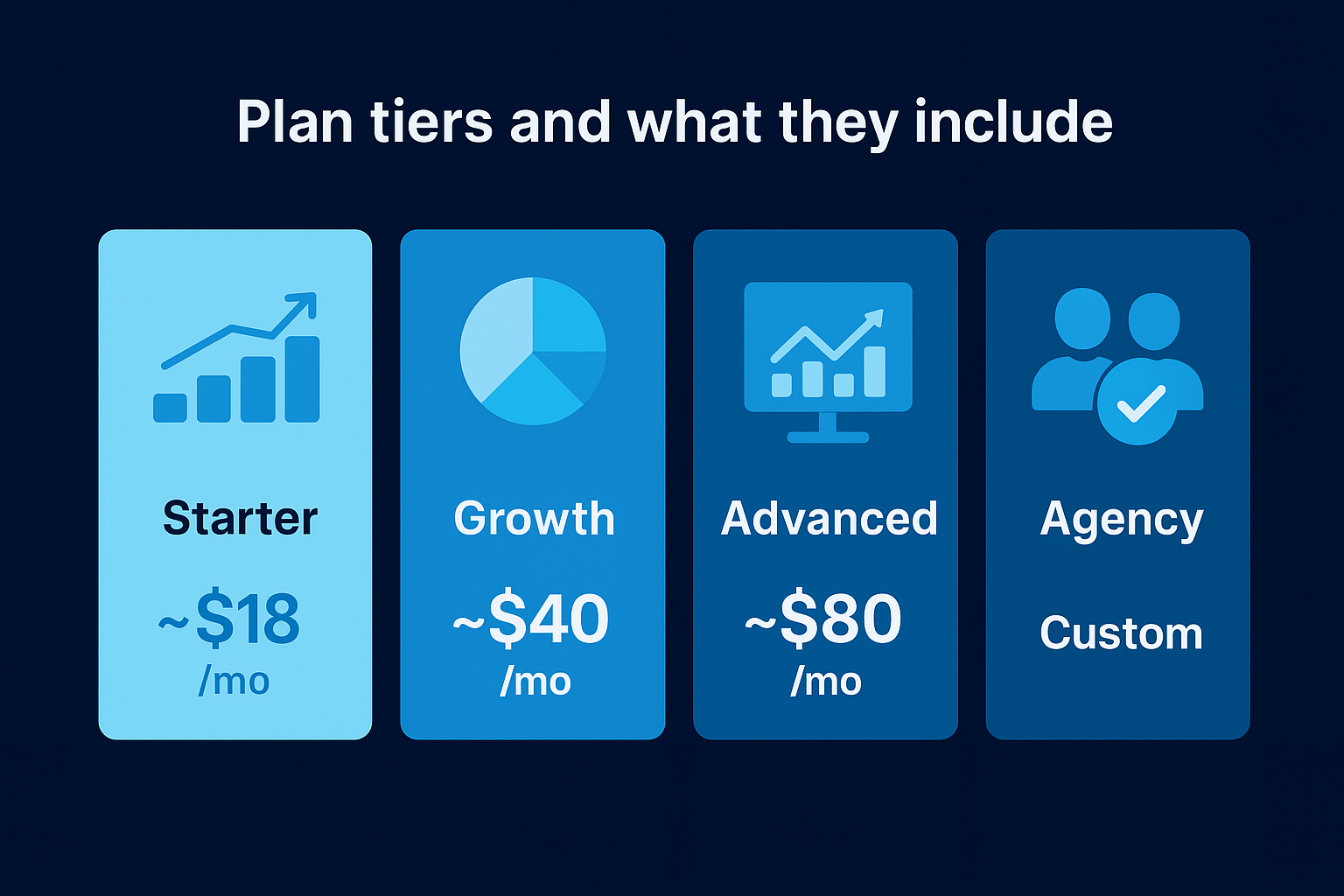
Later organizes its pricing into four tiers: Starter, Growth, Advanced, and Agency. Each tier unlocks more posting volume, more social sets, and more users, but the core scheduling functionality is present across all paid plans. If you're evaluating the later social media scheduler, the plan you choose will likely come down to how many accounts you manage and how much analytics depth you need, not the feature list alone.
Plan tiers and what they include
The free plan exists but it is severely limited in posting volume and features, making it useful only for testing the interface. Paid plans start with Starter and scale up from there. Here is how the tiers break down:
| Plan | Starting Price | Social Sets | Users | Key Additions |
|---|---|---|---|---|
| Starter | ~$18/month | 1 | 1 | Auto-publishing, media library, basic analytics |
| Growth | ~$40/month | 3 | 3 | Best time to post, hashtag suggestions, more posts per profile |
| Advanced | ~$80/month | 6 | 6 | Advanced analytics, competitor analysis, priority support |
| Agency | Custom | 15+ | 15+ | Bulk scheduling, white-label options, dedicated support |
If you manage more than one brand, you will hit the Starter plan's limits faster than expected, and the jump to Growth is where most business owners land once they get serious about managing multiple accounts.
Where the value actually sits
The Starter plan works if you run a single brand account across a handful of platforms and want to stay consistent without investing heavily in a tool. You get auto-publishing, the visual calendar, and enough posting volume to maintain a steady presence. For solo founders posting regularly on Instagram and LinkedIn, that combination covers the basics without overpaying.
Growth and Advanced plans make more sense when you need timing data and deeper performance insights to make decisions, not just a way to stay on schedule. The best-time-to-post feature, which surfaces audience activity windows based on historical engagement, only becomes available at the Growth tier. That one feature alone can justify the price difference if you are actively trying to improve distribution without guessing.
What you are not paying for
None of Later's plans include strategy, scripting, or content direction. The platform manages your calendar and distribution, but it does not tell you what to post, how to structure your hooks, or how to turn your content into inbound leads. That is a separate problem that scheduling software is not built to solve.
How to set up Later and schedule your first post
Getting started with the later social media scheduler takes about fifteen minutes if you move through the setup without stopping to overthink it. The platform walks you through onboarding step by step, but knowing what to expect ahead of time keeps you from backtracking. Your first session should end with at least one post scheduled and your accounts connected, not just a half-finished profile sitting in setup mode.
Connect your accounts
The first thing you do after creating your Later account is connect each social profile you want to manage. Later prompts you to authorize access through each platform's native OAuth flow, which redirects you to the platform's own login page to grant permissions and then returns you to Later. You never enter your social passwords directly into Later itself. Each profile you connect counts toward your plan's social set limit, so confirm your tier supports the number of accounts you plan to manage before you start authorizing.
Build your media library and plan your calendar
Once your accounts are live, upload your content to the media library before you touch the calendar. Loading your assets first gives you a pool to pull from when building your schedule, rather than uploading files one at a time as you plan each individual post. Later accepts images, videos, and captions, and you can add labels and notes to keep your library organized across campaigns or content themes.
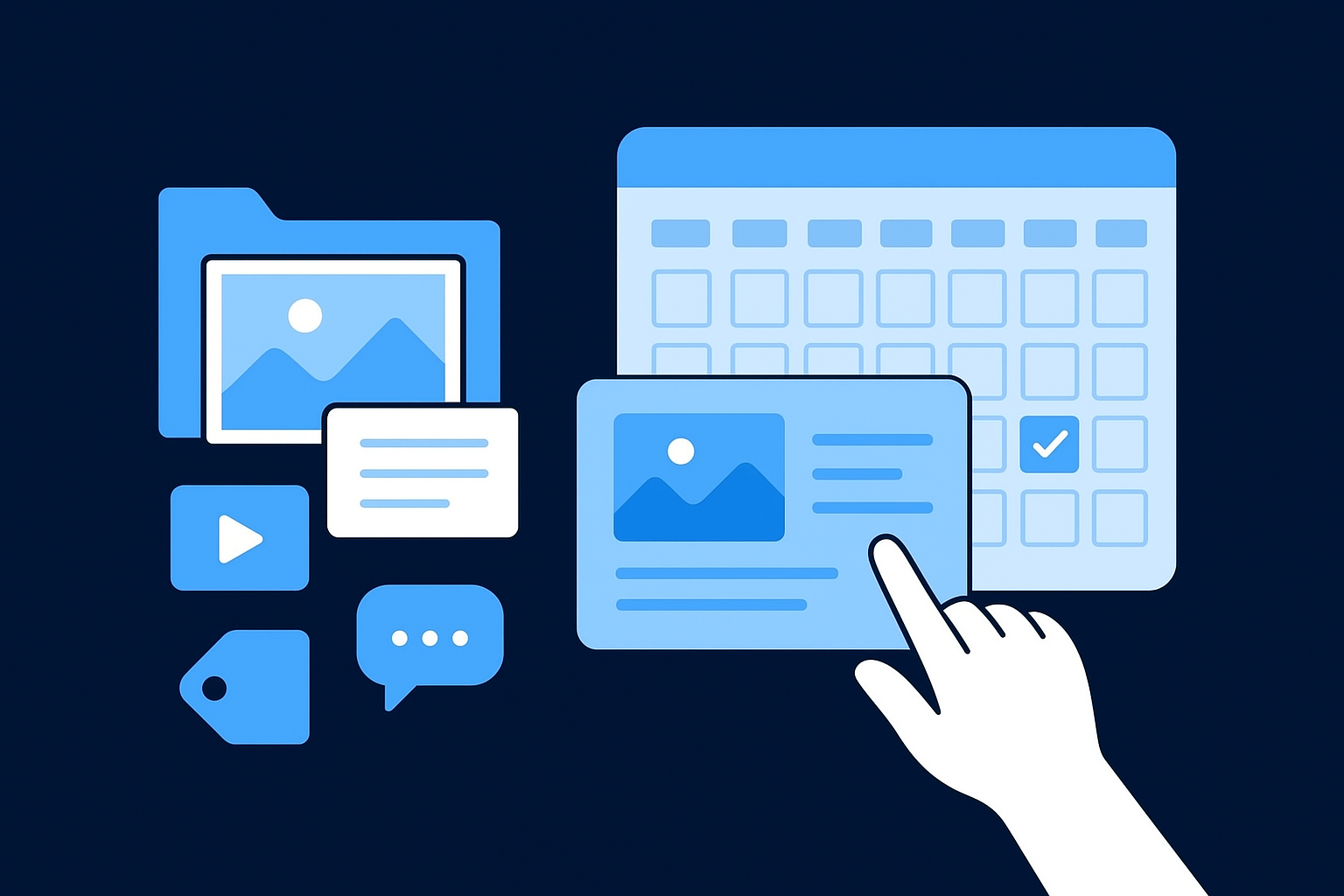
From there, open the visual calendar and start dragging content onto your chosen time slots. Click a slot, select content from the library, write or paste your caption, and choose which profiles you want to publish to. The platform shows you a preview before you confirm, which catches formatting problems before anything goes live.
Getting your media library organized before you touch the calendar is the step most new users skip, and it is the one that makes batching significantly faster once you build a rhythm.
Publish and review performance
After your first post goes live, check the analytics dashboard within 24 to 48 hours to see how it performed. Later's post-level data surfaces reach, engagement, and saves depending on the platform, giving you a baseline to compare future posts against. Reviewing that early data builds the habit of treating your content as something to measure and refine, not just something to schedule and move on from.
Common issues, limitations, and workarounds
Every scheduling platform has friction points, and the later social media scheduler is no exception. Before you build your workflow around it, knowing where the gaps are and how to work around them saves you from discovering problems after you have already committed to a process.
Notification-based publishing breaks the hands-off promise
The biggest practical limitation in Later is the gap between auto-publishing and notification-based publishing. For certain content types, including some Instagram Stories and TikTok formats depending on your plan tier, Later cannot publish directly. Instead, it sends a push notification to your phone at the scheduled time, and you complete the post manually. That step reintroduces exactly the kind of manual dependency that scheduling is supposed to remove.
If your content strategy depends heavily on Stories or interactive formats, test your specific post types in Later before you build a full monthly calendar around it.
The workaround here is straightforward: prioritize auto-publishable content formats for your scheduled posts and treat notification-based types as secondary. If Stories are central to your strategy, batch them separately and plan to handle them manually rather than treating them as part of your automated pipeline.
Analytics lag behind native platform data
Later's analytics give you useful baseline metrics, but they do not match the depth of native platform dashboards. Instagram Insights, LinkedIn Analytics, and TikTok's creator tools surface audience demographic data, retention curves, and detailed reach breakdowns that Later does not replicate. Relying only on Later's analytics means you are making decisions with an incomplete picture of how your content actually performs.
The practical fix is to use Later for scheduling and timing optimization, then check native analytics directly for deeper performance analysis. Running both in parallel takes a few extra minutes per week but gives you the full data set instead of a filtered view.
Plan limits create friction as you scale
Later's social set limits and posting volume caps become a real constraint once you manage more than one brand or start posting at higher frequency. Hitting those ceilings mid-month forces a choice between upgrading your plan or cutting your posting schedule, and neither option feels good when you hit it unexpectedly.
Review your average monthly post volume and number of connected accounts before you commit to a plan tier. Choosing one level higher than your current needs gives you room to increase output without triggering a forced upgrade at the worst possible time. Auditing that math upfront costs you nothing and prevents a disruptive interruption later.
Next steps
The later social media scheduler gives you a solid foundation for staying consistent across your social channels. If you run a visually driven brand, manage a small team, or simply need a reliable way to stop posting manually every day, Later handles that job well. The real question is whether staying consistent is the ceiling you are aiming for or just the starting point.
Scheduling solves the distribution problem. It does not solve the strategy, scripting, or conversion problems that determine whether your content actually drives business results. If you want your content to build authority, attract inbound leads, and connect to revenue, those outcomes require a system that operates upstream of any scheduling tool.
That is exactly what SocialRevver is built to deliver. If you want a complete content system that handles strategy, production, and distribution as one integrated pipeline, apply to work with our team and get your free strategy.