
Every dollar matters when you're building a business or monetizing a personal brand, and PayPal's fee structure has a way of catching people off guard. If you're searching for a paypal goods and services fee calculator, you probably just want a straight answer: how much will PayPal take, and what lands in your account after a transaction?
We built SocialRevver to help founders, creators, and business owners turn attention into revenue through short-form content systems. But revenue only matters if you understand what you actually keep. Whether you're collecting payment for a brand deal, a consulting session, or a product sale, knowing your exact PayPal fees upfront changes how you price everything.
This article breaks down the current PayPal Goods and Services fee structure, shows you exactly how to calculate your take-home amount, and gives you the formulas to charge the right price so fees never eat into your margins again.
Why PayPal fees matter for goods and services
When you send or receive money through PayPal's Goods and Services option, the transaction comes with buyer protection and seller accountability built in. That protection isn't free. PayPal collects a percentage of every transaction on the receiving end, which means the amount you invoice is never the amount you keep. For anyone running a business, that gap matters more than most people realize until they've already underpriced a deal or collected less than expected from a client.
Even a small percentage fee compounds into thousands of dollars lost each year if you're not calculating your prices correctly from the start.
The real cost of ignoring transaction fees
Most people discover PayPal fees the hard way: they charge $500 for a project, check their balance, and find $485.50 or less sitting there instead. The math felt right before the payment cleared, but nobody accounted for the fee on the receiving end. Over a year, that kind of oversight adds up to real money, especially if you're doing high-volume or repeat transactions with clients.
Using a paypal goods and services fee calculator before you set your price puts you in control of the outcome instead of reacting to a shortfall. Knowing the exact deduction ahead of time lets you price accurately and protect your margin from the start.
Why goods and services fees differ from friends and family
PayPal splits its payment types into two categories. Friends and Family transfers carry no fee for the sender in most domestic cases, but they also carry no buyer or seller protection. Goods and Services payments activate PayPal's purchase protection, which is why PayPal charges a fee on those transactions specifically. Using the wrong payment type to avoid fees puts both parties at legal and financial risk, so understanding the cost structure for Goods and Services is the correct starting point for anyone collecting business payments.
How PayPal goods and services fees work
PayPal charges the receiver a fee every time someone sends a Goods and Services payment. The fee is not split between parties; it comes entirely out of the amount you receive. Understanding the exact fee structure before you send an invoice means no surprises when the money lands in your account.
The standard fee breakdown
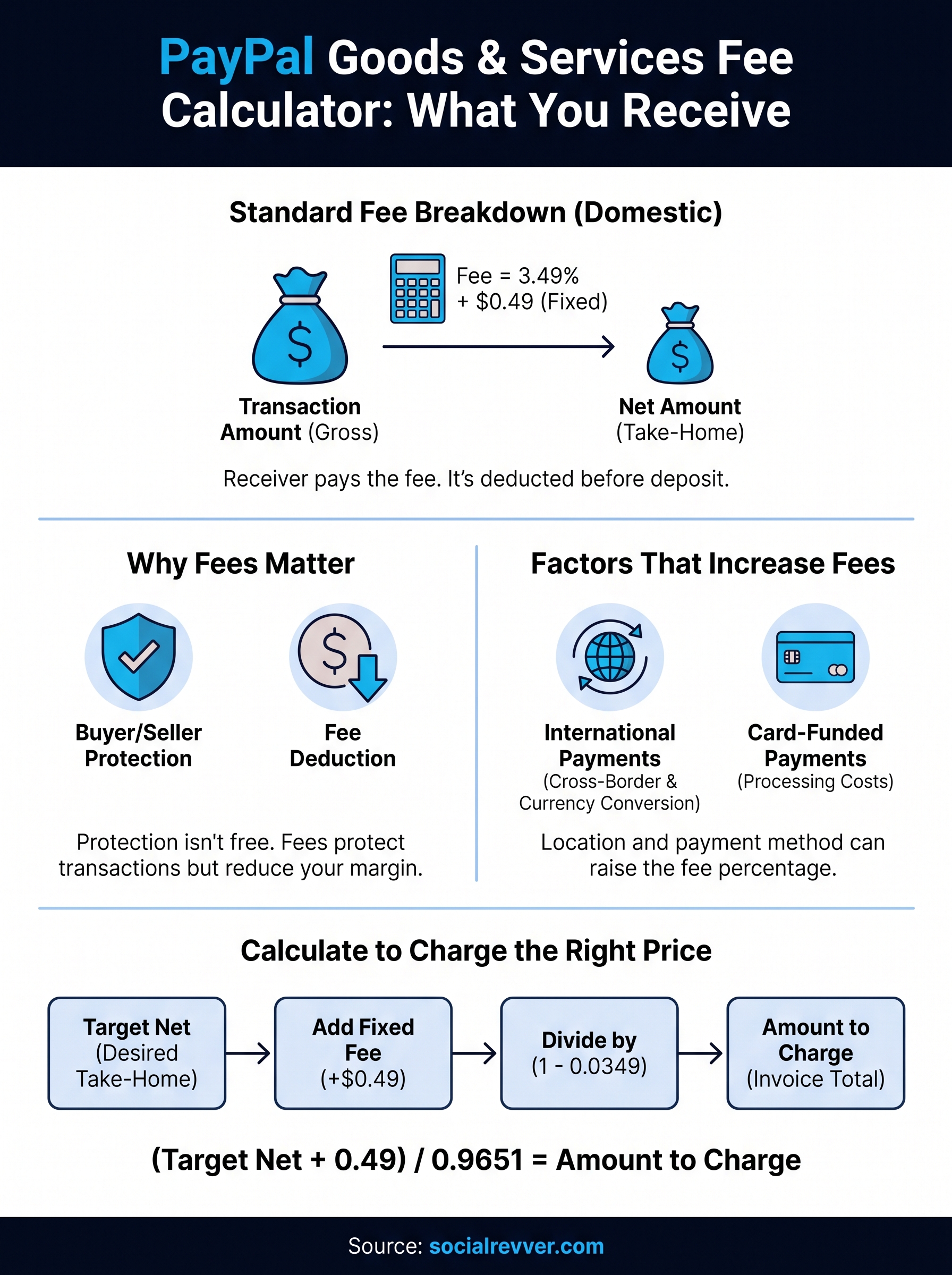
For most domestic Goods and Services transactions in the United States, PayPal charges 3.49% of the transaction amount plus a fixed fee of $0.49. That means on a $100 payment, you receive $96.02, not the full $100. The percentage component scales with the transaction size, but the fixed $0.49 applies to every transaction regardless of the amount.
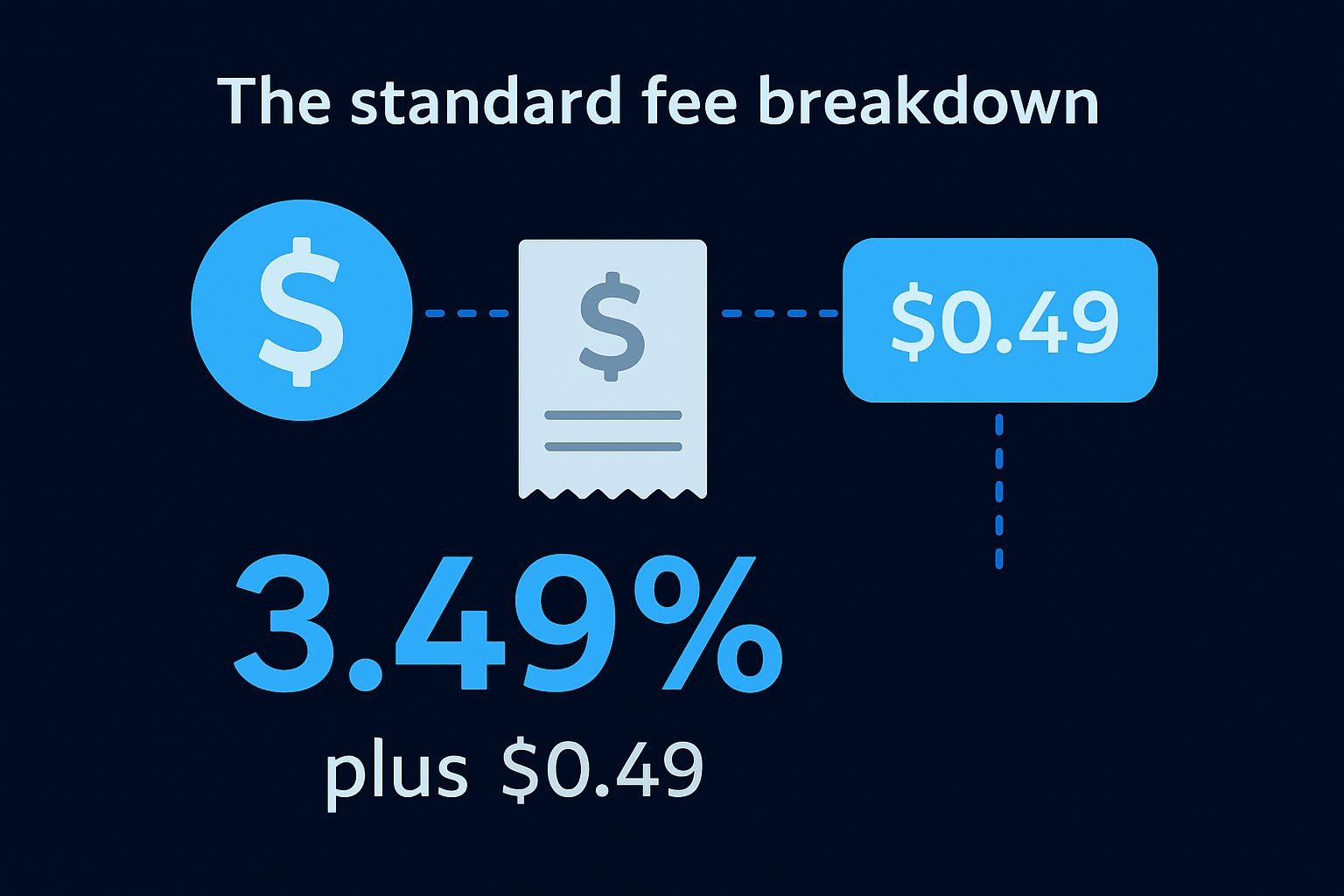
The fixed fee hits hardest on small transactions. A $10 payment nets you roughly $9.16, meaning PayPal keeps about 8.4% of that total.
How payment method and currency affect your net
If your client pays with a credit or debit card rather than a PayPal balance or linked bank account, the fee can increase beyond the standard rate. International transactions also carry additional currency conversion fees on top of the base percentage, which pushes your total deduction higher. Running every scenario through a paypal goods and services fee calculator before you invoice keeps you from absorbing costs you never planned for.
How to use a fee calculator to see what you receive
A paypal goods and services fee calculator works by taking your transaction amount and applying PayPal's current rate to show your exact take-home figure before you send an invoice. You enter a number, and the tool returns the fee deducted and the net amount deposited. The process takes less than a minute and removes all guesswork from your pricing.
What inputs you need
Before you run a calculation, gather three pieces of information: the gross payment amount, the payment method your client will use, and whether the transaction is domestic or international. These variables directly affect your final number. A client paying with a credit card triggers a different rate than one paying from a bank-linked PayPal balance, so the tool needs accurate inputs to return accurate results.
Reading your result correctly
Your result shows two figures: the fee amount and the net you receive. Focus on the net figure, not the gross, when confirming whether a deal works for your business.
If the net figure falls below your minimum acceptable rate, adjust your invoice amount before sending, not after.
Use the net as your baseline every time you quote a price to a client.
How to calculate what to charge to net a target
Knowing your net is useful, but knowing what to charge upfront so you net exactly what you want is the skill that protects your margins. The math runs in reverse from the standard fee calculation, and once you understand it, you stop guessing and start setting prices with precision on every deal.
The reverse calculation formula
Instead of subtracting the fee from what you charge, you work backward from your target net amount. The formula for PayPal's standard Goods and Services rate of 3.49% plus $0.49 looks like this:
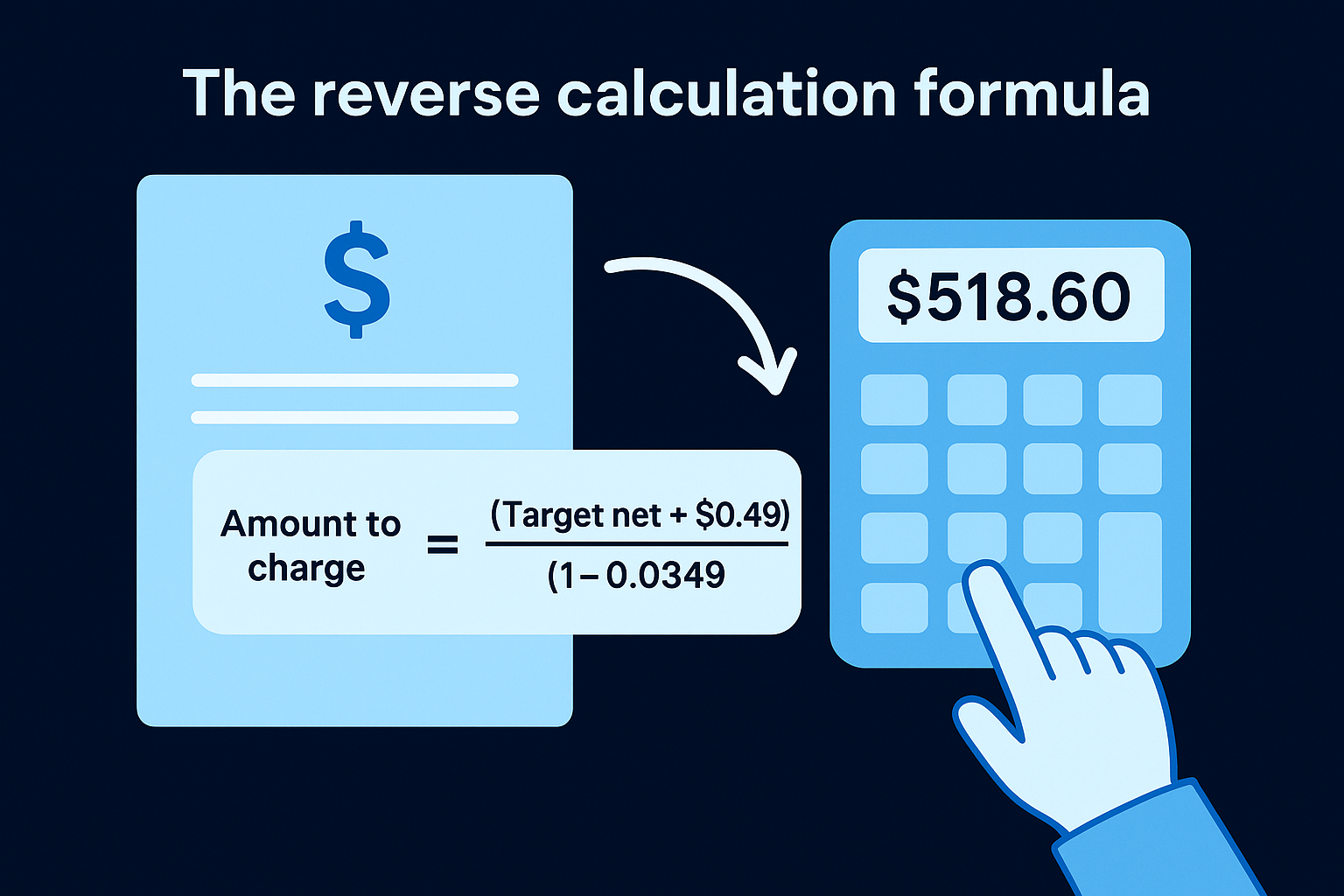
Amount to charge = (Target net + $0.49) / (1 - 0.0349)
If you need to net $500, your calculation is: (500 + 0.49) / 0.9651, which gives you $518.60 as the correct invoice amount.
Running this calculation before every invoice ensures PayPal's cut never comes out of your quoted rate.
Checking your work with a calculator
After applying the formula, plug your new invoice amount into a paypal goods and services fee calculator to confirm the net figure matches your target. This two-step process, formula first and calculator second, builds a reliable pricing system you can repeat on every transaction without second-guessing the result.
Common scenarios that change your net amount
The standard fee of 3.49% plus $0.49 applies to most domestic transactions, but several real-world factors push your net below that baseline. Running each specific situation through a paypal goods and services fee calculator before you invoice protects you from absorbing costs that vary by payment method, client location, and account status.
International payments
When your client pays from outside the United States, PayPal adds a cross-border fee on top of the standard rate. Any currency conversion also carries an additional spread, which compounds your total deduction beyond what a domestic-only estimate would show.
Always quote international clients an adjusted invoice amount that accounts for both the cross-border fee and any currency conversion before you finalize the deal.
Your total deduction on international transactions can run several percentage points higher than domestic rates, so treating every international deal as a separate pricing exercise is the safest approach.
Credit or debit card payments
When a client funds the payment with a credit or debit card instead of a PayPal balance or linked bank account, the fee rate increases. PayPal absorbs the card processing cost on your behalf and passes that expense directly to your net, which means the same invoice amount produces a smaller deposit depending on how your client pays.
Quick recap and next step
PayPal's Goods and Services fee of 3.49% plus $0.49 applies to every domestic transaction you receive, and that number shifts upward when your client pays by card or sends money from outside the United States. Running every deal through a paypal goods and services fee calculator before you send an invoice keeps your margins intact and removes the guesswork from pricing.
The reverse formula gives you the correct amount to charge so your target net lands in your account without adjustment. Use it on every deal, confirm the result with a calculator, and adjust for international or card-funded payments when they apply.
Your pricing decisions need to be deliberate and data-driven if you want revenue that actually reflects your work. If you want a system that drives consistent inbound leads so you always have clients to invoice, get your free social media strategy and see how SocialRevver builds that engine for you.