
TikTok Effect House is TikTok's free desktop software for building custom AR effects and filters, the kind that spark trends, drive massive engagement, and even pay creators through TikTok's Effect Creator Rewards program. Whether you want to build branded filters for your business or tap into a new revenue stream, Effect House gives you the tools to do both.
At SocialRevver, we build data-driven short-form content systems for founders and creators who treat attention like a business asset. Custom effects are one more lever in that system, they increase watch time, boost shares, and create built-in virality that standard posts can't match.
This guide breaks down exactly what Effect House is, how to download and use it, how to publish your first effect, and how to qualify for TikTok's rewards. No fluff, no filler, just the steps and strategy you need to start creating effects that actually move the needle.
What TikTok Effect House is and what it can do
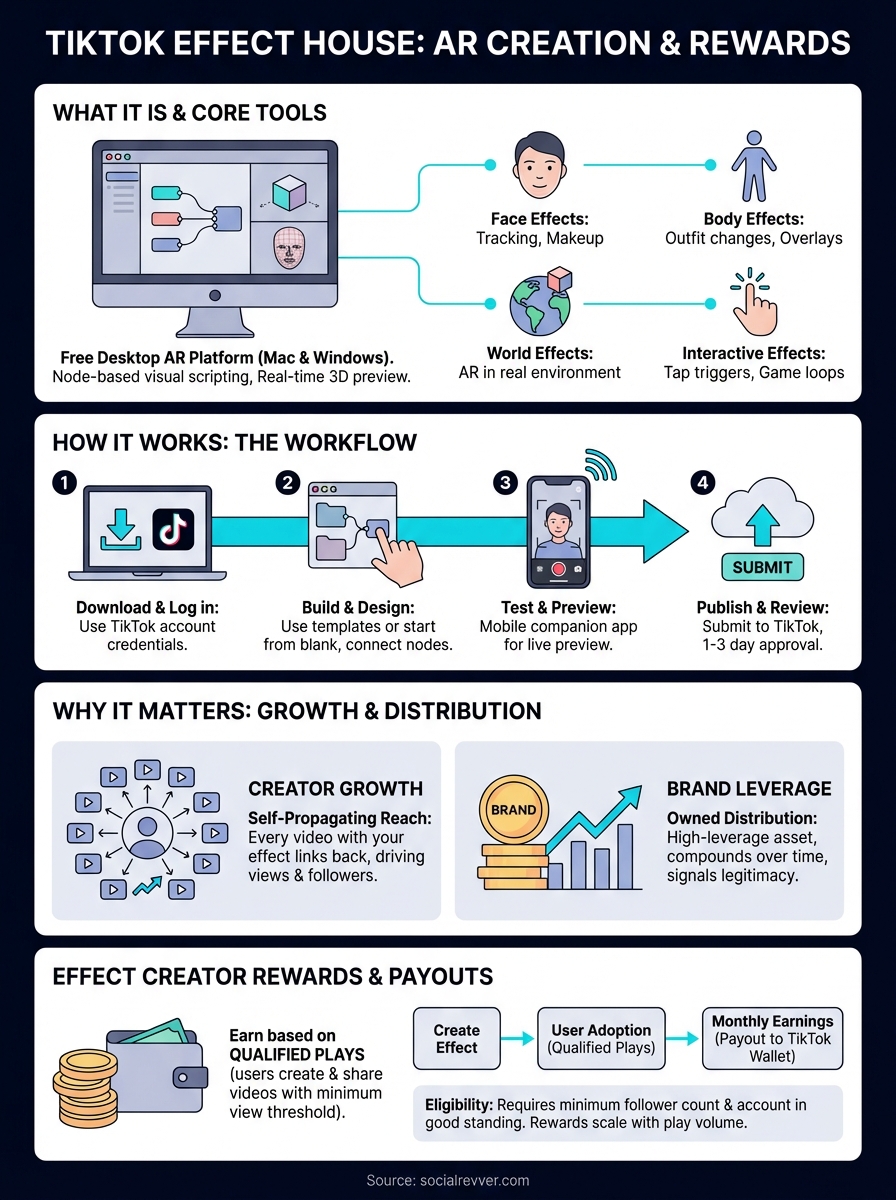
TikTok Effect House is TikTok's free, professional-grade AR development platform that lets you design, preview, and publish interactive effects directly to TikTok's camera. It runs on Mac and Windows and gives you a node-based visual scripting environment, a real-time 3D preview, and a direct pipeline to TikTok's publishing system. You do not need a background in traditional coding to use it, though familiarity with tools like Unity or Spark AR gives you a head start.
The core tools inside Effect House
Effect House ships with a full suite of built-in templates and asset libraries that cover face tracking, body tracking, world effects, and interactive game mechanics. You work inside a scene editor where you drag, connect, and configure nodes to define how your effect responds to motion, sound, and touch. The platform also includes a script component for JavaScript-based logic if you want to push beyond what the visual editor offers.
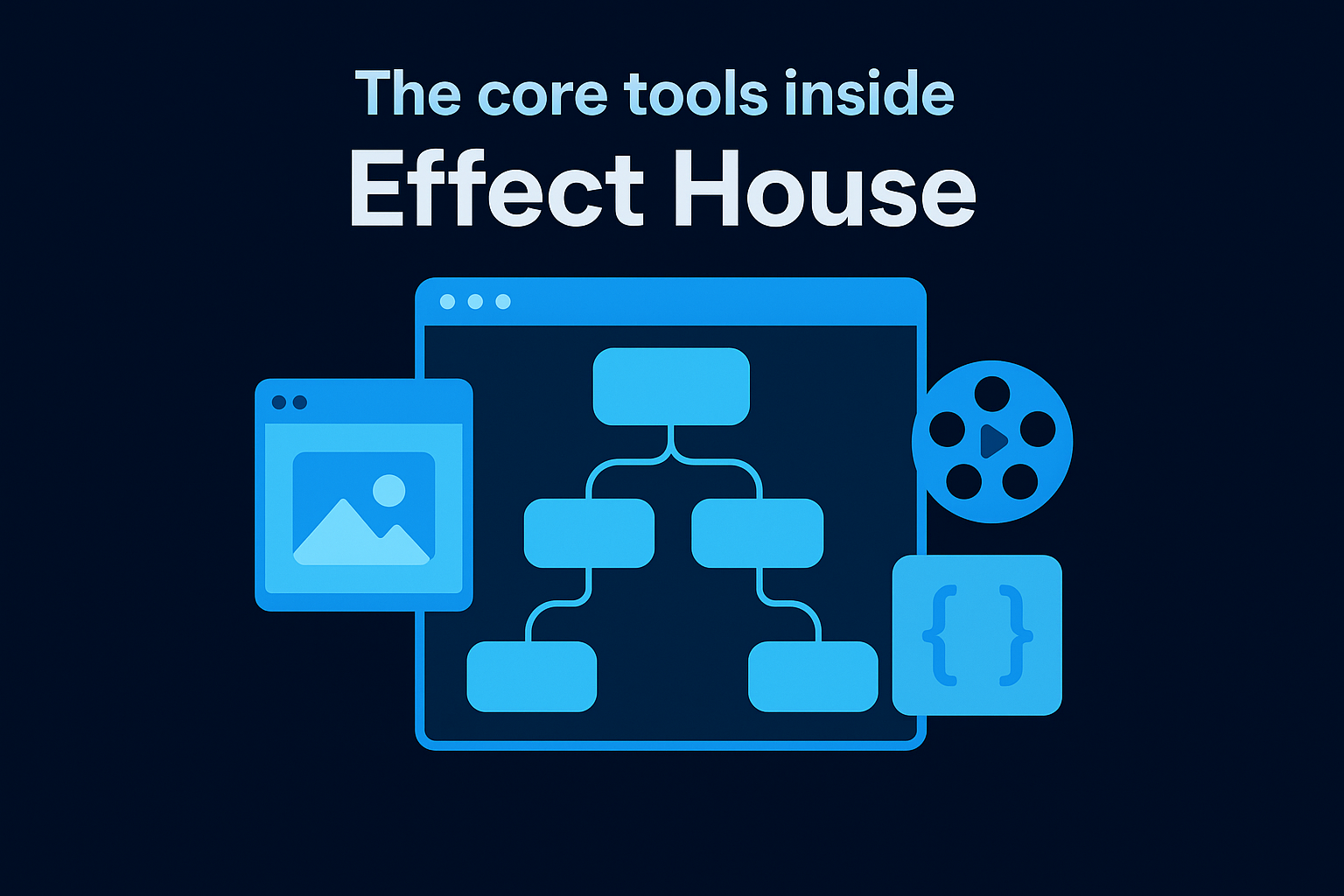
Here is a quick breakdown of the main feature categories:
- Face effects: Distortion, makeup overlays, object placement tied to facial landmarks
- Body effects: Full-body tracking for outfit changes or animated overlays
- World effects: Camera-based AR that places 3D objects in a real environment
- Interactive effects: Tap-to-trigger animations, countdowns, randomizers, and game loops
What effects look like in practice
When a user opens TikTok's camera and selects your published effect, they see your AR layer rendered in real time over their video feed. Successful effects tend to do one of three things: they make the user look different, they gamify the recording experience, or they deliver a shareable result like a "your personality type" reveal. Each of those mechanics gives viewers a reason to use your effect repeatedly and share the outcome with their audience.
The effects that consistently go viral are not the most technically complex ones. They are the ones built around a clear, repeatable human behavior.
Why Effect House matters for creators and brands
Custom AR effects are not just novelty features. When your effect gets picked up by other users, every video they create with it links back to your profile, which means you accumulate views and followers without posting a single additional piece of content. TikTok Effect House turns your creative work into a self-propagating distribution channel that grows while you focus on your core business.
An effect that goes viral can generate millions of impressions from users you never reached through your own posting schedule.
The business case for branded effects
For brands and founders, a custom effect is owned distribution infrastructure. Unlike paid ads that stop the moment your budget runs out, a well-built effect keeps circulating as long as users find it entertaining or useful. This makes it a high-leverage, low-maintenance asset that compounds over time rather than depleting your resources on a fixed timeline.
Creators also benefit from the legitimacy signal that a widely-used effect sends. When thousands of people use your filter, it signals authority to new visitors who land on your profile, which accelerates both follower growth and inbound brand deal inquiries.
How to download, install, and log in
Getting TikTok Effect House running on your machine takes less than ten minutes. You download the installer directly from the official Effect House website, run it, and log in with your existing TikTok account credentials. No separate account creation is needed.
Confirm your system meets the minimum requirements before downloading, or you will run into performance issues during real-time 3D preview rendering.
System requirements
Before you install, confirm your machine can handle the workload. Effect House is resource-intensive because it renders AR in real time, so a weak GPU will create significant lag and slow your entire build process.
| Requirement | Windows | Mac |
|---|---|---|
| OS | Windows 10 (64-bit) or later | macOS 11.0 or later |
| RAM | 16 GB minimum | 16 GB minimum |
| GPU | Dedicated GPU recommended | Apple M1 or later recommended |
Download and installation steps
Head to the official Effect House site, click Download, and select your operating system. Run the installer file, follow the on-screen prompts, and launch the application once it finishes. When Effect House opens, click Log in with TikTok, enter your credentials, and you land directly in the project dashboard ready to start building your first effect.
How to build, test, and publish an effect
Once you log in, TikTok Effect House places you in the project dashboard where you create a new project by selecting a template or starting from a blank scene. Pick a template that matches your concept, whether that is a face effect, world effect, or interactive mechanic, and the editor loads with the relevant nodes and assets already connected.
Starting from a template cuts your build time significantly and gives you a working baseline to modify rather than building logic from scratch.
Testing and previewing your effect
The real-time preview panel lets you test your effect using your device's camera or a preloaded video file. Use the Effect House mobile companion app to push a live preview directly to your phone, which gives you the most accurate representation of how users will experience the effect before you submit.
Submitting for review
When your effect is ready, click Submit inside the platform and fill in the required fields: effect name, category, and cover image. TikTok's review team typically approves effects within one to three business days, after which your effect becomes searchable inside TikTok's camera for all users.
How Effect Creator Rewards and payouts work
TikTok's Effect Creator Rewards program pays you based on the number of qualified plays your published effects accumulate over time. A qualified play is recorded when a user creates a video with your effect and that video reaches a minimum view threshold that TikTok sets in its program terms. The more engaging and reusable your effect is, the more plays it earns, and the more you get paid. This turns TikTok Effect House into a revenue channel that works independently of your own posting frequency.
Your earning potential scales with how widely your effect gets adopted, not with how many effects you publish.
How to qualify and get paid
To access the rewards program, your TikTok account must meet specific eligibility requirements, including a minimum follower count and account in good standing. Once accepted, the platform tracks qualified plays automatically across all your published effects and calculates monthly earnings accordingly. Payouts move into your TikTok wallet on a monthly basis, and you withdraw funds through the payout methods available in your region.
TikTok adjusts eligibility thresholds periodically, so check the official Effect House documentation before applying. Building effects with strong replay mechanics is the most reliable path to sustained earnings, since the program rewards cumulative play volume rather than a single viral spike.
Your next move
TikTok Effect House gives you a direct path to building AR effects that compound your reach without requiring you to post more content. You now know what the platform is, how to install it, how to build and publish effects, and how the Effect Creator Rewards program pays you for qualified plays. That is everything you need to move from curious to actively building.
The decision that separates creators who grow from those who stay stuck is whether they treat their content as a system or a series of one-off attempts. Custom effects, consistent short-form content, and data-driven distribution work together as a growth architecture, not as isolated tactics. If you want a team that builds that entire system for you, from strategy to production to distribution, get your free 40-slide social media strategy and see exactly where your brand should be pushing to grow faster.