You have tried posting more, hopping on trends, and tweaking your captions, but your TikTok numbers still move like a coin flip. That inconsistency usually means you're missing the right tiktok growth tool for the job, not that you lack talent or effort. The gap between creators who grow predictably and everyone else is rarely luck. It's the stack of software they use behind the scenes.
This list answers a specific question: which tools actually move the needle on views, followers, and engagement in 2026? We tested and researched analytics platforms, editing apps, and content creation tools that serious creators and brands rely on, then narrowed it down to nine that earn their spot in your workflow.
Below, you'll find each tool's core strength, who it fits best, and where it falls short, so you can build a system instead of collecting apps. If you'd rather skip the manual grind entirely, this is also exactly the kind of bottleneck SocialRevver's Attention Engine was built to remove, replacing scattered tools with one data-driven production system. But whether you're building your own stack or looking for a shortcut, start here.
1. SocialRevver – Done-for-you TikTok growth system
Most tools on this list hand you data and leave you to figure out what to do with it. SocialRevver skips that step. It's a done-for-you content system that treats TikTok growth as an engineering problem, not a creative gamble, which matters if you're a founder or business owner who can't spend afternoons studying analytics dashboards.
Growth stops being a guessing game once you stop relying on creative instinct and start relying on data.
How it works
SocialRevver runs on what it calls the Attention Engine, a four-step loop covering strategy, creative development, production, and distribution feedback. The process starts by mining a database of over 750,000 videos to isolate the hooks, pacing, and psychological triggers that actually drive watch time in your niche. From there, a proprietary scripting engine drafts conversion-focused scripts matched to your voice, and an AI-supported editing pipeline handles cut optimization, sound design, captions, and branded visuals. Posting schedules and formatting get adjusted continuously based on real-time performance data, so the system keeps tightening itself instead of running on a fixed playbook.
Key features
- Strategy Intelligence: pattern analysis across 750,000+ videos to identify what's actually working right now
- Scripting Engine: niche-specific, conversion-focused scripts generated for your audience and tone
- AI-supported editing: professional-grade cuts, motion pacing, and sound design without hiring an in-house editor
- Distribution optimization: posting times and formats driven by behavioral trend data, not guesswork
- Automated funnels: systems that convert views into leads and customers, not just follower counts
Who it's for
This fits founders building investor credibility, business owners trying to dominate a market category, and creators aiming for brand deals that pay based on authority, not vanity metrics. If you're already juggling operations and can't treat content as a second job, SocialRevver removes that bottleneck entirely. It's a poor fit for hobbyists who enjoy the hands-on editing process or brands with no budget for managed services, since the value here comes from full delegation, not DIY tinkering.
Pricing
SocialRevver doesn't publish flat rates because the engagement scales with production volume and campaign complexity. Pricing is quote-based after a strategy call, which lets the team scope the system to your niche and goals instead of forcing you into a generic tier. If you want specifics, book a call through socialrevver.com rather than guessing from a pricing page.
2. Metricool – All-in-one scheduling and analytics
Once you move past a single-tool experiment, you need something that manages every platform from one dashboard, and Metricool fills that role well. It's a TikTok growth tool built for creators and agencies who post across multiple channels and need scheduling, analytics, and reporting in one place instead of five browser tabs.
How it works
Metricool connects directly to your TikTok account, along with Instagram, YouTube, and other networks, then pulls performance data into a single dashboard. You schedule content in advance, review engagement analytics by video, and compare your account against competitors you add to a watchlist. The platform also generates a best-time-to-post recommendation based on your audience's actual activity, not a generic industry average.
A scheduling tool only earns its place in your stack if it also tells you why a post worked.
Key features
- Multi-network scheduling and calendar view
- Competitor tracking and benchmarking
- Detailed video-level analytics, including watch time and completion rate
- Automated reports you can export or share with clients
- Best-time-to-post suggestions based on your own audience data
Who it's for
Agencies managing multiple client accounts and creators running content across several platforms get the most value here. Solo creators focused only on TikTok may find the multi-network features unnecessary overhead.
Pricing
Metricool offers a free plan with limited features, while paid tiers start around $18 per month and scale up based on the number of connected accounts and users. Agencies managing several clients typically land on higher tiers closer to $60 to $100 per month.
3. CapCut – AI-powered video editing
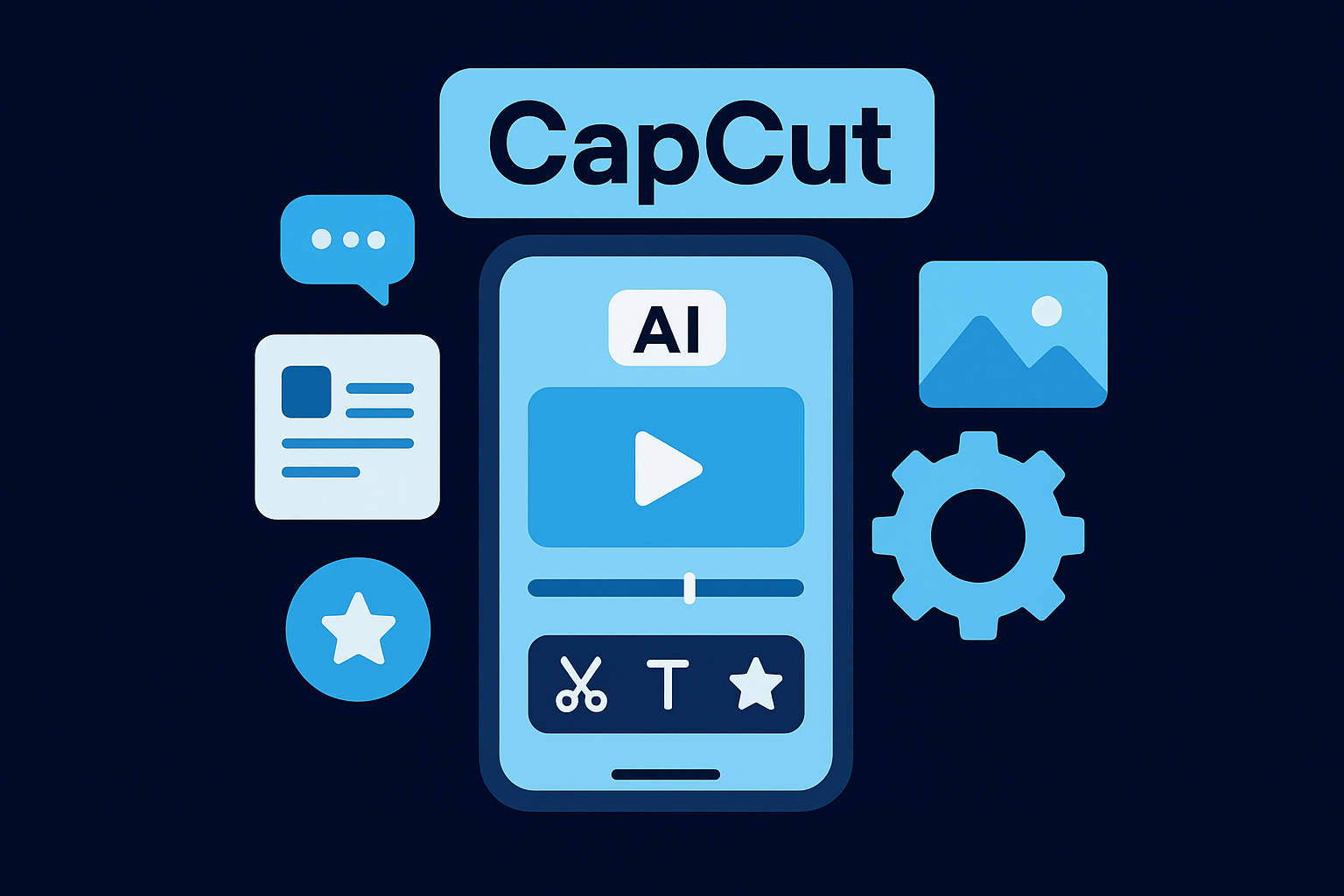
Editing quality separates videos that get watched to the end from ones that get scrolled past in two seconds, and CapCut has become the default AI-powered video editing app for creators who can't afford a full production team. It's owned by ByteDance, so it's built specifically to match TikTok's format, aspect ratio, and trending effects, which is why so many of the top TikTok growth tools lists put it near the top.
How it works
CapCut runs on your phone or desktop and gives you a timeline-based editor with AI features layered on top, including auto-captions, background removal, and beat-synced cuts that match your audio automatically. You drop in raw footage, and the app suggests transitions, text templates, and pacing adjustments based on what's trending.
Editing software can't fix a weak hook, but it can make sure a strong one doesn't get buried under sloppy cuts.
Key features
- Automatic captions with customizable styling
- AI background removal and green screen effects
- Beat-synced editing that matches cuts to music
- Massive library of trending templates and sound effects
- Cross-platform sync between mobile and desktop projects
Who it's for
Solo creators and small teams doing their own editing benefit most, especially anyone without access to a dedicated video editor. Brands running high-volume production may still want a managed pipeline instead, since CapCut still requires hands-on time per video.
Pricing
CapCut's core editor is free, and the Pro subscription, which unlocks advanced AI tools and premium templates, runs about $9.99 per month or roughly $77.88 annually.
4. Canva – Quick TikTok graphics and templates
Not every part of your TikTok strategy happens inside a video editor. Cover images, quote graphics, and carousel-style slides still need a clean design tool, and Canva remains the fastest way to produce those without opening Photoshop. It's less a TikTok growth tool in the strict sense and more a support tool that fills the gaps CapCut and other editors leave behind.
How it works
Canva works through a drag-and-drop editor loaded with pre-sized templates for TikTok covers, profile graphics, and even short video clips. You pick a template, swap in your brand colors and fonts, and export in minutes. The Brand Kit feature saves your logo, palette, and fonts so every graphic you make stays consistent without rebuilding it from scratch each time.
Consistent branding on your covers and slides builds recognition long before someone watches a full video.
Key features
- Thousands of TikTok-sized templates for covers and graphics
- Brand Kit for consistent colors, fonts, and logos
- Basic video editing and animated text tools
- Team collaboration for brands managing multiple content creators
- Built-in stock photo and icon library
Who it's for
Creators and small brands that need polished graphics fast, without hiring a designer, get the most use out of Canva. It's a weak fit if you're already deep into a video-first workflow where cover design matters less than the edit itself.
Pricing
Canva's free plan covers most basic needs. Canva Pro runs about $12.99 per month or $119.99 annually, unlocking premium templates, background remover, and expanded brand kit storage.
5. TikTok Creative Center – Trend and hashtag discovery
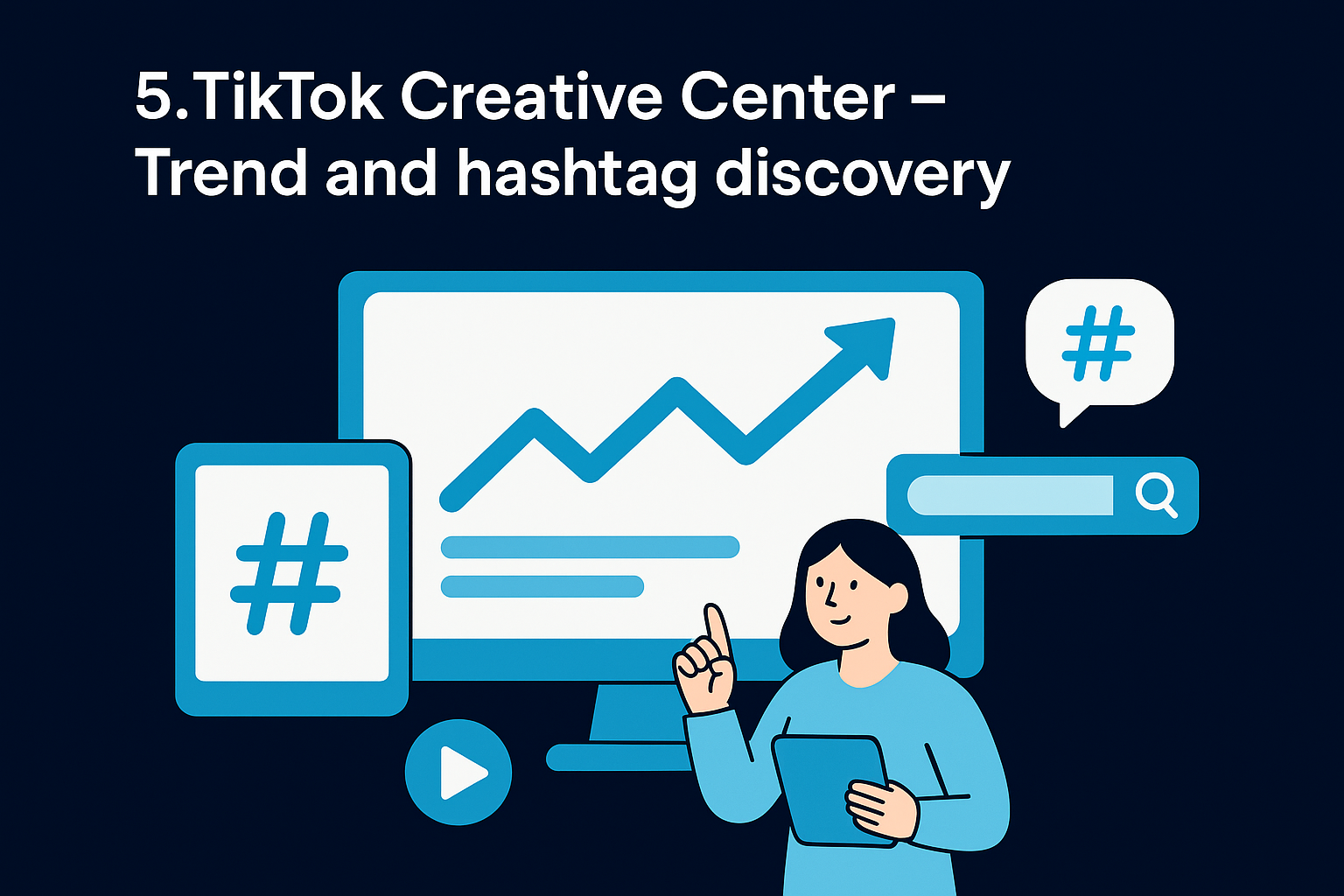
Guessing at hashtags is a habit worth breaking, and TikTok Creative Center gives you a free way to break it. Built directly by TikTok, this trend discovery tool shows you what's actually gaining traction on the platform right now, broken down by region, industry, and audience, instead of leaving you to reverse-engineer trends from your own feed.
How it works
Creative Center pulls live platform data into dashboards covering trending songs, hashtags, creators, and top-performing ads. You filter by country, category, and date range to see what's climbing before it peaks, then click into any trend to see example videos using it. There's also a Top Ads section, useful if you're studying hooks that convert rather than just entertain.
The creators who catch a trend on day two, not day ten, are usually the ones checking this dashboard daily.
Key features
- Trending hashtags, sounds, and creators updated daily
- Filters by region, industry, and time frame
- Top Ads library showing high-performing paid campaigns
- Video insights on format, length, and structure driving performance
- Free access with no account tier restrictions
Who it's for
Anyone building a TikTok growth strategy from scratch benefits from checking Creative Center before scripting new content. It's especially useful for brands entering a new region or niche where you don't yet know the local trend cycle. Solo creators with a tight posting schedule may find the research time it demands harder to justify without a system to act on the findings quickly.
Pricing
TikTok Creative Center is completely free. You just need a TikTok Ads Manager account to access the full dashboard, which takes a few minutes to set up.
6. Keyhole – Analytics and competitor benchmarking
Once you're running multiple campaigns or reporting to clients, you need numbers that hold up beyond your own dashboard, and Keyhole was built for exactly that. It's an analytics platform that leans heavily into competitive benchmarking, letting you see not just how your TikTok account performs but how it stacks up against named competitors in real time.
How it works
Keyhole tracks your TikTok profile alongside a list of competitors you choose, then compares engagement rate, follower growth, and posting frequency side by side. You can also monitor hashtags and campaign-specific keywords, pulling every video that uses them into one feed so you catch mentions and trends without manually searching the app. Reports export cleanly, which matters if you're presenting results to a client or an executive team.
Knowing your engagement rate means nothing until you know what a good rate looks like in your niche.
Key features
- Side-by-side competitor benchmarking on engagement and growth
- Hashtag and keyword tracking across TikTok content
- Custom, exportable reports built for client presentations
- Historical data for tracking growth trends over months
- Influencer and campaign tracking tools
Who it's for
Agencies and marketing teams that need to justify content spend with hard numbers get the most value from Keyhole. Solo creators without a reporting obligation may find the depth more than they need.
Pricing
Keyhole doesn't list flat public pricing; plans are quote-based depending on the number of tracked profiles and reporting needs, typically starting in the low hundreds per month for small teams.
7. Influencity – Influencer discovery and campaign management
When your growth strategy depends on partnering with other creators, not just posting your own videos, you need a way to vet influencers before you commit budget. Influencity solves that problem with an influencer discovery database that spans millions of profiles across TikTok, Instagram, and YouTube, letting brands and agencies find the right voice instead of guessing based on follower count alone.
How it works
Influencity searches its database using filters like audience demographics, engagement rate, and content niche, then surfaces creators who match your criteria. Once you shortlist a few, the platform runs an audience quality check, flagging fake followers and bot engagement before you sign a contract. Campaign management tools then track deliverables, content approval, and performance once the partnership goes live, so you're not chasing screenshots in a group chat.
A partnership only pays off if the audience behind the follower count is actually real.
Key features
- Searchable database of millions of creator profiles across platforms
- Audience authenticity scoring to catch fake followers and bots
- Campaign tracking with deliverable timelines and content approval
- ROI reporting tied to specific influencer partnerships
- CRM-style tools for managing ongoing creator relationships
Who it's for
Brands running influencer marketing campaigns at any scale, along with agencies managing multiple client partnerships, get the clearest return here. Creators focused purely on their own content have little use for this tool, since it's built for the buyer side of influencer deals, not the creator side.
Pricing
Influencity's plans start around $198 per month for basic discovery and search access, with higher tiers adding campaign management and audience analytics running into the low thousands annually for agencies managing larger influencer rosters.
8. Brand24 – Social listening and brand monitoring
Brand mentions on TikTok often happen without a tag, which means you can miss the conversation entirely if you're only checking notifications. Brand24 closes that gap with social listening software that scans TikTok, along with other platforms, for any mention of your brand, product, or competitors, tagged or not.
How it works
Brand24 monitors the web and social platforms in real time, pulling mentions into a single feed you can filter by sentiment, reach, and source. Set up a project around your brand name, a product line, or a competitor, and the tool flags spikes in mentions so you catch a viral moment or a brewing complaint before it spreads. Sentiment analysis tags each mention as positive, negative, or neutral, which helps you prioritize what actually needs a response.
The mentions that hurt your brand fastest are usually the ones nobody tags you in.
Key features
- Real-time mention tracking across TikTok and other platforms
- Sentiment analysis for quick prioritization
- Mention spike alerts for viral or crisis moments
- Competitor mention tracking for side-by-side comparison
- Influencer identification based on who's driving conversation
Who it's for
Brands and agencies protecting reputation or tracking campaign buzz get the most value from Brand24. It's overkill for creators who don't yet have a large enough footprint to generate untagged mentions worth tracking.
Pricing
Brand24 starts around $199 per month for individual plans, with team and enterprise tiers scaling based on mention volume and the number of tracked keywords, reaching several hundred dollars monthly for larger operations.
9. PiPiAds – Competitor ad research and product discovery
If you're running paid TikTok campaigns or selling a physical product, guessing at creative angles wastes budget fast. PiPiAds is a competitor ad research tool built for exactly that problem, letting you see which TikTok ads are actually spending money and driving sales right now, instead of copying whatever looks popular in your feed.
How it works
PiPiAds scrapes live TikTok ad data and organizes it into a searchable library you can filter by industry, country, ad spend estimate, and launch date. You pull up a competitor's top-performing ads, watch the actual creative, and see how long it's been running, which is a strong signal that it's converting rather than just getting impressions. The platform also tracks trending products, so dropshippers and ecommerce brands can spot what's gaining traction before it saturates.
An ad still running after 30 days is telling you something a hunch never could.
Key features
- Searchable database of live and historical TikTok ads
- Filters by spend estimate, country, industry, and launch date
- Trending product discovery for ecommerce and dropshipping
- Landing page previews tied to specific ad creatives
- Competitor account tracking for ongoing monitoring
Who it's for
Ecommerce brands and paid media managers running TikTok ad campaigns get the clearest value here. Organic-only creators and service-based businesses without an ad budget will find little use for this tool, since it's built entirely around paid creative research.
Pricing
PiPiAds offers a free trial with limited searches, and paid plans start around $49 per month, scaling up past $150 monthly for teams needing higher search volume and advanced filters.
10. How to choose the right TikTok growth tool for your goals
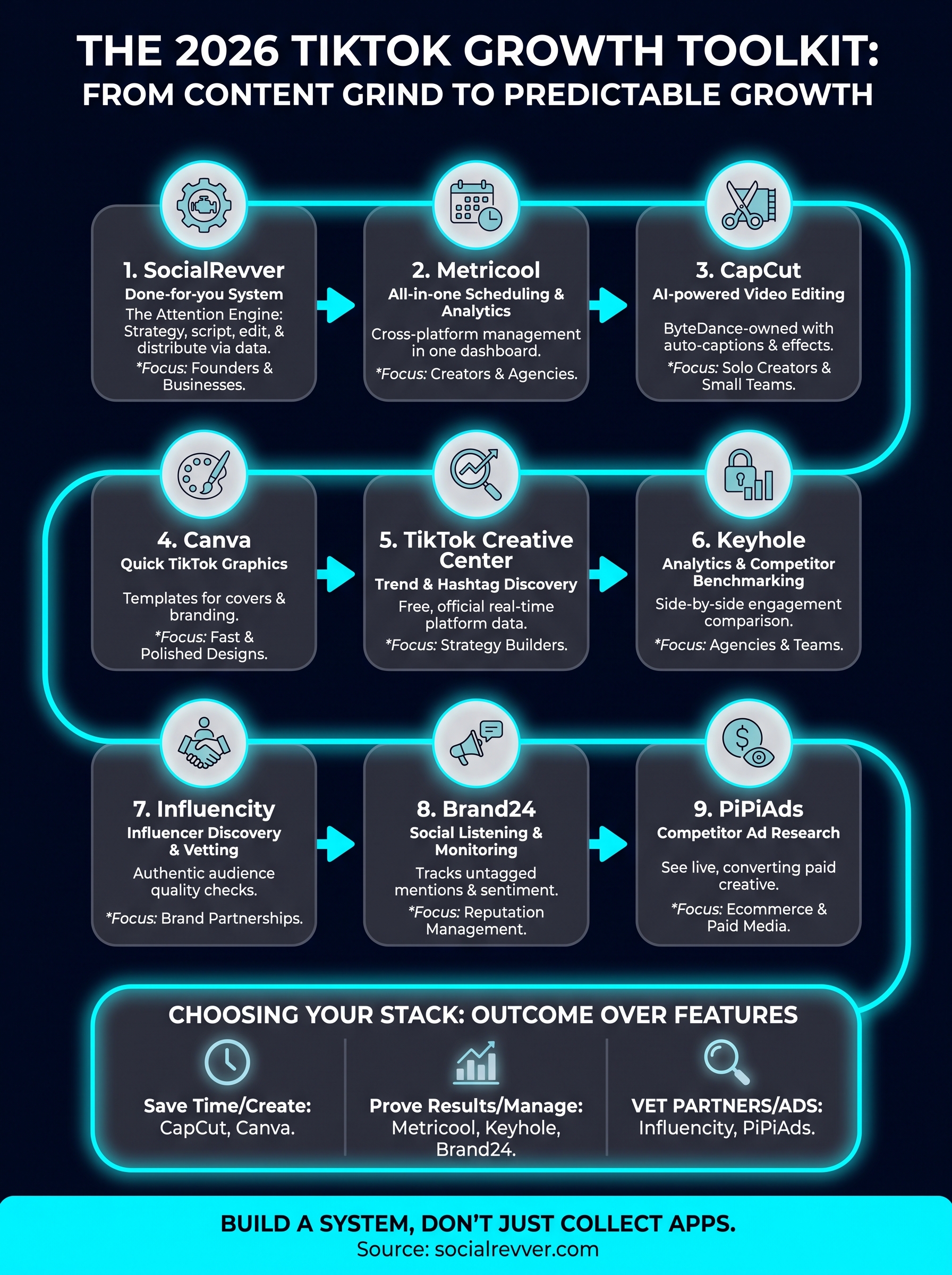
Picking from nine options gets overwhelming fast, so start with the outcome you actually need, not the feature list that sounds most impressive. Ask yourself whether you're trying to save editing hours, prove ROI to a client, vet influencer partnerships, or hand off the entire process. That single question filters out most of the wrong choices before you spend a dollar on a subscription.
Separate tiktok growth tools into two buckets: tools that do work for you and tools that show you data so you can decide what to do next. CapCut and Canva fall in the first bucket. Metricool, Keyhole, and Brand24 fall in the second. Influencity and PiPiAds serve narrower jobs, influencer vetting and ad research, so they only belong in your stack if that's actually your growth channel. SocialRevver sits apart from both buckets because it removes the decision-making step entirely, running strategy, scripting, editing, and distribution as one managed system.
Buy tools for the outcome you need, not for the dashboard that looks the most impressive.
Budget matters too, but weigh it against your time cost, not just the invoice.
| Your priority | Best fit |
|---|---|
| Save editing time | CapCut, Canva |
| Prove results to clients | Metricool, Keyhole |
| Vet influencer partnerships | Influencity |
| Research ad creative | PiPiAds |
| Protect brand reputation | Brand24 |
| Hand off the whole process | SocialRevver |
Stacking two or three of these rarely causes problems. Stacking all nine usually means you're managing software instead of growing an account.
Building your TikTok growth stack
Every tool on this list solves a real problem, but none of them solves all of them. The right tiktok growth tool for you depends on whether you're editing solo, reporting to clients, or trying to escape the content grind entirely. Pick based on the bottleneck you actually have, not the tool with the flashiest dashboard.
Some creators do best piecing together CapCut, Metricool, and Creative Center into a lean stack they manage themselves. Others realize the manual approach was never the point, they just wanted consistent growth without becoming a part-time software operator. If that's you, skip the trial-and-error and let a system built on 750,000 videos of performance data do the heavy lifting. Get your free 40+ slide social media strategy and see what a done-for-you Attention Engine looks like for your brand before you spend another month testing apps alone.