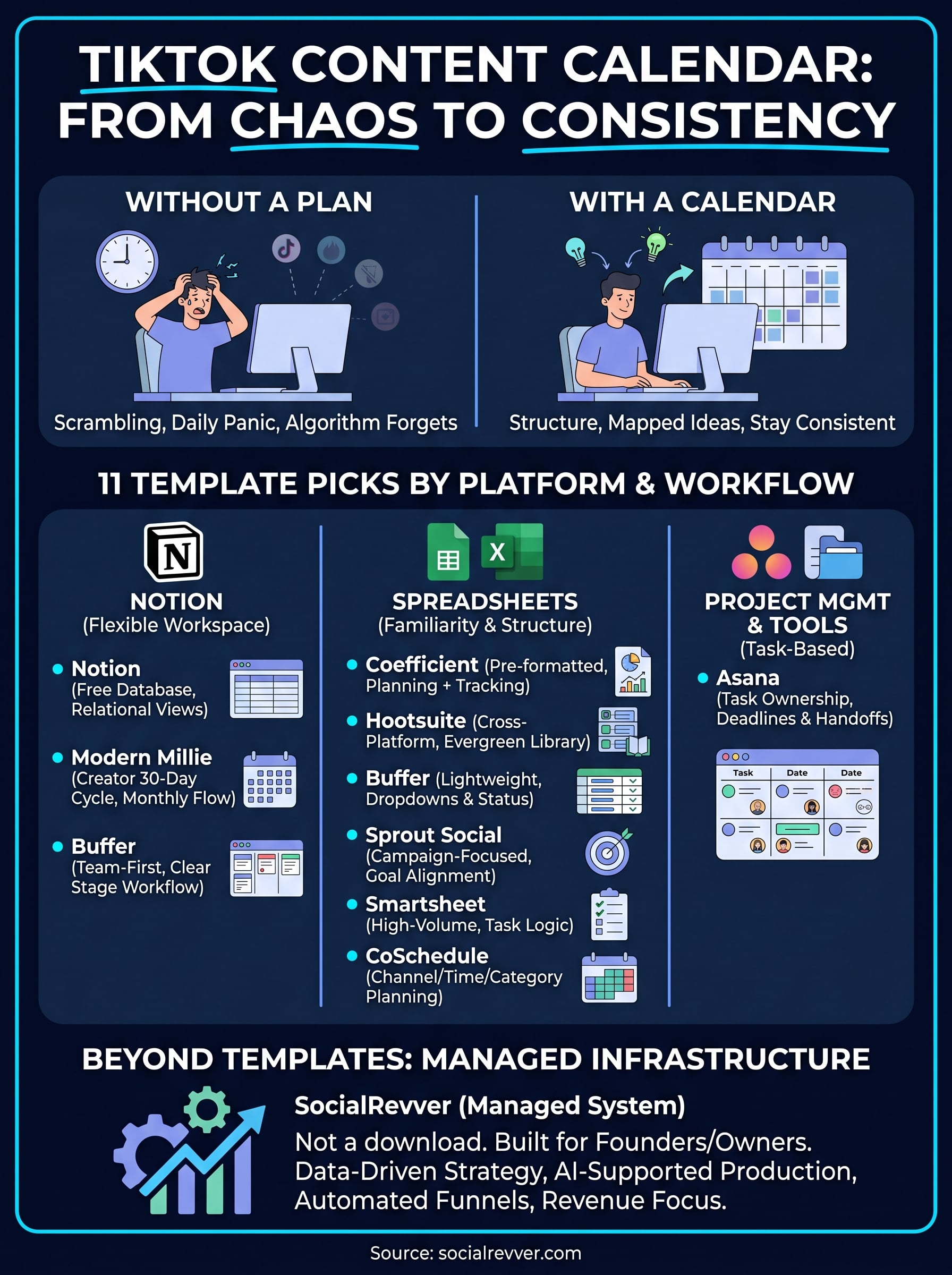
Posting on TikTok without a plan is how most creators end up staring at a blank screen at 9 PM, scrambling to publish something, anything, before the algorithm forgets they exist. A solid TikTok content calendar template fixes that problem by giving you a single place to map out ideas, track formats, and stay consistent without the daily panic. Whether you're running a personal brand or managing content for a growing company, having that structure in place changes everything about how you show up on the platform.
The challenge is that not all templates are built the same. Some are barebones spreadsheets with a date column and a prayer. Others are over-engineered systems that take longer to maintain than actually creating content. What you need sits somewhere in the middle: a template that matches your workflow, keeps you organized, and actually gets used week after week. That's what this roundup focuses on, practical picks that work in tools you're already using, like Notion, Google Sheets, and Excel.
At SocialRevver, we build data-driven content systems for founders, creators, and business owners who treat short-form video as a growth channel, not a hobby. We've seen firsthand how the right planning infrastructure separates accounts that plateau from those that compound. Below, you'll find 11 TikTok content calendar templates worth trying, organized by platform, use case, and complexity so you can grab one and start executing today.
1. SocialRevver
SocialRevver is not a downloadable template. It is a managed content infrastructure system built for founders, business owners, and creators who want short-form video to drive real business results. Rather than handing you a blank TikTok content calendar template to fill in on your own, SocialRevver builds and operates the entire content operation for you, from strategy development through final distribution.
What you get
When you work with SocialRevver, you get access to the SocialRevver Attention Engine, a system backed by a database of over 750,000 analyzed short-form videos. This includes a strategy layer, a proprietary scripting engine, an AI-supported editing pipeline, branded production, and a distribution framework calibrated to your audience. You are not managing rows and columns in a spreadsheet. You are getting a full production team working inside a data-driven system designed to make your content consistent, high-quality, and conversion-focused from day one.
How it handles TikTok planning and consistency
SocialRevver removes the guesswork from your posting schedule by using behavioral pattern analysis to determine what formats, hooks, and pacing actually drive attention in your niche. Your content plan is not built around gut instinct or trending sounds. It is built around what the data shows works for your specific audience and content category.
Consistency on TikTok does not come from motivation. It comes from having a system that eliminates the manual decisions that cause most creators to disappear from their own posting schedule.
Your scripts, edits, and distribution timing all run through the same repeatable process, which means your output stays steady regardless of how demanding your week gets.
How it connects content to leads and revenue
SocialRevver connects your short-form content directly to automated funnels built to convert views into leads and customers. The system treats TikTok as a revenue channel, not a vanity metric dashboard. Attention is the input, and revenue is the output, with infrastructure deliberately built to make that conversion happen in a predictable, measurable way.
Best for
SocialRevver works best for founders, business owners, and creators who want to build authority and generate consistent inbound leads through short-form video without spending hours each week planning, scripting, editing, and posting content themselves.
Pricing
Pricing at SocialRevver is custom based on your scope and objectives. You can reach out directly through the SocialRevver website to get specific details and determine which service tier fits your situation best.
2. Notion TikTok content planner template
Notion offers a free TikTok content calendar template through its template gallery, built specifically for creators who want to organize their short-form video workflow inside a flexible, all-in-one workspace. It gives you a structured starting point without forcing you into a rigid format you can't adjust.
What you get
The template includes a central content database where you log video ideas, assign formats, set publish dates, and track post statuses. You also get fields for captions, hooks, and content categories, so every idea lives in one place rather than scattered across notes apps and browser tabs.
How the database and views work
Notion's template uses a relational database structure that lets you switch between multiple views depending on how you want to work. You can look at your content as a calendar, a table, or a Kanban board, all pulling from the same underlying data.

Switching between views without duplicating data is one of the biggest practical advantages Notion has over a standard spreadsheet for content planning.
This flexibility means you can plan by week in calendar view, then switch to table view when you need to audit your content mix or check how many posts are still in draft status.
Best for
This template works best for solo creators and small teams who are already using Notion for other parts of their workflow and want to keep their content planning in the same system.
Setup time and learning curve
If you already use Notion, setup takes under 30 minutes. If you are new to the platform, expect a short adjustment period to understand how database views and properties work together.
Pricing
The template is free to download from the Notion template gallery. A free Notion account covers basic use, with paid plans starting at $12 per month per member if you need advanced features or team collaboration.
3. Its Modern Millie TikTok content calendar Notion template
Modern Millie's Notion template is a creator-focused planning tool designed for people who want a structured 30-day content cycle rather than an open-ended database they have to configure from scratch. It comes pre-built with a workflow that mirrors how many individual creators actually plan content in practice, making it one of the more practical TikTok content calendar template options available for Notion users.
What you get
The template includes a monthly content grid, dedicated fields for video topics, hooks, content pillars, and call-to-action notes. Each entry has a status tracker so you can move ideas from concept to filmed to published without losing track of where things stand. You also get a section for batch planning, which is useful if you prefer to film multiple videos in one session rather than creating content day by day.
How the 30-day planning flow works
The template structures your month into weekly planning blocks, which helps you distribute content types evenly instead of clustering similar videos back to back. You fill in your ideas at the start of the month, assign them to specific days, and work through the queue in order.
Mapping out a full month at once forces you to think about content variety and pacing in ways that day-by-day planning rarely does.
Best for
This template works best for solo creators and coaches who want a guided monthly rhythm rather than a fully custom system.
Setup time and learning curve
Setup takes roughly 20 to 30 minutes with basic Notion familiarity. The structure is straightforward enough that most users can start filling it in the same day they download it.
Pricing
Modern Millie offers this template through her website at a one-time paid price, typically in the range of $15 to $27, though you should check her current listings for exact pricing.
4. Buffer Notion content team calendar template
Buffer's Notion template takes a team-first approach to content planning, making it one of the more structured free options available. Unlike individual creator templates, this one is built to support multiple contributors working on the same content pipeline, which makes it worth considering even if you run a lean two-person operation.
What you get
The template includes a shared content database with fields for post copy, assigned team members, content type, platform, and scheduled publish date. You also get a status tracking system that moves content through defined stages, which keeps everyone on the same page without requiring a separate project management tool. It functions well as a TikTok content calendar template when you filter or tag entries by platform.
How it manages editorial workflow and statuses
Buffer designed this template around a clear stage-based workflow, moving content from idea through review, approved, scheduled, and published. Each status is a selectable property in the database, so filtering your queue by stage takes a single click.
When your whole team can see what is stuck in review versus what is ready to post, you cut the back-and-forth that slows most content pipelines down.
This structure also makes accountability easier to enforce, since each entry carries an owner field that shows exactly who is responsible for the next action.
Best for
This template works best for small content teams and agencies managing multiple platforms who want one shared workspace rather than a folder full of disconnected documents.
Setup time and learning curve
Expect 30 to 45 minutes to configure the template to your specific workflow, slightly longer if your team is new to Notion databases.
Pricing
The template is free to download from Buffer's resources library. Notion's free plan covers basic use.
5. Coefficient TikTok content calendar template
Coefficient offers a Google Sheets-based TikTok content calendar template built for creators and marketers who want the familiarity of a spreadsheet with a bit more structure than a blank grid. The template is pre-formatted and ready to use the moment you make a copy, which removes the friction of setting up a system from scratch.
What you get
The template gives you dedicated columns for video topics, content categories, target publish dates, post status, and performance notes. Everything lives in a single sheet, so you can scan your full content pipeline at a glance without toggling between tabs or databases. You also get color-coded status labels that make it easy to spot which videos are in production versus which ones are already scheduled and waiting to go live.
How the template supports planning and tracking
Coefficient's template keeps planning and performance data in the same document, which means you can log results directly next to the content that drove them. This setup makes it straightforward to spot which content types are consistently performing and adjust your forward-looking plan accordingly.
Keeping your planning and tracking in one place eliminates the gap between what you planned to post and what the data tells you actually worked.
The column-based layout also makes it simple to sort or filter by category, status, or date without any formula knowledge required.
Best for
This template works best for individual creators and small marketing teams who prefer working in Google Sheets and want a structured starting point without building a system from zero.
Setup time and learning curve
Setup takes under 15 minutes. Since it runs entirely in Google Sheets, there is no new platform to learn.
Pricing
The template is free to download from Coefficient's website.
6. Hootsuite social media content calendar sheet
Hootsuite's social media content calendar sheet is a free Google Sheets template designed for teams managing content across multiple platforms at once. While it is not built exclusively as a TikTok content calendar template, its structure handles TikTok alongside other channels without requiring any major modifications.
What you get
The template gives you a pre-formatted weekly planning grid with columns for platform, post copy, visual assets, publish date, publish time, and content status. Each row represents a single post, so you can see your full week of planned content across every channel in one view. Color-coded platform labels make it straightforward to filter down to your TikTok-specific entries without losing the broader picture of your overall content schedule.
How it supports cross-posting and an evergreen library
Hootsuite built a dedicated tab for storing evergreen content ideas directly inside the template, which you can pull from whenever your weekly schedule runs light. The cross-posting structure lets you plan the same core concept for multiple platforms in adjacent rows, making it simple to adapt one TikTok video idea into content for other channels without maintaining separate documents.
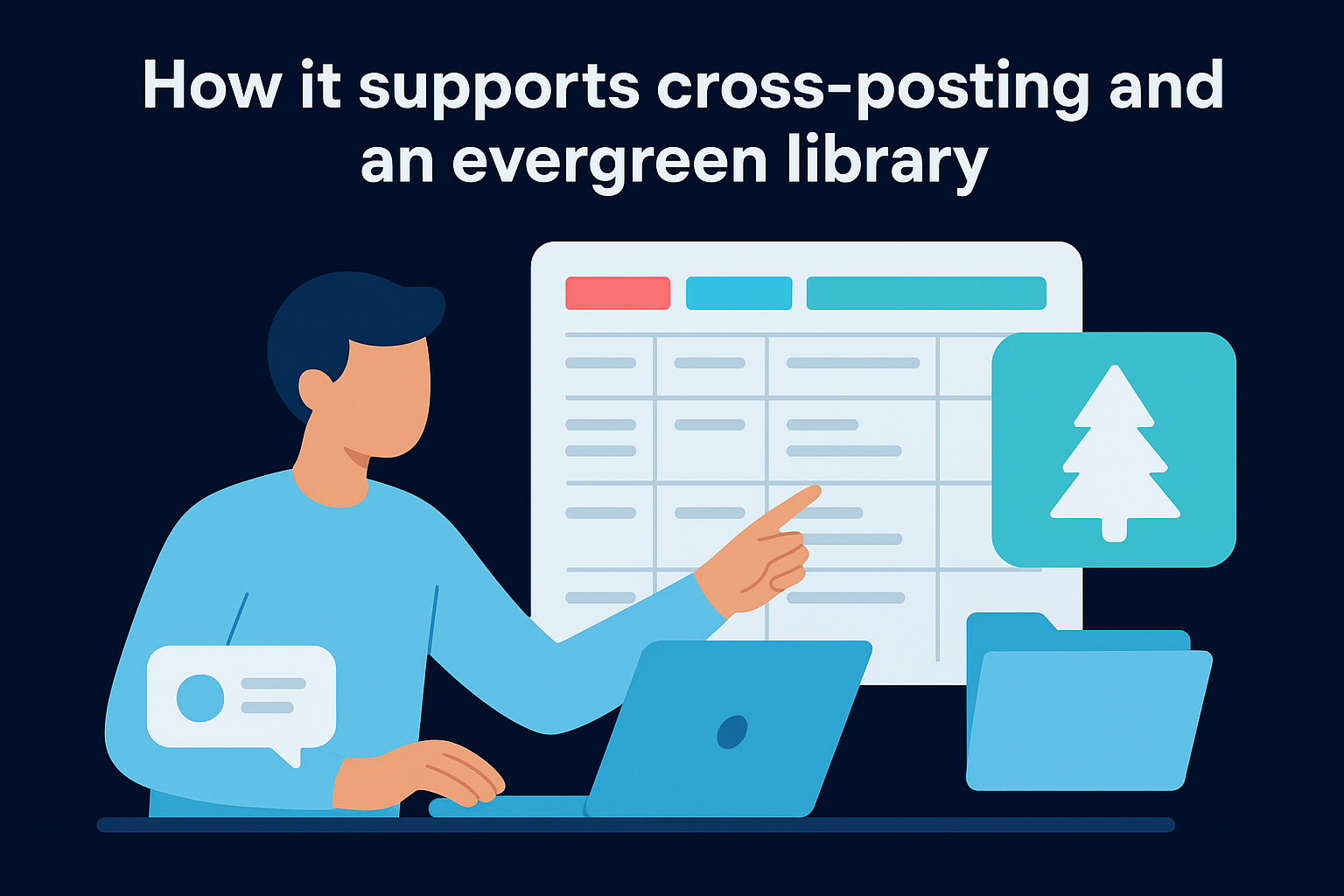
Keeping an evergreen content bank inside your calendar removes the blank-page problem that derails most posting schedules.
Best for
This template works best for social media managers and small marketing teams handling multiple platforms who want a single spreadsheet to cover everything rather than separate files per channel.
Setup time and learning curve
Setup takes under 20 minutes, and no formula knowledge is required since the structure is already in place when you open it.
Pricing
The template is free to download from Hootsuite's resource library.
7. Buffer social media calendar template for Google Sheets
Buffer also offers a separate Google Sheets template that functions differently from its Notion version. This one is built for individuals and small teams who want a lightweight spreadsheet solution with pre-built structure, dropdown menus, and status tracking baked in from the start.
What you get
The template includes a pre-formatted weekly grid with columns for platform, content type, post copy, publish date, publish time, and status. It works as a practical tiktok content calendar template when you use the platform column to filter your TikTok entries from the rest of your schedule. Color-coded formatting helps you visually separate posts by platform or status without any custom formula work.
How the dropdowns and status tracking work
Buffer configured this template with built-in dropdown menus for platform selection, content type, and post status. You pick from a predefined list rather than typing freeform text, which keeps your data consistent and makes filtering reliable across the sheet.
Dropdown-based data entry eliminates the typos and inconsistencies that make spreadsheet filtering unreliable over time.
The status column moves each post through stages like draft, ready, and scheduled, so you can see your pipeline's progress at a glance without building any logic yourself.
Best for
This template works best for solo creators and small marketing teams who want a clean Google Sheets setup with structure already built in and no customization required before they can start using it.
Setup time and learning curve
Setup takes under 10 minutes. Since the dropdowns and formatting are already configured, you can start adding content immediately after making your copy.
Pricing
The template is free to download from Buffer's website.
8. Sprout Social social media calendar template
Sprout Social's social media calendar template is a free downloadable spreadsheet built for marketers who need more than a basic posting grid. It connects your planned content to campaign goals and performance reporting, which sets it apart from simpler scheduling tools.
What you get
The template provides a structured weekly and monthly layout with columns for platform, post copy, content type, campaign name, publish date, and performance tracking fields. You can use it as a tiktok content calendar template by filtering entries to your TikTok posts while keeping the rest of your channel mix visible in the same document.
How it ties posts to goals and reporting
Sprout Social built the template with campaign tagging and goal alignment fields included from the start. Each post entry connects to a specific campaign or objective, so you are not just tracking what went out, but tracking whether it served a defined purpose.
Attaching each post to a specific goal before you publish forces the intentional planning that separates high-performing content strategies from random posting schedules.
Beyond planning, the structure makes post-campaign reporting faster and keeps your data organized by goal rather than scattered across a flat list of dates.
Best for
This template works best for marketers and social media managers who plan content around broader campaigns and need to report on performance against specific objectives rather than just logging what was posted.
Setup time and learning curve
Setup takes under 20 minutes since the structure is pre-built and ready to fill in the moment you open the file.
Pricing
The template is free and available directly from Sprout Social's website.
9. Smartsheet social media content calendar template
Smartsheet's social media content calendar template is a structured spreadsheet solution built for teams that need to manage a high volume of posts across multiple channels without losing visibility into what is planned, in progress, or already live. It brings project management logic into your content workflow, which makes it a stronger option than most basic spreadsheets when your posting schedule starts scaling.
What you get
The template includes a pre-formatted grid with columns for platform, content type, post copy, owner, publish date, and approval status. You can adapt it to function as a tiktok content calendar template by tagging TikTok entries and filtering to that channel whenever you want to focus your review. The layout gives you a clear, scannable overview of your full content pipeline without requiring any custom configuration before you start using it.
How it supports high-volume posting schedules
Smartsheet is built around task management principles, which means each row behaves more like a trackable work item than a simple spreadsheet entry. You can assign owners, set due dates, and flag dependencies between tasks, which keeps large posting schedules from becoming disorganized as more content and more contributors get added.
When your content volume grows beyond what one person can track mentally, having ownership and deadlines attached to each post becomes the difference between a working pipeline and a missed deadline.
Best for
This template works best for marketing teams and content managers handling multiple contributors and platforms who need accountability built directly into the calendar structure.
Setup time and learning curve
Setup takes 20 to 30 minutes. Users new to Smartsheet should expect a short adjustment period since the interface differs from standard spreadsheet tools.
Pricing
The template is free to download from Smartsheet's website, though full platform access requires a paid Smartsheet subscription starting at $9 per user per month.
10. CoSchedule social media content calendar spreadsheet
CoSchedule's social media content calendar spreadsheet is a free downloadable template built for marketers who want a structured approach to planning content across multiple channels. It gives you a practical framework that works as a tiktok content calendar template when you filter entries to your TikTok-specific content.
What you get
The template includes a pre-formatted grid with columns for platform, content type, post copy, publish date, and posting time. Each row represents a single post, so your entire content pipeline stays visible in one flat, scannable document. The layout is clean and requires no configuration before you can start adding content.
How it helps you plan by channel, time, and category
CoSchedule designed this template around channel segmentation and time-based scheduling, which means you can sort your content by platform or publication time without restructuring the sheet. The category column lets you tag posts by content type, campaign, or theme, making it straightforward to audit your content mix and catch imbalances before you publish.
Planning your content by category first, then assigning publish dates, produces a more intentional posting schedule than filling in dates and figuring out topics later.
Best for
This template works best for marketers and content managers who plan content around specific campaigns and want a simple, channel-organized spreadsheet they can use immediately.
Setup time and learning curve
Setup takes under 15 minutes. The structure is ready to use as soon as you open your copy, with no formula work or custom configuration required.
Pricing
The template is free to download directly from CoSchedule's website.
11. Asana social media calendar template
Asana's social media calendar template is a free project-based planning tool that brings task management and content scheduling together in one workspace. It functions well as a tiktok content calendar template when you tag or filter entries by platform, giving you a focused view of your TikTok pipeline without losing sight of your broader content schedule.
What you get
The template gives you a structured board or list view with fields for post copy, platform, publish date, assigned owner, and task status. Each post lives as an individual task, which means you can attach files, leave comments, and set reminders directly on the content entry rather than managing those details in a separate tool.
How it manages tasks, owners, and deadlines
Asana treats every post as a trackable work item with a clear owner and due date, which is where it separates itself from a standard spreadsheet. You assign each piece of content to a specific team member, set the publish deadline, and move it through defined status stages until it is live.
When accountability is attached to each task at the point of creation, missed deadlines become visible before they happen rather than after.
This structure makes status reviews faster and handoffs cleaner, especially when multiple people are involved in writing, editing, or approving content.
Best for
This template works best for content teams and marketing managers who need structured task ownership and deadline tracking built directly into their calendar.
Setup time and learning curve
Setup takes 20 to 30 minutes, with a short adjustment period for users new to Asana's interface.
Pricing
The template is free to use with Asana's free plan, which supports up to 10 team members.
Next steps
Every TikTok content calendar template on this list solves a real problem: keeping your content organized, consistent, and moving through a predictable workflow. The right pick depends on how you work best, whether that is a flexible Notion database, a fast Google Sheets grid, or a task-based system with built-in ownership.
But a template only takes you so far. It keeps your ideas organized, but it does not write your scripts, edit your videos, or tell you which hooks actually convert in your niche. If you are a founder or business owner who wants short-form content to generate real revenue rather than just filling a calendar, you need more than a spreadsheet to get there.
SocialRevver builds and operates that entire system for you. If you want to see what a data-driven content operation looks like for your brand, get your free 40-slide social media strategy and start from a position of clarity.