Running a content operation without a calendar is like trying to manage a construction project off sticky notes. Posts get missed, approvals stall, and your team burns hours just figuring out what's going live tomorrow. If you're searching for the best content calendar tools, you're probably already past the point where spreadsheets and DMs cut it, and you need software that actually matches how your team works.
At SocialRevver, we build and operate full content systems for founders, creators, and business owners who treat organic social as a growth channel, not a side project. Content calendars sit at the center of that infrastructure. We've tested, integrated, and stress-tested dozens of these platforms across client accounts producing hundreds of assets per month. That hands-on experience is what shaped this list, not feature pages and product marketing copy.
Below, we break down 11 content calendar tools worth considering in 2026, covering everything from scheduling and approvals to cross-platform publishing and team collaboration. Each pick includes what it does well, where it falls short, and who it's actually built for, so you can skip the trial-and-error phase and land on the right fit faster.
1. SocialRevver
SocialRevver is not a tool you subscribe to and configure yourself. It's a managed content system built for founders, creators, and business owners who need a full-stack organic growth operation that runs without pulling them out of their core work. If your content efforts have plateaued or stalled because the manual process is unsustainable, this is a fundamentally different category of solution.
What it is
SocialRevver functions as a content infrastructure partner, not a platform. The team handles strategy, scripting, production, and distribution inside one integrated system, powered by the SocialRevver Attention Engine, an AI system trained on over 750,000 short-form videos to identify the psychological and structural patterns that drive real performance across platforms.
Best for
This service fits founders who want to build investor credibility, business owners looking to own their market category, and creators ready to attract higher-paying brand deals. If you are producing content at scale and the execution bottleneck is time, SocialRevver replaces the entire workflow rather than adding another product to your stack.
Building authority through short-form content requires more than the best content calendar tools. It requires a system that connects every piece of output directly to a business outcome.
How it handles planning and cadence
SocialRevver builds your content calendar as part of the engagement. Posting schedules are based on behavioral trend data and real-time performance monitoring, which means the distribution plan adapts as results come in. You are not making manual adjustments week to week. The system does it based on what the data shows is working.
What you get beyond a calendar
Beyond scheduling, you receive conversion-focused scripts written to your specific voice and niche, professional video editing with cut optimization, motion pacing, sound design, captions, and branded visuals. You also get automated funnels designed to turn views into inbound leads and customers. Most tools stop at publishing. SocialRevver connects the content output directly to a revenue mechanism.
Pricing
SocialRevver runs on a custom engagement model scoped around your content volume, goals, and production requirements. Pricing is not a flat published rate because the service is built around your specific growth architecture. You can reach out directly at socialrevver.com to get a proposal built around your situation.
2. Planable
Planable is a visual content calendar and collaboration platform built for social media teams and agencies. It centralizes planning, review, and scheduling into one workspace, cutting the back-and-forth that slows down multi-person publishing operations.
What it is
Built as a dedicated social media planning tool, Planable lets teams create, preview, comment on, and approve posts before they go live. The interface shows a realistic platform preview, so what you see during planning matches what your audience actually sees after publishing.
Best for
This platform fits small-to-mid-sized social media teams and agencies managing multiple client accounts or brand profiles. If your team loses time chasing feedback across email threads and shared documents, Planable brings that process into one structured workflow.
The gap between a content idea and a live post closes when feedback and approvals happen inside the same tool where content lives.
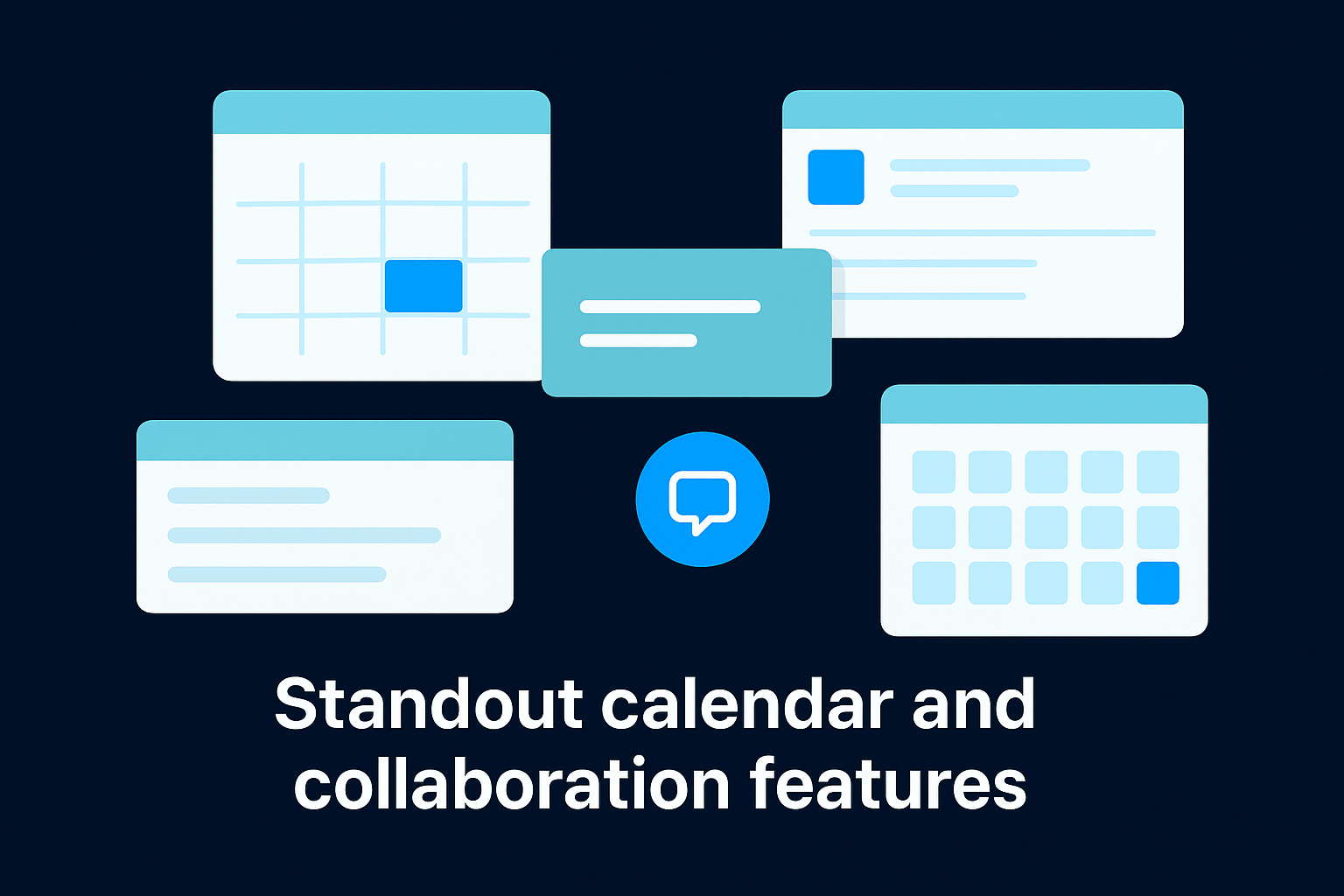
Standout calendar and collaboration features
Planable gives you four calendar views: feed, grid, list, and calendar, so your team can visualize the pipeline in whatever format works best. Inline commenting and threaded feedback keep revision notes attached directly to each post rather than scattered across separate channels.
Approval workflow fit
Each post moves through a configurable approval process with multi-level sign-off options. You can require one or multiple approvers before a post schedules, giving clients or stakeholders direct visibility without exposing your entire workspace to them. This makes it one of the more practical picks among the best content calendar tools for agency environments.
Pricing
Planable offers a free plan capped at 50 posts. Paid plans start at $33 per month and scale based on workspace count and team size.
3. Airtable
Airtable is a flexible database platform that content teams adapt into a custom editorial calendar. It sits between a spreadsheet and a project management tool, giving you structure without locking you into a fixed workflow.
What it is
Airtable works by letting you build relational databases around your content structure. You define the fields, views, and relationships that match your operation, making it more adaptable than most of the best content calendar tools built specifically for social media. It does not publish content natively, so it functions as a planning and tracking hub rather than a scheduler.
Best for
This platform fits operations teams, content strategists, and marketing leads who want full control over how their content pipeline is organized. If you have technical comfort and want something built around your exact workflow instead of adapting to someone else's system, Airtable gives you that flexibility.
The teams that get the most from Airtable invest time upfront building the right database structure before running content through it.
Custom calendar views and fields you can build
Airtable lets you generate multiple calendar views from any date field in your database, so you can visualize publish dates, review deadlines, and shoot dates in separate views from the same dataset. You add custom fields like dropdowns, file attachments, checkboxes, and linked records to capture whatever metadata your specific workflow requires.
Automation and integration options
Airtable connects to Slack, Google Drive, and Meta through native integrations and a no-code automation builder. You can trigger notifications, update records, and push data to external platforms without writing a single line of code, which makes it a useful coordination layer for teams already running multiple tools in parallel.
Pricing
Airtable offers a free plan with limited features. Paid plans start at $20 per user per month on the Team plan.
4. Asana
Asana is a project management platform that content teams use to manage editorial workflows, publishing timelines, and cross-functional approvals. It brings tasks, deadlines, and team coordination into one system, making it a strong organizational layer for multi-department content operations.
What it is
Asana works as a structured task management system built around projects, sections, and assignable work items. You can organize content production from brief to publish inside a single project, track ownership across team members, and connect related tasks through dependencies. It does not publish content natively, so it functions as a planning and workflow tool rather than a direct scheduler.
Best for
This platform fits marketing teams and content leads who need to coordinate work across writers, designers, videographers, and stakeholders. If your content operation involves multiple contributors and hand-offs between roles, Asana gives you the structure to track every stage without losing work in communication threads.
Coordinating content at scale requires a system where every task has a clear owner, a deadline, and a defined next step.
Calendar, timeline, and workload planning
Asana offers calendar, list, board, and timeline views across any project, so you can switch between formats depending on what your workflow needs at a given moment. The timeline view shows how tasks overlap and depend on each other, which is useful when you are mapping out a multi-week content campaign with sequential deliverables.
Content workflow and approvals setup
You can build multi-stage approval workflows using rules, custom fields, and task dependencies. Asana also integrates with tools like Slack, Google Drive, and Adobe Creative Cloud, which makes it one of the more connected options among the best content calendar tools focused on production coordination.
Pricing
Asana offers a free plan for up to 10 users. Paid plans start at $10.99 per user per month on the Starter plan, billed annually.
5. CoSchedule
CoSchedule is a marketing calendar platform that combines editorial planning and social media scheduling into one unified workspace. It targets marketing teams that need to manage both blog content and social campaigns from a single system rather than switching between separate tools.
What it is
CoSchedule operates as a dedicated marketing calendar with two core products: Marketing Calendar and Marketing Suite. The calendar product covers content scheduling and task management, while the Suite adds headline analysis, marketing intelligence, and work management features for larger teams.
Best for
This platform fits content marketing teams at mid-size companies that publish regularly across a blog and multiple social channels. If your team needs to see editorial content and social posts mapped together in one timeline, CoSchedule gives you that combined view without heavy configuration.
Seeing your blog and social content in one calendar removes the guesswork about whether your channels are working in alignment.
Editorial plus social planning in one place
CoSchedule lets you attach social campaigns directly to blog posts, so every piece of long-form content automatically has a promotion plan linked to it. You can build reusable social templates and trigger promotion sequences on a set schedule after a post publishes, reducing the manual work that usually follows a content launch.
Publishing, analytics, and team coordination
The platform includes task assignments and approval workflows for coordinating work across team members. Analytics cover post-level engagement data, though reporting depth is lighter compared to dedicated social analytics tools. It connects with WordPress, Google Docs, and major social networks, making it one of the more practical picks among the best content calendar tools for content-first marketing teams.
Pricing
CoSchedule offers a free Marketing Calendar plan with basic features included. Paid plans for the Marketing Suite start at $29 per user per month.
6. Hootsuite
Hootsuite is one of the most widely recognized social media management platforms on the market, combining content scheduling, inbox management, and social listening into a single dashboard. It targets teams that need centralized control across a large number of social profiles and channels without jumping between multiple tools.
What it is
Hootsuite operates as an all-in-one social media platform covering scheduling, monitoring, and reporting. Its Planner view gives you a visual calendar across all connected accounts, and you can draft, queue, and schedule posts directly from that interface. It supports most major platforms, making it a broadly compatible option for teams with diverse channel mixes.
Best for
This platform fits social media managers and mid-to-large marketing teams that need to handle scheduling, engagement, and analytics from one place. If your team is managing a high volume of accounts and needs to monitor conversations alongside publishing, Hootsuite gives you the infrastructure to handle both without switching tools.
Managing audience engagement and publishing from the same system saves time that would otherwise disappear between platform tabs.
Planner and scheduling workflow
Hootsuite's Planner shows your queued and scheduled content in a color-coded calendar view, making it easy to spot gaps and overlaps across channels. You can bulk-schedule posts using a CSV upload, which makes it one of the more efficient best content calendar tools for teams operating at high publishing volume.
Inbox, listening, and reporting considerations
Hootsuite includes a unified inbox that consolidates comments and messages across platforms, along with social listening streams you can build around keywords and brand mentions. Reporting covers engagement, reach, and follower metrics, though deeper analytics require higher-tier plans.
Pricing
Hootsuite's paid plans start at $99 per month for the Professional plan, billed annually. A 30-day free trial is available.
7. Sprout Social
Sprout Social is a professional-grade social media management platform used by brands and agencies that need publishing, analytics, and team coordination in one place. It goes deeper on reporting and workflow structure than most of the best content calendar tools in this category.
What it is
At its core, Sprout Social functions as an enterprise-level publishing and analytics platform covering scheduling, asset management, listening, and customer engagement. Its Smart Inbox pulls messages and mentions from connected accounts into one stream, and the publishing suite handles content planning across major social networks from a single calendar interface.
Best for
This platform fits mid-size to enterprise marketing teams that need detailed analytics alongside their publishing workflow. If your team requires role-based permissions, CRM integrations, and deep reporting alongside content scheduling, Sprout Social gives you all of that inside a single system.
When reporting and publishing live in the same platform, your team spends less time reconciling data across tools and more time acting on it.
Publishing calendar and asset workflow
Sprout Social's publishing calendar shows scheduled and queued content across all connected accounts in a clean visual layout. The built-in asset library lets your team store, organize, and pull approved brand assets directly into post drafts without leaving the platform.
Reporting depth and team permissions
Sprout Social provides detailed performance reports covering engagement, reach, and audience growth at both the profile and post level. You can also assign role-based access controls so contributors, managers, and stakeholders only see what is relevant to their role.
Pricing
Sprout Social's paid plans start at $249 per month on the Standard plan. A 30-day free trial is available.
8. Notion
Notion is a flexible workspace platform that content teams adapt into editorial calendars, content pipelines, and documentation hubs. It sits between a notes app and a project management tool, giving you connected databases and customizable views that you configure around your specific workflow.
What it is
Notion operates as an all-in-one connected workspace where pages, databases, and templates work together. You build content trackers using its database functionality, then layer on views like calendar, gallery, table, and board to organize your pipeline however you need it.
Best for
This platform fits solo creators, small content teams, and operations-minded marketers who want a centralized workspace that covers both planning and documentation. If you want your content calendar, brand guidelines, and briefs living inside one connected system, Notion handles that without requiring a separate tool for each function.
Notion works best when you treat it as a content operating system rather than just another scheduling interface.
Database-based calendars and content pipelines
Notion lets you build linked databases that connect your content calendar to your brief library, asset tracker, and publish log. You assign custom properties like status, format, platform, and due date to every content item, then filter and sort your calendar view based on any of those fields without rebuilding anything.
Collaboration and template-driven workflows
Notion supports real-time collaboration across team members, with comments attached directly to database entries. You can share pre-built templates for briefs, scripts, and campaign plans that your team pulls from consistently, cutting the setup time that typically slows down recurring content formats.
Pricing
Notion offers a free plan for individuals. Paid plans start at $12 per user per month on the Plus plan, billed annually, making it one of the more accessible picks among the best content calendar tools for small teams.
9. ClickUp
ClickUp is a project management and productivity platform that content teams adapt into editorial calendars and full production workflows. It covers more ground than most best content calendar tools by combining task management, document creation, and goal tracking inside one workspace.
What it is
ClickUp functions as a highly customizable work management system where you define the structure, views, and automations that match your content operation. It does not publish natively to social platforms, but handles every production stage from brief to final approval without requiring a separate tool for each phase.
Best for
This platform fits content teams and marketing agencies running complex production workflows with multiple contributors and review stages. If your operation involves writers, designers, and stakeholders all touching the same asset before it publishes, ClickUp gives you the infrastructure to manage those hand-offs cleanly.
When your content pipeline involves more than two people, a single system tracking every task and document becomes non-negotiable.
Content production workflow with calendar views
ClickUp offers calendar, list, board, Gantt, and timeline views that you switch between depending on what your workflow needs at a given moment. You can build custom statuses and fields to mirror your exact production stages, from brief assigned through final approval.
Approvals, docs, and proofing options
ClickUp includes a built-in Docs feature where your team writes briefs and scripts directly inside the platform. You can assign comments, tag reviewers, and track revisions without leaving the workspace, which keeps the feedback loop tight between creators and approvers.
Pricing
ClickUp offers a free plan with core features included. Paid plans start at $7 per user per month on the Unlimited plan, billed annually.
10. Buffer
Buffer is a straightforward social media scheduling platform that prioritizes simplicity over feature depth. It gives individual creators and small teams a clean way to plan and queue posts across social channels without navigating a complex interface or paying for tools they will never use.
What it is
Buffer works as a lightweight scheduling and analytics platform built around a clean, minimal interface. You connect your social accounts, create posts, and drop them into a time-based queue that automatically publishes content on a set schedule. There is no steep learning curve, which makes it one of the more approachable picks among the best content calendar tools for teams just getting their publishing process under control.
Best for
Buffer fits solo creators, freelancers, and small marketing teams that need reliable scheduling without heavy workflow complexity. If your team is small and your process is straightforward, Buffer gives you a functional system without paying for enterprise features you will never touch.
Simplicity is a real advantage when your priority is getting content out consistently, not managing a platform.
Simple calendar scheduling and queues
Buffer lets you build custom posting queues for each connected account, setting the days and times you want content to go out. You drop posts into the queue, and Buffer handles the rest. The calendar view shows your scheduled content across accounts in a clean layout.
Analytics and team collaboration limits
Buffer's analytics cover engagement, reach, and post-level performance at a surface level. Team collaboration features exist but stay basic, with limited approval workflow options compared to more robust platforms.
Pricing
Buffer offers a free plan covering up to three channels. Paid plans start at $6 per channel per month, billed annually.
11. Canva Content Planner
Canva Content Planner is a built-in scheduling feature inside the Canva design platform. It connects your creative and distribution workflow inside one interface, removing the step of exporting assets to a separate scheduling tool before publishing.
What it is
Canva Content Planner works as a calendar-based scheduling layer inside your Canva dashboard. You design your content, then schedule it to connected social accounts without leaving the platform. It supports major platforms including Instagram, Facebook, Twitter/X, LinkedIn, and Pinterest.
Best for
This tool fits individual creators and small teams that already use Canva as their primary design tool. If your content is primarily static graphics and image-based posts, Canva Content Planner removes the export-and-upload loop that usually sits between design and publishing.
When your design tool and scheduler live in the same platform, you eliminate the version confusion that comes from managing assets across separate tools.
Design-to-schedule workflow
Once your design is ready, you select "Schedule" directly from the Canva editor and pick your publish date, time, and connected account. Your visual assets attach to the scheduled post automatically, which keeps file management clean without bouncing between platforms during a high-volume publishing week.
Collaboration and publishing coverage
Canva supports team workspaces where multiple contributors can access and edit shared designs. Approval workflow options stay limited compared to dedicated platforms, and video scheduling flexibility falls short of what most of the best content calendar tools offer at comparable price points.
Pricing
Canva Content Planner is included in the free Canva plan. Full scheduling and team features unlock on Canva Pro, starting at $15 per month.
Where to start
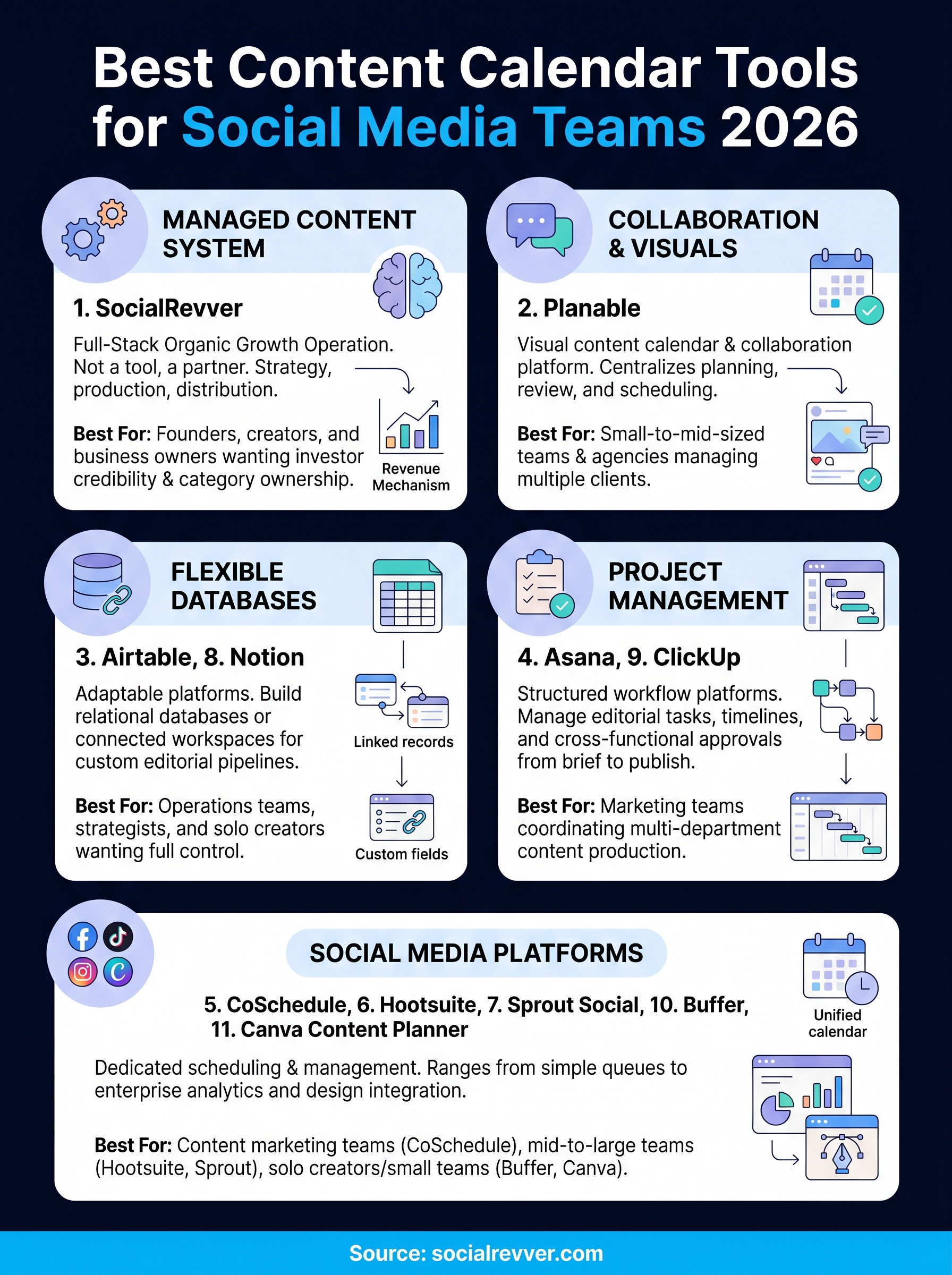
The best content calendar tools on this list solve different problems, so the right starting point depends on what is actually breaking down in your workflow right now. If your issue is approval chaos and client visibility, start with Planable. If you need a fully custom pipeline, look at Airtable or ClickUp. If you want simplicity and fast setup, Buffer or Canva Content Planner gets you moving without a steep learning curve.
Your tool choice matters, but a tool alone does not build a content system. Consistent execution, data-backed strategy, and professional production are what actually convert your content output into authority and inbound leads. If you want a managed system that handles all of that for you, rather than adding another platform to configure yourself, apply to work with the SocialRevver team and get a free 40+ slide social media strategy built around your specific growth goals.