Shopify Collabs gives merchants a direct line to creators who can actually sell, and gives creators a structured way to earn from the brands they already talk about. The Shopify Collabs affiliate program connects both sides inside one platform, handling everything from creator applications to commission payouts without bolting on third-party tools.
But setting it up the right way matters. A poorly configured program attracts the wrong creators, leaks margin, and generates zero meaningful revenue. A well-built one turns organic creator content into a scalable sales channel, which is exactly the kind of system we build at SocialRevver. Our clients already produce high-performing short-form content that drives attention and authority. Adding an affiliate layer on top of that content engine is a natural next step for merchants who want to convert creator reach into trackable revenue.
This guide walks you through how to set up Shopify Collabs as a merchant, how creators can join and start earning, and how to manage the program so it actually performs. Whether you're launching your first affiliate program or tightening up an existing one, you'll leave with a clear, step-by-step process to follow.
What Shopify Collabs is and who can use it
Shopify Collabs is a free native app built by Shopify that lets merchants run a full creator affiliate program directly inside their Shopify admin. Instead of managing spreadsheets, separate affiliate platforms, and manual coupon codes, you get one dashboard that handles creator discovery, applications, discount code generation, and commission tracking. It launched in 2022 and has since become the default starting point for Shopify merchants who want to build an affiliate or ambassador program without adding extra software overhead.
What Shopify Collabs actually does
At its core, Shopify Collabs functions as a two-sided marketplace. On the merchant side, you publish a public application page, set commission rates, create discount codes for creators, send product gifts, and track sales tied to each creator. On the creator side, you apply to programs, receive unique affiliate links, and get paid through a connected payment account. The platform pulls its creator discovery pool from a database of creators who have connected their social accounts, so merchants can search for and invite specific people rather than waiting for inbound applications alone.
The Shopify Collabs affiliate program sits inside your Shopify admin, so every sale a creator drives shows up directly in your store analytics alongside your other revenue data.
The app also manages the full gifting workflow, which matters if you plan to send product samples before a creator starts promoting. You can create gift orders, set approval rules, and track shipment status from within the platform, keeping your product seeding organized at scale without chasing status updates over email.
Who can use Shopify Collabs
Shopify Collabs is available to any merchant on a paid Shopify plan, including Basic, Shopify, Advanced, and Shopify Plus. The app is free to install, and Shopify does not charge a platform fee on commissions. That is meaningfully different from third-party affiliate networks, which typically take a percentage cut on top of your commission payouts, reducing the margin you actually keep.
Creators who want to join programs through Shopify Collabs need to connect the platform to at least one social account, typically Instagram, YouTube, TikTok, or Pinterest. Shopify itself enforces no follower minimum, though individual merchants can set their own eligibility requirements inside the application form. This means a micro-creator with 5,000 engaged followers can apply to a program just as easily as one with 500,000, and you decide who gets approved based on your own criteria and audience fit.
Step 1. Install Collabs and complete account setup
Getting the Shopify Collabs affiliate program running starts with a quick install, but the account setup that follows directly shapes how creators perceive your brand. If you rush through the configuration, your program page will look incomplete, which kills application rates before you even launch.
Install the app from the Shopify App Store
From your Shopify admin, navigate to the App Store and search "Shopify Collabs." The app is built by Shopify directly, so it appears as an official product. Click Add app, confirm the permissions, and it will show up in your admin sidebar under Sales channels. The install takes under two minutes.
Once installed, Shopify Collabs generates a public-facing application page at a shareable URL you can send to creator partners right away.
Follow these steps to complete the initial install:
- Open your Shopify admin and go to the App Store
- Search "Shopify Collabs" and select the official Shopify-built app
- Click Add app and approve the requested permissions
- Open Collabs from your sidebar to begin the onboarding flow
Configure your program profile and payout settings
Your program profile is the first thing creators see when they land on your application page. Fill in your brand description, upload a logo, and write a short paragraph explaining who your ideal creator is and what they stand to earn. Treat it like a job listing: specific details attract better applicants than vague copy does.
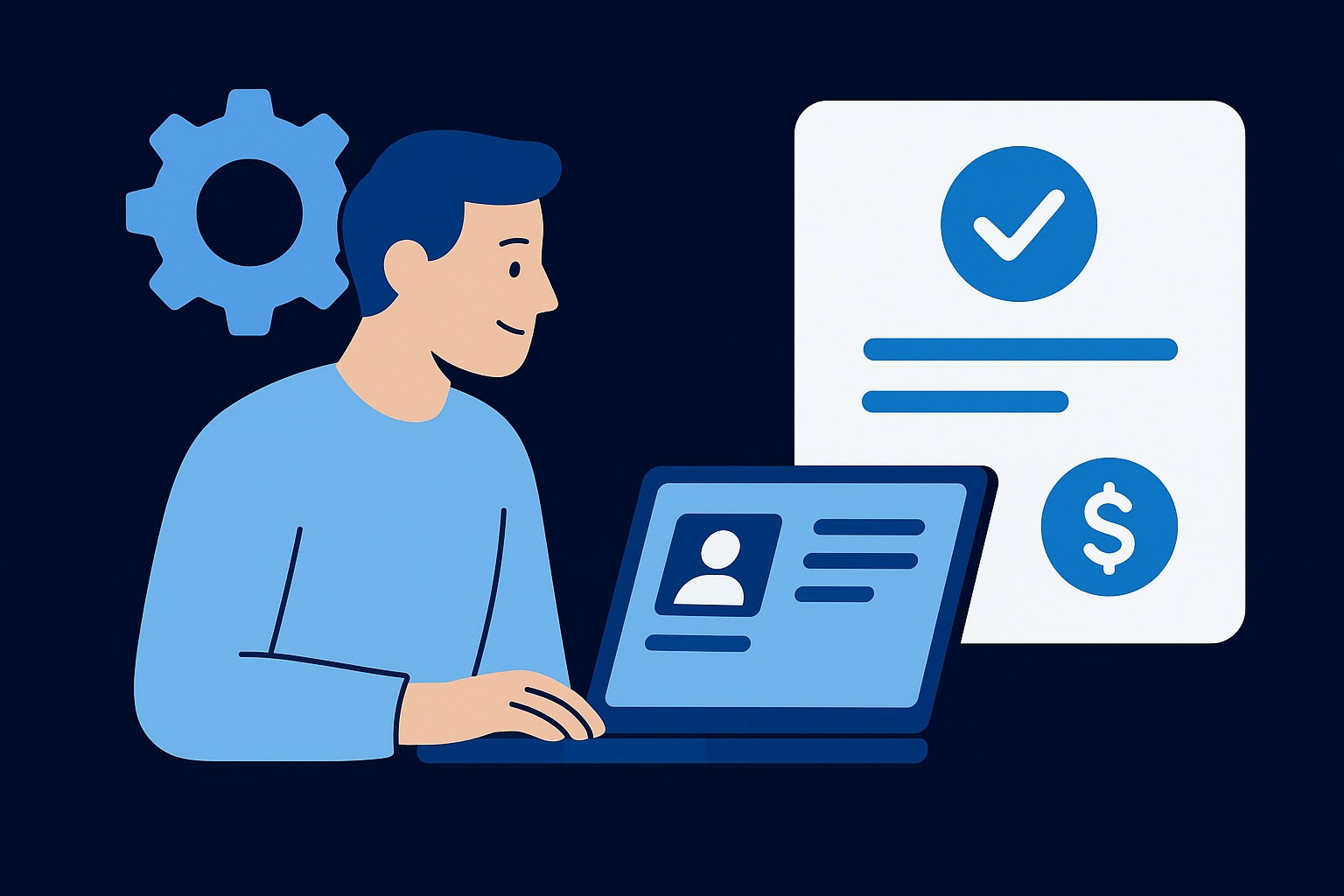
Under Settings, connect your payout method so commissions flow out automatically once approved. Shopify Collabs pays creators through Payoneer by default. Set your payment schedule here as well, whether that's weekly, bi-weekly, or monthly, because creators check this detail before deciding whether to apply to your program.
Step 2. Create your offers, commissions, and discounts
Your commission structure and discount codes are the foundation that makes creators want to promote your store in the first place. Inside the Shopify Collabs affiliate program, you set these terms before any creator ever applies, which means getting them right upfront saves you from renegotiating individual deals later.
Set your commission structure
Shopify Collabs lets you set a flat percentage commission on each sale a creator drives, and you can vary that rate by creator tier or by product collection. Start with a baseline rate that still keeps your margins healthy, then plan a higher rate as a reward for top performers. A common starting range is 10 to 20 percent, depending on your product margins and average order value.
If your product margins are thin, a flat rate per tier protects you better than complex structures that are difficult to adjust at scale.
Use the table below as a quick reference when building your initial offer setup:
| Creator Tier | Commission Rate | Customer Discount |
|---|---|---|
| New or unproven | 10% | 10% off |
| Mid-tier | 15% | 15% off |
| Top performer | 20% | 20% off |
Generate and manage discount codes
Shopify Collabs automatically generates a unique discount code for each creator the moment you approve them, so you do not need to build codes manually inside your Shopify admin. Each code ties directly to that creator's account, which means every order placed with their code gets attributed to them without any manual tracking on your end.
Set a clear expiry date and usage limit on each code during setup to reduce risk. Open-ended codes without limits create problems if a creator shares them outside their intended audience or if the partnership ends. Keeping codes time-bound gives you a clean way to deactivate them without auditing your discount library one entry at a time.
Step 3. Recruit creators with applications and invites
Recruiting the right creators is where most merchants lose momentum. Your Shopify Collabs affiliate program only produces results if the people promoting your products actually reach buyers who want them. Shopify gives you two recruitment paths: a public application page that pulls inbound interest, and a direct invite tool that lets you go after specific creators yourself.
Use your public application page
Your public application page is a live URL Shopify generates automatically once you install Collabs. Share it in your email newsletters, Instagram bio, and post captions anywhere your existing audience already engages with you. Customers who already buy from you make excellent first applicants because they speak about your products from real experience.
The application form is where you filter out low-fit creators, so build your eligibility questions around the specifics that actually matter to your brand.
Build your application form to include these qualifying questions:
- What platforms do you primarily post on?
- What is your average monthly reach or views?
- Describe your audience and why they would buy from us
- Share two to three content examples that match our product category
Search and invite creators directly
Shopify Collabs gives you a built-in creator search tool that pulls from its connected creator database. You can filter by niche, platform, follower range, and location, which lets you identify candidates before you send a single message. Use this to build a shortlist of 20 to 30 creators who match your target customer profile, then send personalized invites directly through the platform.
When you send an invite, write a brief note that explains what the partnership includes, what commission rate they would receive, and what product you plan to send first. Creators receive dozens of generic pitches, so specific, well-structured outreach lifts your reply rate faster than any other tactic.
Step 4. Onboard creators and run gifting the right way
Approving a creator is only the beginning. What you do in the first 48 hours after approval determines whether they post once and go quiet or become an active, long-term partner. A structured onboarding process tells creators exactly what you expect, what they receive, and how they get paid, which removes the friction that causes most programs to stall after the first round of approvals.
Send a creator welcome brief
Every approved creator in your Shopify Collabs affiliate program should receive a welcome brief the same day you approve them. Do not leave them guessing about guidelines or expectations. A clear, specific brief reduces back-and-forth, sets content quality standards upfront, and gives creators the confidence to start producing without waiting for direction.
A welcome brief sent within 24 hours of approval increases the likelihood that a creator posts within their first two weeks on your program.
Use this template as your starting point:
Welcome to [Brand Name] Creator Program
- Your affiliate link: [link]
- Your discount code: [code] (expires [date])
- Commission rate: [X]%
- Payment schedule: [weekly/bi-weekly/monthly] via Payoneer
- Content guidelines: [link to brand guidelines doc or short bullet list]
- Required disclosures: Always include a paid partnership label per FTC rules
- Contact for questions: [email]
Manage gifting approvals and shipments
Shopify Collabs handles gift order creation directly inside the platform, but you still need a clear policy before you ship anything. Set a maximum product value per gifting request and require creators to post within 30 days of receiving the gift. Without a posting requirement, you send product to creators who never deliver content, which drains your inventory budget with nothing to show for it.
Keep your gifting approval decisions tight by reviewing each creator's recent content before you confirm any shipment. One quick check of their last five posts tells you whether their style, audience, and engagement level actually match what your brand needs.
Step 5. Track results, tighten rules, and prevent abuse
Running your Shopify Collabs affiliate program without regular performance reviews is how programs slowly bleed margin and stall. The Shopify Collabs dashboard gives you real-time data on every creator's sales, clicks, and order volume, so you have no reason to operate on guesswork. Build a habit of reviewing this data on a set schedule, whether weekly or bi-weekly, rather than only checking in when something goes wrong.
Monitor creator performance inside the dashboard
Your Collabs dashboard displays revenue attributed to each creator, their discount code usage, and conversion rate all in one place. Sort your creator list by revenue generated to identify your top performers quickly, then look at the bottom of that list with equal attention. Creators who applied, received a gift, and have not driven a single sale within 60 days of joining are costing you product and attention without returning anything.
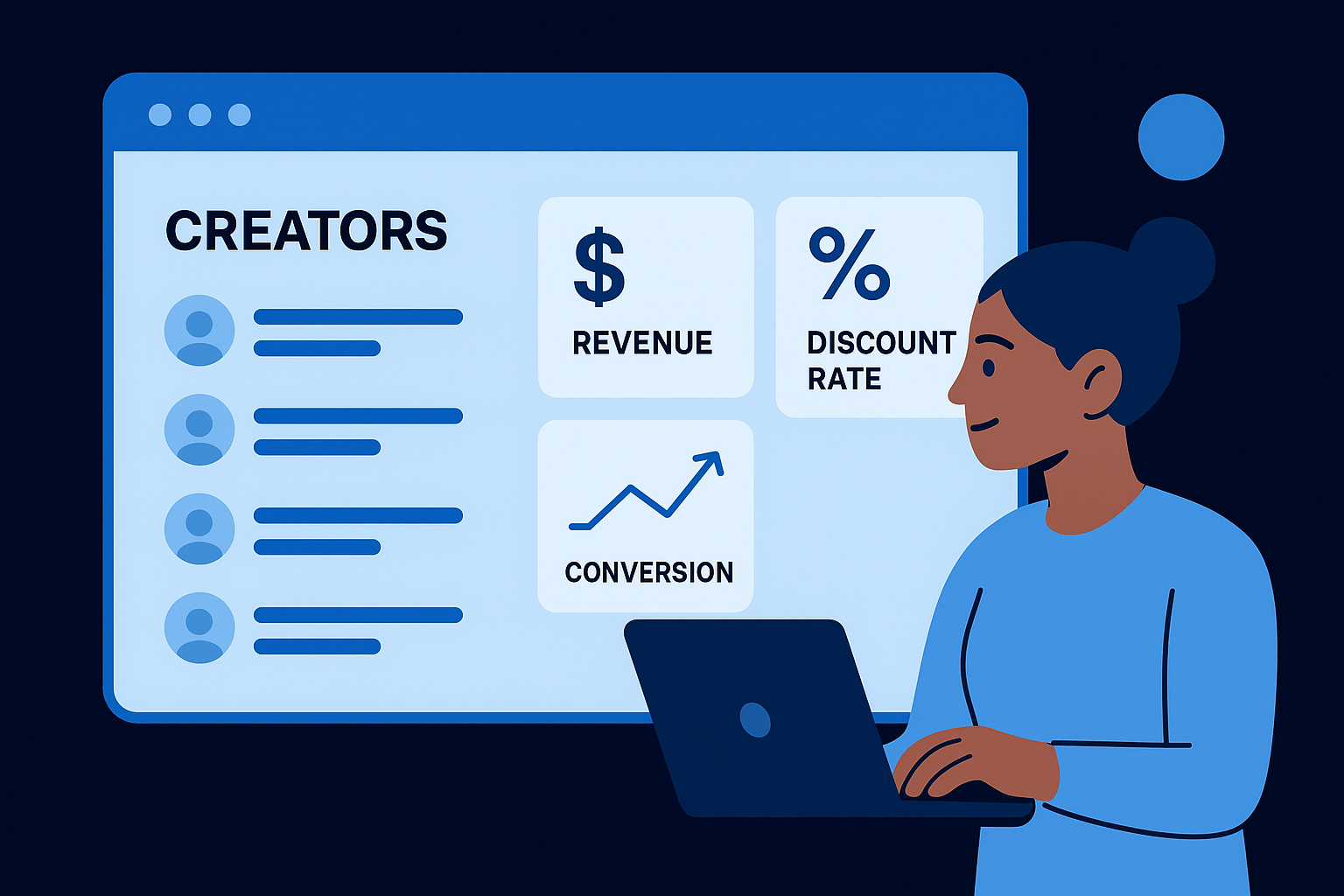
Pull a performance report every two weeks and flag any creator who has generated zero sales after 45 days so you can decide whether to extend their window or remove them from the program.
Use these three metrics as your baseline evaluation criteria for each active creator:
- Orders generated in the last 30 days
- Discount code redemption rate versus total link clicks
- Average order value compared to your store average
Prevent code sharing and affiliate abuse
Discount code abuse happens when a creator shares their code publicly in places outside their intended audience, such as coupon aggregator sites. This drives orders from customers who would have bought anyway at full price, which inflates your attributed revenue numbers while cutting your actual margin without any real creator influence behind the sale.
Set each code to a maximum usage cap relative to a creator's audience size, and monitor for unusual spikes in redemptions that do not match that creator's typical engagement numbers. If a code with a 500-person audience generates 2,000 redemptions in 48 hours, that is a clear signal to deactivate it and reach out before processing any commissions tied to that activity.
Step 6. Pay commissions and handle returns cleanly
Paying creators on time and handling returns accurately keeps your Shopify Collabs affiliate program credible. Creators who get paid late or receive confusing adjustments stop promoting your products. Creators who get paid correctly and on schedule keep producing content. This step is straightforward if you build the right habits from the start.
Approve and release commission payments
Shopify Collabs holds commissions in a pending state until you manually approve them, which gives you a window to review each payout before money leaves your account. Your payment schedule, which you set during account configuration, determines when that approval window opens. Do not let approvals pile up. A backlog signals to creators that your program is poorly managed, and word spreads fast in creator communities.
Review your pending commissions on a fixed day each week so approvals never fall more than seven days behind your stated payment schedule.
Follow these steps each payment cycle to process cleanly:
- Open your Collabs dashboard and navigate to the Payouts section
- Filter by the current payment period and review each creator's attributed orders
- Check for any flagged orders that look unusual before approving
- Click Approve for verified payouts and Shopify routes the transfer through Payoneer automatically
Handle returns and chargebacks correctly
Returns are the part most merchants ignore until they cause a dispute. When a customer returns a product that was purchased through a creator's affiliate link, Shopify Collabs automatically claws back the commission tied to that order, so you do not pay out on revenue you no longer hold. Make sure your return window in Shopify matches your commission payout delay to prevent paying commissions before the return period closes.
Communicate your return policy clearly in your creator welcome brief so creators understand that commissions tied to returned orders will be reversed. This prevents confusion and keeps your relationship with creators transparent from day one.
A simple way to keep your program moving
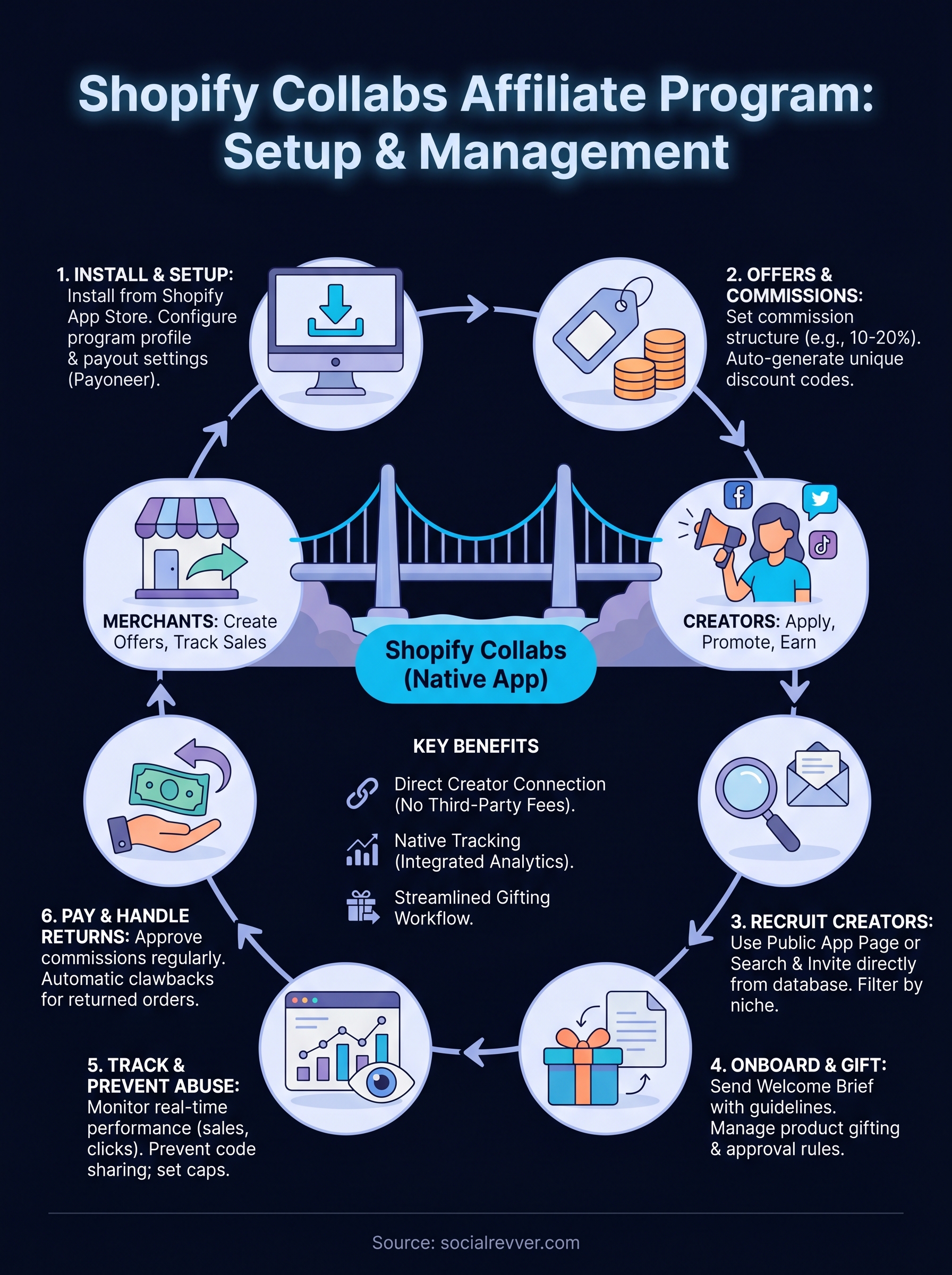
The Shopify Collabs affiliate program works when you treat it as an ongoing system, not a one-time setup. You install the app, build your offer structure, recruit the right creators, onboard them with clear expectations, monitor performance consistently, and pay on time. Each step feeds the next, and skipping any one of them breaks the chain. The mechanics are straightforward once you follow the process laid out in this guide.
Where most programs plateau is at the content layer. Creators need strong, consistent short-form content to drive the kind of attention that converts, and that requires more than a discount code and a welcome email. If you want a complete content engine that turns creator reach into real revenue, apply to work with SocialRevver and get a free 40-slide social media strategy built around your brand.