
You recorded a podcast episode, wrote a newsletter, or filmed a talking-head video. It performed well. Then it sat there, collecting digital dust while you moved on to create something new from scratch. Most founders and creators operate this way, treating every piece of content as a one-and-done effort. A solid content repurposing framework changes that entirely by giving you a repeatable system to extract maximum value from work you've already done.
The problem isn't a lack of content. It's the absence of a structured process to break that content down, reshape it, and redistribute it across platforms where your audience actually spends time. Without a framework, repurposing feels random, a clip here, a quote card there, no real strategy behind any of it. With one, every piece of content you produce feeds a distribution engine that compounds over time. That's the same principle we built SocialRevver around: turning content production into a systematic, data-driven operation rather than a creative guessing game.
This guide walks you through a step-by-step content repurposing framework, complete with templates and real examples, so you can multiply your output without multiplying your workload. Whether you're repurposing long-form video into short-form clips or turning a keynote into a month of social posts, you'll leave with a clear blueprint you can put to work immediately.
What a content repurposing framework is
A content repurposing framework is a structured system that tells you exactly how to take an existing piece of content and transform it into multiple formats for distribution across different platforms. It's not a vague idea about reusing content; it's a documented process with clear inputs, outputs, and decision rules that anyone on your team can follow consistently. Think of it as an assembly line for content: raw material goes in one end, finished pieces come out the other, each optimized for where it will live.
A framework removes the guesswork from repurposing by standardizing decisions you'd otherwise make manually every single time.
Most people confuse repurposing with recycling. Recycling means reposting the same content in the same format on the same platform. Repurposing means deliberately rebuilding that content to match the native format, tone, and consumption habits of a different platform and audience. A 45-minute podcast episode broken down into a LinkedIn carousel, five short-form video clips, a newsletter section, and a blog post is a real example of repurposing done right. Each output is original in its format even though the core idea came from one source.
The difference between a framework and ad hoc repurposing
Without a framework, repurposing stays reactive. You finish a piece of content, clip one section, post it somewhere, and move on. The problem with that approach is that it relies on memory and mood rather than a system, so output stays inconsistent and you leave significant distribution value behind. A proper framework is proactive by design: it defines which source content qualifies for repurposing, which formats to produce, who produces them, and in what sequence.
Here's what that looks like in practice. You publish a long-form YouTube video. Your framework tells you to immediately extract a short clip for Instagram Reels, pull three key quotes for text posts, summarize the main points into a newsletter section, and transcribe the script into a blog post. None of that happens by accident; it happens because the system tells you what to do next at every stage.
The core components of every strong framework
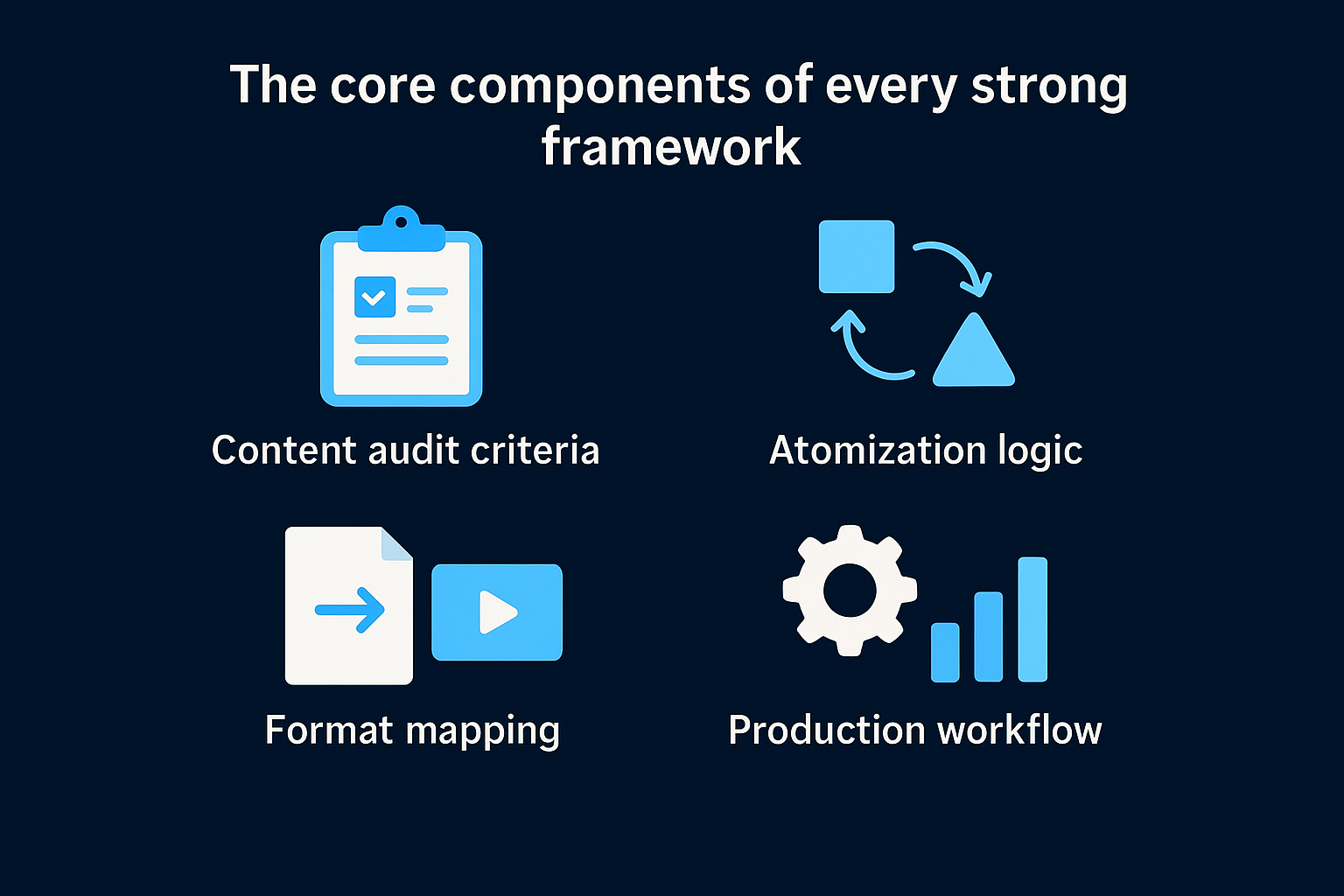
A content repurposing framework that works in practice contains four components operating together. Understanding each one helps you build a real system rather than a loose checklist.
| Component | What it covers |
|---|---|
| Content audit criteria | Rules for identifying which source assets are worth repurposing based on performance, evergreen value, and topic relevance |
| Atomization logic | How you break source content into smaller building blocks like clips, quotes, data points, and key frameworks |
| Format mapping | Which building blocks match which platform formats, for example a strong quote maps to a text post, a short clip maps to Reels |
| Production workflow | Who handles each step, in what order, and on what timeline |
Each component depends on the others. Without audit criteria, you waste time repurposing weak content. Without atomization logic, you produce formats that feel copied rather than native to their platform. When all four components connect, repurposing stops being extra work and starts functioning as a natural extension of your production process that compounds with every new piece you create.
Step 1. Audit and pick your best source assets
The first step in any content repurposing framework is knowing which pieces of content are actually worth repurposing. Not everything deserves a second life. You want to start with high-performing or evergreen assets because repurposing amplifies whatever value already exists in the source material. Repurposing weak content just distributes weakness more efficiently across more channels.
How to score your existing content
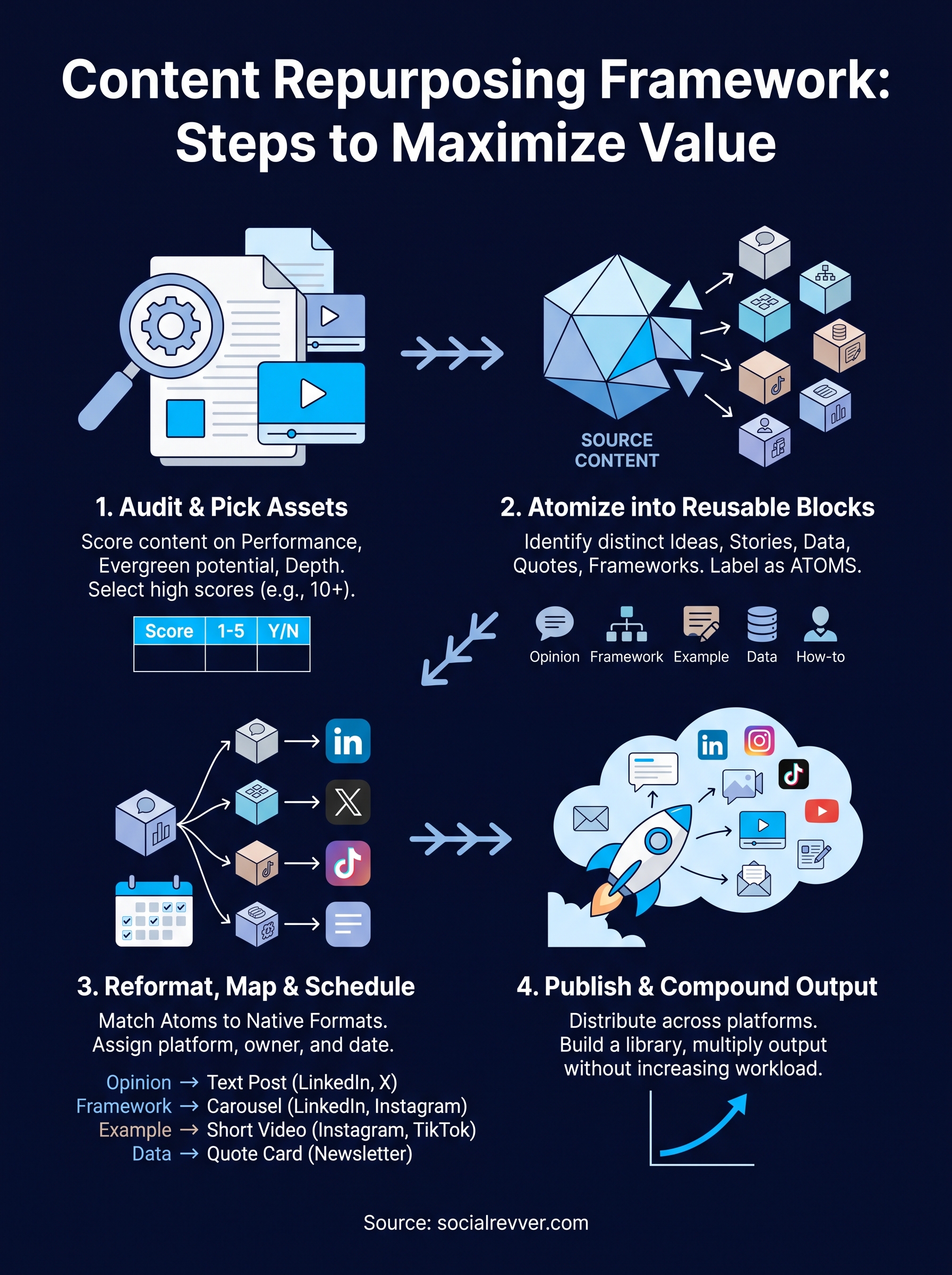
Pull a list of every piece of content you've published in the last 12 months. For each piece, score it across three dimensions: performance data (views, watch time, shares, click-through rate), evergreen potential (does the topic stay relevant beyond 90 days?), and depth (does the piece contain enough substance to break into five or more smaller outputs?). Any asset that scores well across all three is a primary candidate for your repurposing pipeline.
The goal is to build a shortlist of eight to twelve pieces that represent your strongest ideas, not your entire content library.
Use this scoring template to evaluate each asset quickly:
| Asset | Performance (1-5) | Evergreen (Y/N) | Depth (1-5) | Total |
|---|---|---|---|---|
| YouTube video: [title] | 4 | Y | 5 | 14 |
| Podcast episode: [title] | 3 | Y | 4 | 12 |
| Newsletter: [title] | 2 | N | 2 | 6 |
Score anything 10 or above as a repurposing priority. Anything below that goes back into the archive and does not move forward in your workflow.
What makes a strong source asset
Long-form content almost always outperforms short-form as a source asset because it gives you more raw material to extract from. A 30-minute recorded interview, a 2,000-word guide, or a webinar all provide enough substance to produce multiple formats without forcing you to repeat yourself. Short-form content like a standalone social post rarely qualifies as a primary source because there simply is not enough depth to atomize into separate outputs.
You are also looking for content that features your own original frameworks, data, or opinions rather than summaries of other people's ideas. Original thinking repurposes well because it carries your authority into every new format. Borrowed thinking tends to fall flat when redistributed because the underlying insight was never distinctly yours to begin with, and that gap shows in every output that follows.
Step 2. Atomize into reusable building blocks
Once you have your shortlist of source assets, the next step in your content repurposing framework is to break each one into its smallest, most transferable units. Atomization is the process of identifying every distinct idea, story, data point, quote, and framework inside a single piece of content and tagging each one as a standalone building block. The output of this step is not finished content; it's raw material that feeds directly into your format mapping stage.
What atomizing actually means
Atomizing is not the same as clipping or copying sections at random. It means deliberately extracting the discrete units of value inside your source content and documenting them in a structured way so they can be reassigned to different formats later. A single 30-minute interview, for example, might contain two strong opinion statements, one original framework, four concrete examples, and three data-backed claims. Each of those is an atom.
When you treat every idea inside your source content as a transferable unit, you stop thinking about one piece of content and start thinking about a library of reusable assets.
How to run an atomization session
Pull up your source asset and work through it from start to finish with a shared document open. For each segment, identify what type of atom it is and note the timestamp or line number so you can retrieve it quickly. Use the following atom categories as your tagging guide:
| Atom type | What it is | Example format match |
|---|---|---|
| Opinion statement | A clear, direct take on a topic | LinkedIn text post, short-form video hook |
| Original framework | A named process or model you created | Carousel, blog section, webinar slide |
| Concrete example | A specific story or scenario | Short-form video clip, newsletter anecdote |
| Data point or stat | A number that supports a key argument | Quote card, infographic, blog callout |
| How-to instruction | A specific step or technique | Tutorial thread, blog subheading, short clip |
Run through this tagging process for every asset on your shortlist. A single long-form video will typically produce between eight and fifteen atoms depending on its depth. Document everything in one central location, whether that is a spreadsheet, a Notion database, or a shared doc, so your team can pull atoms without returning to the source file each time.
Step 3. Reformat, schedule, and publish
Atomization gives you raw material. This step is where your content repurposing framework turns that material into finished, platform-ready content and gets it out the door on a predictable schedule. The key distinction here is that reformatting is not about copying your source content into a new window. It means rebuilding each atom from scratch to match the native behavior of the platform it will live on, because audiences on LinkedIn read differently than audiences on Instagram watch.
Match each atom to its native format
Every platform has a dominant content behavior that drives engagement. LinkedIn rewards opinion-led text posts and structured carousels. Instagram Reels and TikTok reward fast visual hooks in the first two seconds. Email newsletters reward depth and personal voice. When you assign atoms to platforms, you are not just choosing a channel; you are choosing a presentation style that fits how people consume content there.

Forcing a format onto a platform that does not support it naturally will cost you reach, no matter how strong the underlying idea is.
Use this mapping reference to assign your atoms quickly:
| Atom type | Best platform match | Format to produce |
|---|---|---|
| Opinion statement | LinkedIn, X | 150-300 word text post |
| Original framework | LinkedIn, YouTube | Carousel (5-8 slides) or explainer clip |
| Concrete example | Instagram, TikTok | 30-60 second short-form video |
| Data point or stat | LinkedIn, newsletter | Quote card or bold callout block |
| How-to instruction | YouTube, blog | Step-by-step tutorial or written guide section |
Build a publishing schedule around your atoms
Once your atoms are mapped to formats and produced, you need a concrete posting calendar rather than a vague intention to publish. For a single long-form source asset that generated ten atoms, a practical distribution schedule spreads those outputs over three to four weeks so you are not flooding one platform in a single day and going quiet for the next two.
Assign each output a specific publish date, platform, and owner inside your tracking document before production begins. This removes the decision from the execution phase and keeps the pipeline moving. A simple weekly cadence works for most founders: two short-form video clips, one text post, and one newsletter section per week, all drawn from atoms you have already documented.
Templates and examples for fast repurposing
The fastest way to put your content repurposing framework into motion is to start with a ready-made template rather than building your workflow from scratch. The two templates below give you a concrete starting point you can adapt to your specific content type and platform mix. Use them as-is for your first repurposing cycle, then adjust based on what your production process actually requires.
The one-source-to-five-formats template
This template covers the five most common output formats that any long-form source asset can reliably produce. Copy this structure into your project management tool or a shared document and fill in the details for each asset you move through your pipeline.
| Output format | Source atom type | Platform | Estimated production time |
|---|---|---|---|
| 30-60 sec short-form video clip | Concrete example or strong opinion | Instagram Reels, TikTok, YouTube Shorts | 45-90 minutes |
| 150-300 word text post | Opinion statement | LinkedIn, X | 20-30 minutes |
| 5-8 slide carousel | Original framework or how-to instruction | LinkedIn, Instagram | 60-90 minutes |
| 200-400 word newsletter section | Data point or key argument | Email list | 30-45 minutes |
| 800-1,200 word blog section | Full topic summary with how-to steps | Website blog | 90-120 minutes |
Once you run three or four source assets through this template, your production time per output will drop significantly because the decisions are already made.
A real example from a single YouTube video
Here is what this template looks like in practice. Suppose you publish a 25-minute YouTube video walking through how you built a lead generation system for your business. Your atomization session identifies the following usable atoms: your opening opinion on why most lead gen fails, the four-step framework you used, a specific client result with numbers, a warning about a common mistake, and a walkthrough of your first outreach sequence.
Applying the one-source-to-five-formats template, you produce a 60-second Reel on why most lead gen fails (opinion atom), a LinkedIn carousel on your four-step framework (original framework atom), a newsletter section featuring the client result (data point atom), a text post on the common mistake (opinion atom), and a blog section that covers the full outreach sequence walkthrough (how-to atom). That is five finished pieces of content from a single recording session, each built natively for where it will live.
Next steps
You now have a complete content repurposing framework you can put to work this week. Start by pulling your last 12 months of content and running it through the scoring template from Step 1. From there, pick one strong source asset, atomize it using the tagging categories in Step 2, map each atom to a platform using the format table in Step 3, and produce your first five outputs using the one-source-to-five-formats template.
The entire system compounds once you run it consistently. Each source asset you move through the pipeline adds new atoms to your library, which means your distribution capacity grows without your workload growing with it. If you want to skip building the production infrastructure yourself and hand it to a team that runs this kind of system daily, apply to work with SocialRevver to get a free 40-slide social media strategy built specifically for your brand.