You opened Semrush looking for a way to stop guessing what to post and when. A semrush social media calendar sounds like the fix: one place to plan, schedule, and track content instead of juggling spreadsheets and sticky notes. The tool is solid, but most people set it up wrong and end up with a calendar full of posts that don't move the needle.
This guide walks you through building a Semrush social calendar that actually drives results, not just fills slots. You'll learn how to structure your content pillars inside the tool, connect it to real performance data, and set a posting cadence that matches what your audience actually engages with, not what feels productive.
We'll cover account setup, the scheduling workflow, and how to use Semrush's analytics features to adjust your calendar based on what's working. If you're a founder or creator trying to turn organic posting into a repeatable system rather than a daily scramble, this is the practical version of that setup, the kind that holds up after the first month.
Why build your social media calendar in Semrush
Most creators start with a spreadsheet, then bolt on a scheduling app, then add a separate analytics dashboard to check what worked. That's three tools pretending to be one system, and the gaps between them are where consistency dies. Semrush's Social toolkit solves this by putting planning, publishing, and performance tracking in a single workspace, so you're not exporting data from one app just to make decisions in another.
One tool instead of three
The practical benefit here isn't convenience for its own sake. When your calendar lives next to your analytics, you can see which content pillars are actually driving engagement and adjust your next two weeks of posts without leaving the platform. Semrush's Social Poster connects directly to Facebook, Instagram, LinkedIn, X, TikTok, YouTube, and Pinterest, which means you're scheduling and measuring in the same place you're planning.
A calendar that's disconnected from your analytics is just a to-do list with dates on it.
Built-in competitive context
Here's what a plain scheduling tool can't give you: competitive context. Semrush's Social Tracker shows you what's working for competitors in your niche, including their posting frequency, top-performing content types, and engagement trends. That data feeds directly into how you plan your own calendar, instead of you guessing based on what feels trendy this week.
Where Semrush fits versus a spreadsheet
Think about what a typical spreadsheet-and-app stack actually costs you in time and blind spots:
| Task | Spreadsheet + separate apps | Semrush Social |
|---|---|---|
| Content planning | Manual, prone to version conflicts | Centralized calendar view |
| Scheduling | Third-party tool required | Native Social Poster |
| Competitor benchmarking | Manual research, no structured data | Built-in Social Tracker |
| Performance analysis | Export and reconcile data manually | Native analytics dashboard |
| Team collaboration | Shared links, comment threads | Shared workspace, roles |
Once you see the workflow laid out this way, the case for consolidation is obvious. You're not paying for a fancier calendar app. You're paying to remove the friction between deciding what to post and knowing whether it worked.
Why this matters for founders and brand builders
Social isn't a marketing side project for the audience this guide is written for. It's a credibility engine. Investors, potential hires, and prospective clients check your social presence before they take a meeting, and a scattered posting history signals a scattered business. Building your calendar in a system that ties planning to real performance data means every post is working toward something, not just filling a slot because Tuesday needed content.
Question your current setup before you build anything new: are you currently making posting decisions based on data, or based on what you feel like posting that day? If it's the latter, the tool isn't your bottleneck. Your process is. Semrush gives you the infrastructure to fix that, but only if you use the audit and goal-setting step that comes next to actually define what "working" means for your account. Skip that step and you'll just have a prettier version of the same guesswork, scheduled a week in advance instead of decided the morning of.
Step 1. Audit your content and set clear goals
Before you build a single post inside Semrush, look backward. Pull up your last 90 days of posts across every platform and run them through Semrush's Social analytics dashboard. You're checking for patterns: which content pillars got engagement, which formats flopped, and whether your posting frequency actually matched what your audience responded to. Skipping this step means you're designing a calendar based on assumptions instead of evidence, and that's the exact mistake this guide is meant to fix.
Run the audit inside Semrush
Connect your accounts in Social Poster, then pull the performance report for each platform. Look specifically at engagement rate by post type, not just total likes or views, since raw numbers hide which formats are actually converting attention into action. Sort your top ten and bottom ten posts side by side. You'll usually find a pattern within minutes, whether it's a specific hook style, a video length, or a topic that consistently outperforms the rest.
Your best-performing posts already told you what to make more of. The audit just makes that pattern visible.
Set goals that connect to revenue, not vanity metrics
Once you know what's working, define what "success" means for the calendar you're about to build. Founders and business owners should avoid follower count as the primary metric entirely. Instead, set goals tied to outcomes that actually matter for your business:
- Lead generation: number of profile-to-website clicks or DM inquiries per week
- Authority building: engagement rate on educational or thought-leadership posts specifically
- Brand deal readiness: consistent reach and engagement across a defined content pillar
- Sales pipeline: conversions tracked through a linked funnel or landing page
Write these goals down in Semrush's project notes or a shared doc your team can reference. A calendar without a defined target is just a scheduling exercise. With clear goals set, you're ready to decide which platforms deserve your time and what mix of content actually earns it.
Step 2. Choose your platforms and content mix
Data from your audit tells you which platforms deserve a spot on your semrush social media calendar and which ones are draining time for no return. Don't default to "post everywhere." Founders and creators who spread thin across seven platforms usually end up mediocre on all of them instead of dominant on two or three.

Pick platforms based on where the engagement already lives
Open Semrush's Social Tracker and compare your engagement rate per platform against your competitors' benchmarks in the same niche. If LinkedIn drives your DM inquiries and Instagram drives your brand awareness, weight your calendar accordingly instead of splitting effort evenly.
| Platform | Best for | Typical content pillar match |
|---|---|---|
| Authority, investor visibility | Thought leadership, case studies | |
| Brand awareness, visual proof | Behind-the-scenes, product demos | |
| TikTok | Reach, top-of-funnel discovery | Hooks, trend-driven education |
| YouTube | Long-term authority, SEO overlap | Deep-dive tutorials, interviews |
A calendar that tries to serve every platform equally usually serves none of them well.
Balance your content mix by intent, not by feeling
Once your platforms are set, define a content mix that maps to the goals from Step 1. Aim for a ratio you can actually sustain, not an aspirational one you'll abandon after two weeks:
- 40% educational: teaches something specific to your niche audience
- 30% authority-building: showcases results, process, or client outcomes
- 20% engagement-driven: polls, questions, reactive commentary on trends
- 10% promotional: direct offers, launches, or calls to book a call
Question this ratio against your own audit data before locking it in. If your top-performing posts last quarter were mostly educational, don't cut that pillar to make room for promotion just because it feels more "business-focused." Rank your content pillars now, inside Semrush's calendar view, so each week has a clear split instead of a random assortment of ideas pulled from a notes app. Sourcing this decision from real numbers, rather than instinct, is what separates a calendar that compounds from one that just fills a grid.
Step 3. Build your calendar in Semrush's Social Poster
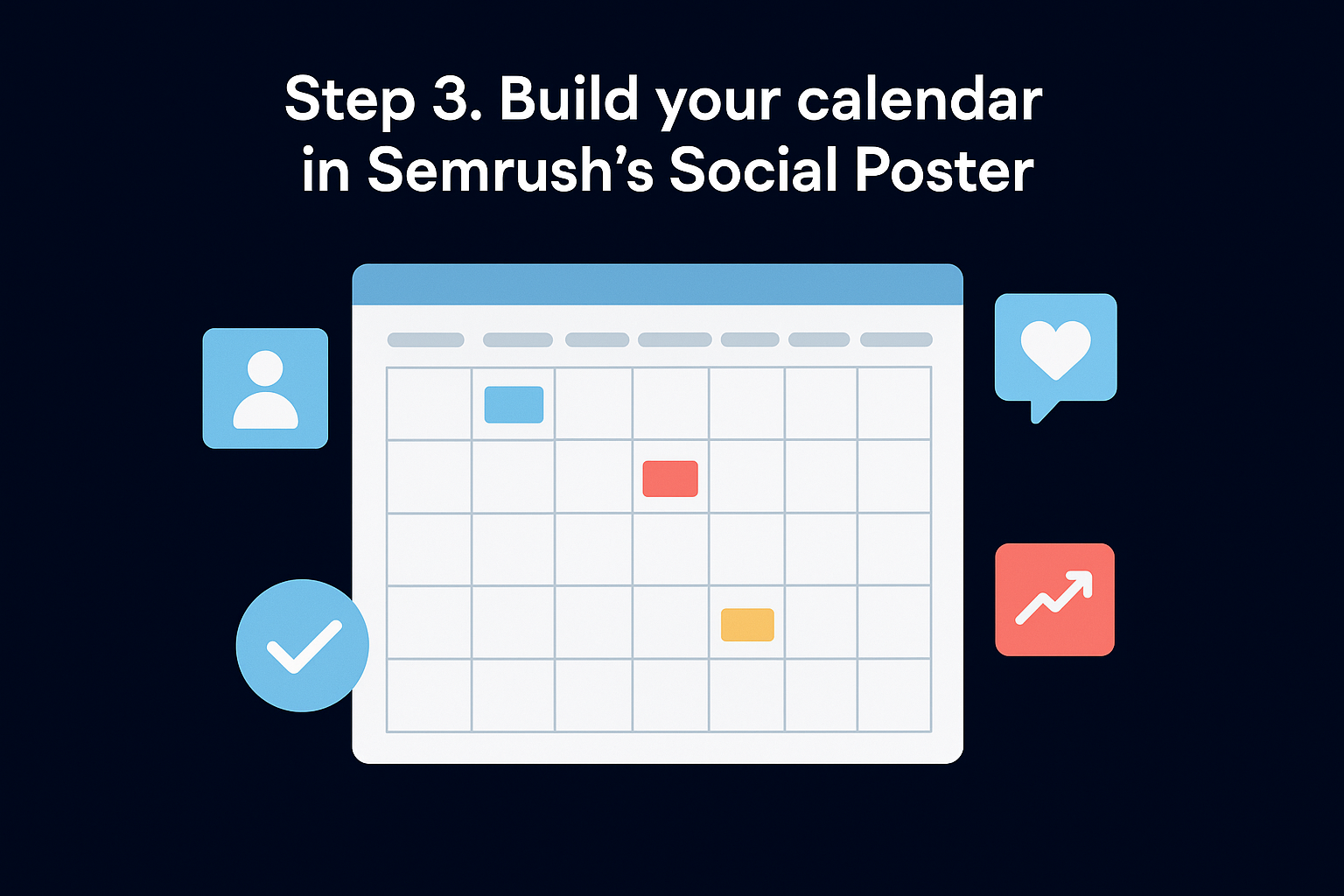
With your platforms and content mix decided, open Social Poster and start building the actual grid. This is where strategy turns into scheduled reality. Semrush lets you view your calendar in a monthly or weekly grid, tag each post by content pillar, and assign platforms per post, so you're not just filling dates but building a structure that mirrors the ratios you set in Step 2.
Map your pillars onto the grid
Inside the calendar view, create a color-coded tag for each content pillar (educational, authority-building, engagement, promotional). Then assign posts to specific days based on the ratio you locked in earlier, not on whatever idea comes to mind that morning. A typical two-week build looks like this:
- Monday: Educational post (LinkedIn + Instagram)
- Tuesday: Authority post (case study or client result)
- Wednesday: Engagement post (poll or question)
- Thursday: Educational post (TikTok or YouTube)
- Friday: Promotional post (one per week, not more)
A calendar that's color-coded by pillar tells you at a glance whether you're actually sticking to your strategy or drifting back into guesswork.
Build a repeatable posting template
Consistency in tone and format matters as much as consistency in timing. Set up a caption template inside Semrush's notes field so every writer or team member follows the same structure instead of reinventing it each week:
Hook: [attention-grabbing first line, under 10 words]
Body: [2-3 sentences delivering the value promised in the hook]
CTA: [one clear action - comment, click, DM, or share]
Hashtags: [3-5 relevant to platform, no more]
Drop this template into every draft before scheduling, and you'll cut editing time significantly while keeping brand voice consistent across platforms. Templates also make it easier to hand off drafting to a teammate or contractor without losing quality control, since the structure does most of the heavy lifting for them.
Step 4. Schedule and publish your posts
Now that your grid is built and tagged, it's time to actually schedule the posts instead of leaving them sitting as drafts. This is the step most people rush, and rushing here is how a well-planned semrush social media calendar turns into a pile of half-finished content that never goes live. Semrush's Social Poster lets you queue posts days or weeks in advance, but the scheduling itself only works if you feed it the right timing data first.
Set your posting times using real engagement data
Open the analytics tab before you touch the scheduler. Semrush shows you when your specific audience is most active on each connected platform, not a generic "best time to post" chart pulled from a blog somewhere. Use that data to set your default posting windows per platform, then apply them across your two-week grid.
- LinkedIn: early morning, weekday mornings usually outperform weekends
- Instagram: midday and early evening tend to capture the most scroll time
- TikTok: late afternoon into early evening, test against your own data
- YouTube: schedule uploads a few hours ahead of your peak watch times
Posting at the right time matters less than posting consistently at your right time, based on your own audience data, not someone else's screenshot.
Queue and review before you publish
Drafting and scheduling are not the same action, and treating them that way is where mistakes slip through. Load each post into the queue with its caption, media, and hashtags attached, then run a final review pass across the whole week before anything goes live. Check that captions match the template from Step 3, that tagged pillars line up with your ratio, and that no platform got skipped by accident.
Build this review into a short checklist so it doesn't depend on memory:
- Caption follows the hook-body-CTA structure
- Media file is the correct aspect ratio for the platform
- Pillar tag matches the intended content mix
- Posting time falls within your data-backed window
- Link or CTA destination has been tested
Running this checklist before every batch publish keeps quality steady even when you're handing scheduling off to a teammate.
Step 5. Track performance and refine your calendar
Publishing on schedule isn't the finish line. It's the point where your semrush social media calendar starts generating the data you'll use to make next month's calendar better than this one. Open Semrush's Social analytics dashboard weekly, not monthly, so you catch underperforming pillars before they've eaten three weeks of your posting slots.
Review weekly, adjust monthly
Set a recurring 20-minute check-in, ideally every Monday, to compare last week's posts against your goals from Step 1. Pull engagement rate, click-throughs, and platform-specific reach, then flag anything that fell noticeably below your average. Track these four numbers every week so the pattern shows up fast instead of hiding in a spreadsheet nobody opens:
- Engagement rate by content pillar: which category is carrying the calendar
- Click-through rate on CTAs: whether posts are converting attention into action
- Platform-specific reach trends: whether a channel is growing or stalling
- Posting time performance: whether your scheduled windows still match audience activity
At the end of each month, roll these weekly snapshots into one comparison and look for a trend, not a single good or bad week.
Feed the data back into your pillars
Once a pattern is clear, go back into Social Poster and adjust the ratio you set in Step 2. If educational posts are consistently outperforming promotional ones, shift the split, don't just note it and move on. Semrush's Social Tracker also lets you re-check competitor benchmarks at this stage, so you know whether a dip is specific to your account or an industry-wide shift in engagement.
A calendar that never changes based on its own data isn't a system, it's a routine you've stopped questioning.
Document every adjustment inside your project notes so you can trace which changes actually moved the numbers versus which ones just felt right at the time. This is the difference between a calendar that compounds month over month and one that plateaus because nobody closed the loop between publishing and learning.
Keeping your calendar working for you
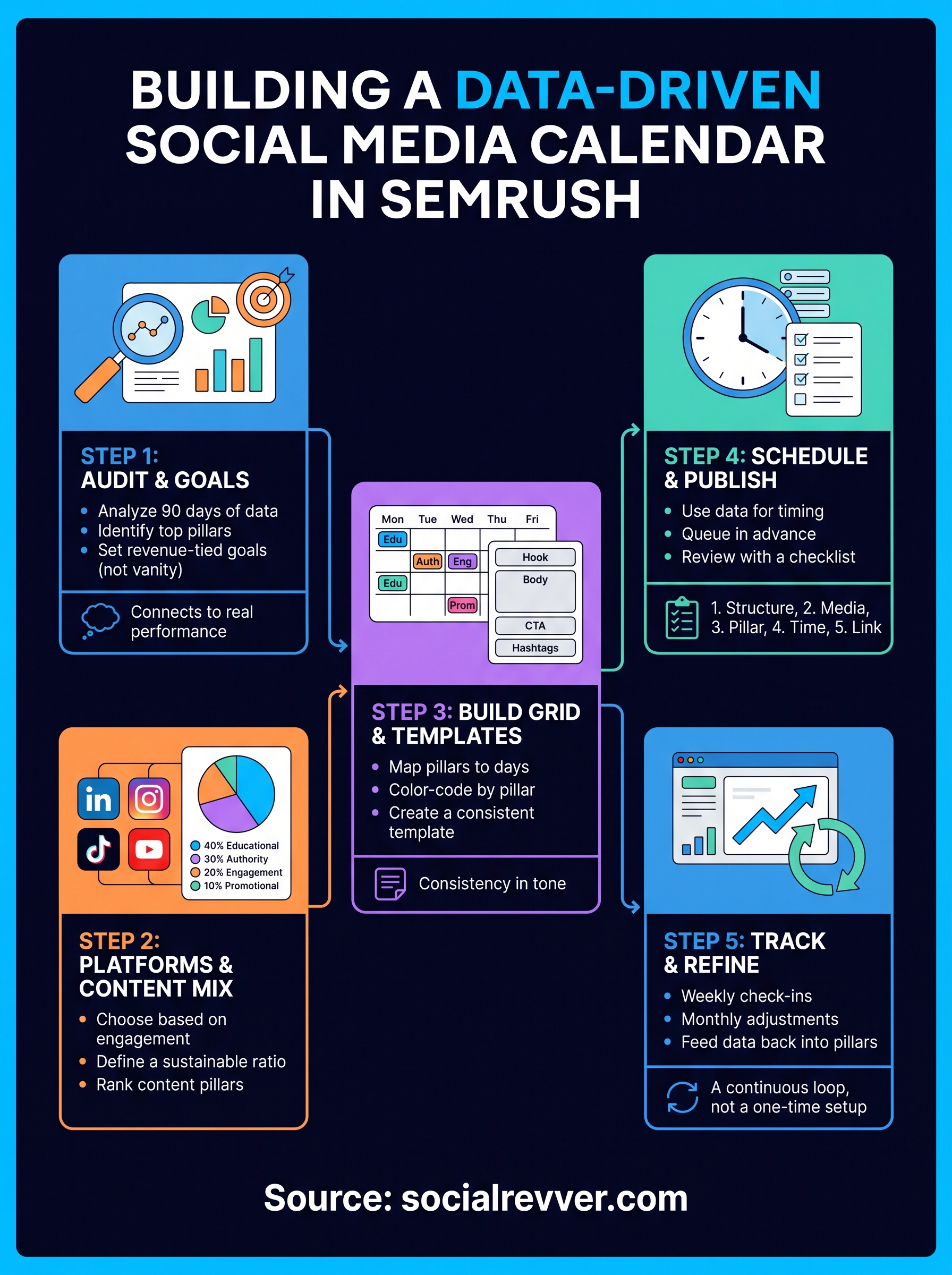
A semrush social media calendar only works if you keep feeding it real data instead of letting it run on autopilot. The five steps here, audit, platform selection, calendar build, scheduling, and review, aren't a one-time setup. They're a loop you run every month, tightening your content mix as your audience tells you what actually earns their attention. Skip the review step and you're back to guessing, just with a nicer interface.
Building this system yourself takes real time, and most founders don't have a spare ten hours a week to run audits and rebuild ratios. If you'd rather hand the strategy work to a team that's already analyzed hundreds of thousands of top-performing videos, apply for a free 40+ slide social media strategy and see what a data-built calendar looks like for your account specifically.